
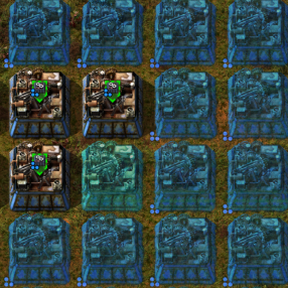
Automatic quality upgrades through your construction network — always substituting the best available, always stepping up as supply improves.
Mods introducing new content into the game.
Version: 1.0.5
Date: 2026-10-06
  Bugfixes:
    - Blueprint copies now capture a beacon's current module layout, including
      manual module changes, instead of restoring stale cached requests.
    - Preserved module slot assignments and recovered requests from the live
      source entity or pending module proxies when cached data is unavailable.
    - Added blueprint readback diagnostics to help distinguish missing stored
      module requests from Factorio's blueprint editor preview behavior. The
      editor may not consistently display module requests even when they are
      present in the blueprint data.
Version: 1.0.4
Date: 2026-10-04
  Bugfixes:
    - Fixed ghost-built machines receiving duplicate or misplaced modules.
      ABQ now preserves the original module slot assignments when replacing
      native module requests with quality-aware requests.
    - Fixed an invalid LuaEntity access while cleaning up native module proxies.
Version: 1.0.3
Date: 2026-08-15
  Bugfixes:
    - Reduced lag when copying large areas: blueprint patch only inspects
      module-capable entities and uses O(1) mapping lookup (no full-mapping scan).
Version: 1.0.2
Date: 2026-08-14
  Bugfixes:
    - Fixed ghost queue entries blocking re-placement after ghost expiry.
      Queue entries now store {entity, key} so invalid/expired ghosts clear
      ghost_queue_set immediately instead of leaving a sticky dedup flag until
      /abq-reset or full queue drain.
    - Recover from the "bots built the ghost before ABQ processed it" race.
      When that race hits, ABQ now clears the queue flag and attempts to adopt
      native item-request-proxies for module quality substitution, instead of
      only printing MISSED and requiring /abq-reset.
    - Fixed module quality intent lost when copying machines with many module
      slots / mixed module types. Canonical module requests (e.g. 3×legendary
      speed + 3×legendary efficiency + 2×legendary productivity) are now stored
      in entity tags (abq_modules) so blueprint/copy/paste preserves the original
      targets even while live proxies only show normal-quality substitutes.
Version: 1.0.1
Date: 2026-08-14
  Bugfixes:
    - Fixed quality recipes being lost on substitution.
      When a ghost with a quality recipe (e.g. rare personal batteries on an
      uncommon assembler) was substituted with a lower-quality entity, the
      recipe quality was reset to normal. Recipe quality is now captured and
      re-applied correctly via set_recipe(recipe, quality).
    - Fixed module requests when copying a mid-substitution machine.
      Copying/blueprinting a machine that still had ABQ substitute+upgrade
      proxies produced a ghost requesting mixed qualities (e.g. 1×normal +
      1×legendary) instead of the original intent (2×legendary). Blueprint
      setup now restores the full canonical module layout via event.mapping,
      and mixed-quality same-module requests on ghosts are consolidated to
      the highest quality target.
Version: 1.0.0
Date: 2026-06-29
  Features:
    - Updated for Factorio 2.1
Version: 0.9.4
Date: 2025-04-12
  Bugfixes:
    - Fixed ghosts from biter-killed buildings sometimes being missed by ABQ, and fixed a visual glitch where substitute ghosts could show a yellow upgrade arrow.
Version: 0.9.3
Date: 2025-03-30
  Bugfixes:
    - Fixed ghosts being silently abandoned when a blueprint demanded more items of a specific quality than the logistics network actually had available.
Version: 0.9.2
Date: 2025-03-29
  Bugfixes:
    - Fixed an issue where substitute modules were not delivered to entities in separate logistics networks.
Version: 0.9.1
Date: 2025-03-29
  Features:
    - Automatically fills blueprint ghosts with whatever quality is available in your logistics
      network, then upgrades each building as better items arrive.
    - Entities and modules are both handled — if legendary productivity modules aren't available,
      ABQ installs the best it can find and steps them up as better ones arrive.
    - All surfaces supported, including space platforms and surfaces without roboports.
    - Most settings adjustable in-game without restarting (Settings → Mod settings → Runtime).
    - Performance tuning settings for chunk scan speed and retry intervals.