
"Get rid of computer performance and enjoy the ultimate technology!" —— Promethium Tech Pack Spaceship
“摆脱电脑性能,畅享终极科技!” —— 黑瓶飞船
下拉以查看中文说明。
UPS Saving Quality Ships
Overview
UPS Saving Quality Ships modifies cargo interaction between a spaceship and the ground to simulate multiple identical spaceships operating at the same time and improve UPS.
Features
- Uses the quality level of the space platform hub as the simulation multiplier: ground-to-space cargo is divided by the multiplier on arrival, and space-to-ground cargo is multiplied by the multiplier before delivery.
- Ground to space: the mod increases the platform request first, then trims arriving cargo pod contents so the visible ship finally keeps about the original requested amount.
- Space to ground: the mod tries to launch extra cargo pods so the ground can receive about the multiplied amount while the visible ship only spends the original amount.
- The mod has a global buffer to balance rounded amounts, so repeated deliveries do not permanently create extra items or lose items.
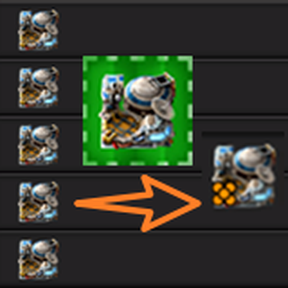
- Adds a hub quality button for changing the quality of space platform hubs inside blueprints.
- Dynamically reads the active quality chain, so it can adapt to any mod that adds new qualities.
Usage
Multiplier
The simulation multiplier p comes from the quality level of the space platform hub.
| Hub quality | Quality level | Simulation multiplier |
|---|---|---|
| normal | 0 | 1x |
| uncommon | 1 | 2x |
| rare | 2 | 3x |
| epic | 3 | 4x |
| legendary | 5 | 6x |
For quality mods, the mod reads the active quality chain from the game instead of using a fixed vanilla-only list.
Ground to space
When a ship requests x cargo from the ground and the hub multiplier is p, the mod makes the ground try to send about p × x cargo, then each arriving cargo pod is reduced so the visible ship keeps about x cargo.
Example with p = 3 and a visible ship request of 100 cargo:
| Step | Visible result |
|---|---|
The ship requests 100 cargo |
The mod makes the ground side try to send about 300 cargo |
| Cargo pods arrive on the platform | The mod trims the arriving contents |
| Final visible ship inventory | The ship keeps about 100 cargo |
This means one visible ship can behave like several identical ships for throughput, without needing to keep several physical copies running.
Space to ground
When the ground requests x cargo from the ship and the hub multiplier is p, the mod tries to send about p × x cargo to the ground while the visible ship only spends x cargo.
Example with p = 3 and a ground request of 100 cargo:
| Step | Visible result |
|---|---|
The ground requests 100 cargo from the ship |
The ship consumes about 100 cargo |
| The mod prepares downward delivery | The mod tries to create enough cargo pods for about 300 cargo |
| Final ground delivery | The ground can receive up to about 300 cargo |
If the platform cannot create enough extra downward cargo pods at that moment, the undelivered remainder is returned to the hub inventory or kept in the mod buffer for later balancing.
Buffer behavior
Some rocket loads are small or not cleanly divisible by the multiplier. The global buffer balances these rounded amounts across repeated deliveries so the long-term result stays correct.
Example with a single rocket load of 100 and p = 3:
| Rocket | Trimmed from pod | Buffer change | Ship receives |
|---|---|---|---|
| 1 | 67 | +1 | 33 |
| 2 | 67 | +1 | 33 |
| 3 | 66 | -2 | 34 |
Across these three rockets, the ship receives 100 cargo in total, which is the intended visible amount.
Changing hub quality in blueprints
The original game cannot upgrade space platform hubs with an upgrade planner, and heavily wired hubs are annoying to replace manually in blueprints. This mod adds a button for changing space platform hub quality inside blueprints.
| Action | Result |
|---|---|
| Hold a writable blueprint and left-click the hub quality button | Raise the quality of space platform hubs in the blueprint |
| Hold a writable blueprint and right-click the hub quality button | Lower the quality of space platform hubs in the blueprint |
| Hold a writable blueprint book and use the same button | Process blueprints inside the book |
Blueprint records in My blueprints are read-only to mods. Move the blueprint or blueprint book to inventory or Public blueprints before using the button.
Acknowledgments
- Special thanks to BAYUNZIYUE; the original idea for this mod came from him, and repeated discussion and testing shaped the implementation.
- Special thanks to plexpt for pointing me to the forums when rocket launch behavior became difficult to understand.
- Special thanks to tanvec for helping with documentation research, dynamic logistics group direction, and blueprint modifiability questions.
- Special thanks to the BlueprintSignals project, which showed how to build bottom-right blueprint tools.
- Special thanks to PHIDIAS for providing reference code examples around whether blueprints can be modified and how to modify them.
- Thanks to every player who uses this mod.
If you have any comments or suggestions, please share them in the Factorio discussion or on GitHub.
中文说明
概览
UPS 友好型品质飞船会修改飞船与地面的货物交互逻辑,从而模拟多个相同的飞船同时运行,以提高 UPS。
功能简介
- 使用太空平台枢纽的品质等级作为模拟倍率:地面到太空的货物在到达后按倍率缩减,太空到地面的货物在发射前按倍率放大。
- 地面到太空:模组会先放大平台请求,再在货舱到达后缩减内容,让可见飞船最终大致保留原本请求的数量。
- 太空到地面:模组会尝试额外发射货舱,让地面大致收到倍率放大后的数量,而可见飞船只消耗原本数量。
- 模组有一个全局缓冲区用于平衡零头,确保多次运输后不会凭空多出物品或少掉物品。
- 新增了一个枢纽品质按钮,用于修改蓝图中的太空平台枢纽品质。
- 动态读取当前品质链,从而适配任何新增品质的模组。
使用说明
倍率
模拟倍率 p 来自太空平台枢纽的品质等级。
| 枢纽品质 | 品质等级 | 模拟倍率 |
|---|---|---|
| 普通 | 0 | 1 倍 |
| 精良 | 1 | 2 倍 |
| 稀有 | 2 | 3 倍 |
| 史诗 | 3 | 4 倍 |
| 传说 | 5 | 6 倍 |
如果启用了扩展品质模组,本模组会从游戏当前品质链中读取品质,而不是只使用原版固定列表。
地面到太空
当飞船向地面请求 x 个货物,且枢纽倍率为 p 时,模组会让地面尝试发送约 p × x 个货物,然后在货舱到达平台后缩减内容,让可见飞船保留约 x 个货物。
假设 p = 3,可见飞船请求 100 个货物:
| 步骤 | 可见结果 |
|---|---|
飞船请求 100 个货物 |
模组让地面侧尝试发送约 300 个货物 |
| 货舱落到平台表面 | 模组缩减到达的货舱内容 |
| 最终可见飞船库存 | 飞船保留约 100 个货物 |
也就是说,一艘可见飞船可以在吞吐上接近多艘同款飞船,而不需要实际运行多艘实体飞船。
太空到地面
当地面向飞船请求 x 个货物,且枢纽倍率为 p 时,模组会尝试向地面发送约 p × x 个货物,而可见飞船只消耗 x 个货物。
假设 p = 3,地面请求 100 个货物:
| 步骤 | 可见结果 |
|---|---|
地面向飞船请求 100 个货物 |
飞船大致消耗 100 个货物 |
| 模组准备向下投放 | 模组尝试创建足够货舱,投放约 300 个货物 |
| 最终地面收货 | 地面最多可以收到约 300 个货物 |
如果平台当时无法创建足够的额外下行货舱,未投放的剩余货物会回退到枢纽库存,或保存在模组缓冲区中等待后续平衡。
缓冲区逻辑
有些火箭载荷很小,或者数量不能被倍率整除。全局缓冲区会在多次运输之间平衡这些零头,让长期结果保持正确。
假设单个火箭载荷为 100,且 p = 3:
| 火箭 | 从货舱缩减 | 缓冲区变化 | 飞船收到 |
|---|---|---|---|
| 第 1 发 | 67 | +1 | 33 |
| 第 2 发 | 67 | +1 | 33 |
| 第 3 发 | 66 | -2 | 34 |
这三发火箭合计后,飞船总共收到 100 个货物,也就是预期的可见数量。
修改蓝图中的枢纽品质
原版游戏无法用绿图升级太空平台枢纽,而带大量连线的枢纽在蓝图里手动替换也很麻烦。本模组新增了一个按钮,用于修改蓝图中的太空平台枢纽品质。
| 操作 | 结果 |
|---|---|
| 手持可写蓝图并左键点击枢纽品质按钮 | 提高蓝图中太空平台枢纽的品质 |
| 手持可写蓝图并右键点击枢纽品质按钮 | 降低蓝图中太空平台枢纽的品质 |
| 手持可写蓝图册并使用同一个按钮 | 处理蓝图册内的蓝图 |
“我的蓝图”中的记录对模组只读。使用按钮前,请先把蓝图或蓝图册移动到背包或公共蓝图。
致谢
- 特别感谢 BAYUNZIYUE,这个模组最初的构思来源于他,后续实现也经过了多次讨论和测试。
- 特别感谢 plexpt,在我被火箭发射行为困扰时,他提醒我去论坛查阅资料。
- 特别感谢 tanvec,他帮助我查阅文档,指明动态物流编组的修改方向,并对蓝图是否可修改提供帮助。
- 特别感谢 BlueprintSignals 项目,它让我知道如何构建右下角的蓝图工具按钮。
- 特别感谢 PHIDIAS,他在蓝图是否可修改、应该如何修改方面提供了参考代码。
- 感谢所有使用此模组的玩家。
如果有任何意见或建议,欢迎在 Factorio 讨论区 或 GitHub 反馈。