
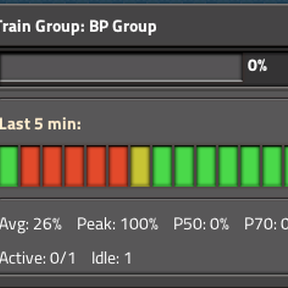
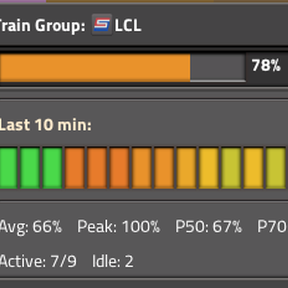
Shows train group utilization split by idle/active status, similar to CPU load in a task manager.
Click any locomotive to open a window showing:
- Current utilization bar with color coding (green → yellow → red)
- 20-bar sparkline history for the time window
- Statistics: Average, Peak, P50 / P70 / P90 percentiles
- Active vs idle train count per group
Features:
- Standalone – trains at depot stations with empty cargo are detected as idle. The depot needs to have "Depot" in it's train-stop name. The check is case-insensitive.
- Cybersyn 2 – optional integration uses CS2 delivery state for idle detection
- Analysis window – configurable 1–30 minutes (default 5)