Too Many Buildables - (TMB)


A collapsible panel that drops down exactly over your quickbar and shows every buildable in your inventory, sorted into the crafting menu's categories. Made for big mod lists.

Utilities
2 hours ago
2.1
20

b UI is incorrectly positioned in Remote View

18 hours ago

Hi, I just wanted to let you know that your UI doesn't account for the player using Remote View, so it doesn't change position when the border appears. I don't know the exact pixel sizes, but you could look at No Remote View Border mod to get an idea, and you probably want to detect when that mod is active because it's able to disable the borders.

You can use the on_player_controller_changed event to detect when you need to do this.

I really like the concept of this mod and I think that drawing over the Quickbar is genius, to show a more "opinionated" building selection like you might see in other games.

Pressing the Pipette keybind (default Q) in your GUI doesn't do anything, which is a little jarring. You could use LuaPlayer::pipette with allow_ghost for this, to give either form of the item based on availability (similar to what your left-click does).

I did look for a way to detect Quickbar height, and I thought get_active_quick_bar_page might return nil when called with indices 3-10, but alas, it does not seem like there is a way. :(

I'll also note that setting the "Fine-tune offset" to (4, -1) causes the item slots in the GUI to align perfectly with the Quickbar's slots (tested with height = 3, width = 15).

It may also be nice to have a way to hide the UI toggle arrows and defer to a standard shortcut button or the keybinds.

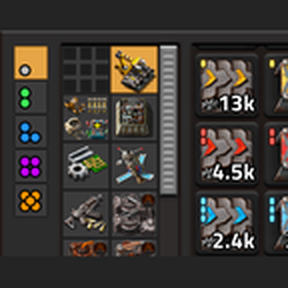
2 hours ago

Hi, I just wanted to let you know that your UI doesn't account for the player using Remote View, so it doesn't change position when the border appears. I don't know the exact pixel sizes, but you could look at No Remote View Border mod to get an idea, and you probably want to detect when that mod is active because it's able to disable the borders.

You can use the on_player_controller_changed event to detect when you need to do this.

I really like the concept of this mod and I think that drawing over the Quickbar is genius, to show a more "opinionated" building selection like you might see in other games.

Pressing the Pipette keybind (default Q) in your GUI doesn't do anything, which is a little jarring. You could use LuaPlayer::pipette with allow_ghost for this, to give either form of the item based on availability (similar to what your left-click does).

I did look for a way to detect Quickbar height, and I thought get_active_quick_bar_page might return nil when called with indices 3-10, but alas, it does not seem like there is a way. :(

I'll also note that setting the "Fine-tune offset" to (4, -1) causes the item slots in the GUI to align perfectly with the Quickbar's slots (tested with height = 3, width = 15).

It may also be nice to have a way to hide the UI toggle arrows and defer to a standard shortcut button or the keybinds.

Thanks for the feed back, yeah i didn't take into account that the remote view moved up the panel a notch. just fixed that and added it with the feature update in the newest release. i even added the pipette function for good measure.

New response