
Tiny Production UI (TPU)
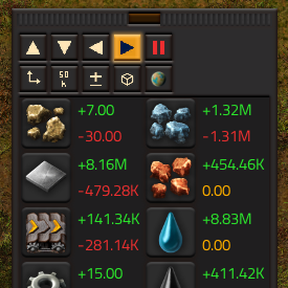
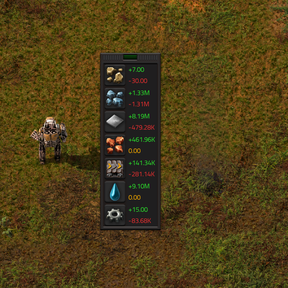
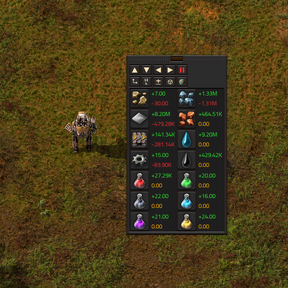
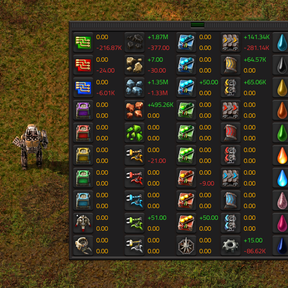
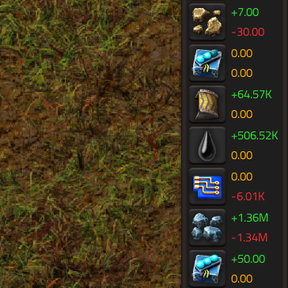
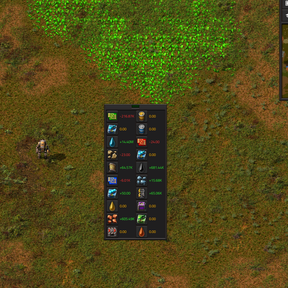
Tiny Production UI adds a compact, movable window for tracking item and fluid production while you play. Monitor production, consumption, and net balance across all planets or a selected planet. Keeps your production rates close by without hogging your screen or interfering with gameplay.
Features
- Item and fluid slots: Choose which resources to monitor.
- Total and diff modes: Show production and consumption separately, or their difference.
- Display units: Switch item rates between individual items and stacks. Fluids ignore this setting.
- Rate precision: Cycle through eight averaging periods, from 5 seconds to 1,000 hours.
- Planet filter: View one planet’s rates or combine all planets.
- Flexible layout: Add or remove rows and columns, switch orientation, and swap slots.
- Pause: Freeze displayed rates without pausing the game.
- Optional hotkey: Assign a keyboard shortcut to toggle the window.
- Helpful tooltips: Everything has a helpful tooltip explaining what's what, so you never get lost.
How to use
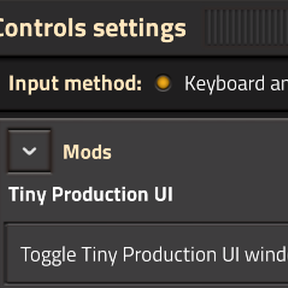
- Open TPU using its shortcut-bar button. To assign a hotkey, find Toggle Tiny Production UI window under Settings -> Controls; none is assigned by default.
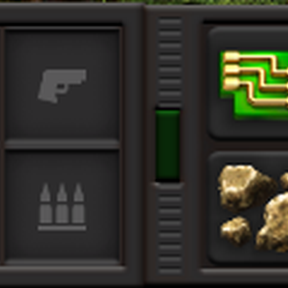
- Select resources by clicking a slot’s chooser. Empty slots have a switch for choosing items or fluids. Right-click the chooser to clear a selection.
- Adjust the display using the action buttons: change mode, units, averaging period, planet, or orientation. Hover buttons for tooltips.
- Customize the grid with the arrow buttons.
- To swap slots, click one slot’s rate text, then the destination’s rate text. Click the source again to cancel.
- Move or simplify the window: drag its patterned handle, click the handle’s central button to hide controls.
- Pause the tracking with the red pause button; resume with the green play button.
Planned features
- Auto-hide: For truly out-of -the-way experience, enable auto-hide to leave only the drag handle visible. Hover over to reveal the window.
- Mini mode: an option to make it even smaller by reducing the size of text and other elements
- Presets: save window config presets and easily switch between them. A great way to twitch between sets of monitored resources or planets.
I'm always open to suggestions.