
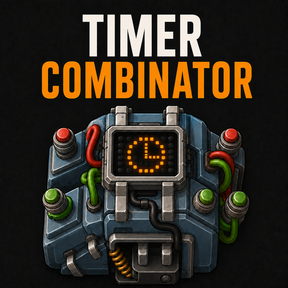
⏱️ Timer Combinator
Give your circuits a sense of timing. Timer Combinator adds configurable delays, timed pulses, repeating cycles, and an output that can stay on until reset—all in one combinator.
🧪 0.2.0 — Experimental
This release adds wildcard starts and a refreshed native-style GUI. Timers now require electricity. Back up your save before upgrading from 0.1.0 and check that existing timers have power. Without enough power, outputs clear and running timers pause; they resume when power returns.
Tested scenarios and player checks pass, but this is not a fully production-validated release. Active save/reload and upgrades from 0.1.0, complete blueprint coverage, multiplayer, all GUI languages/scales and large-factory performance remain unverified. Please report problems with a reproducible setup. No UPS improvement is promised.
Use it to run a pump for a few seconds, delay a warning, flash a lamp, or coordinate the next step in a production circuit. Choose what starts the timer, how long it waits, and which signal it sends. Your connected circuit decides what happens next.
Built for Factorio 2.1. Requires electricity, like a native arithmetic combinator. Only the base game is required. English and French are included.

🔧 Quick setup
- Research Circuit network, then craft a Timer Combinator from one arithmetic combinator.
- Place the timer within a powered electric pole's supply area. Connect a constant combinator to INPUT and a lamp to OUTPUT. Set the lamp to enable when
T > 0. - Open the timer. Keep Start at
S > 0, RESET atR > 0, Per trigger, Stop after = 1, and output SignalT = 1. - Set Delay to 1 second and Duration to 1 second, with Pulse selected. Click Apply and reset.
- Keep
R = 0and leaveS = 0briefly so the timer can read the false start condition. Then setS = 1. The lamp lights after the delay and stays on for one second. - For another run, click Reset timer, lower
Sto0, let the timer read it, then raiseSagain. You can also reset throughR > 0; clearRbefore rearming and starting.
🔄 Timing modes
- Per trigger: Each time your start condition becomes true, an idle timer starts one countdown. Keeping the condition true does not start another run. New starts during a countdown or pulse are ignored.
- Repeat: One start launches successive delay-and-pulse cycles. The sequence continues even if the start condition becomes false.
- Stop after: Limits completed cycles since the last reset. Use
0for unlimited cycles. Once the limit is reached, reset before starting again. - Hold until reset: After one delay, the output stays on until reset while powered. Duration, Mode and Stop after are hidden because Hold uses one triggered run. Switching back to Pulse restores your drafts during the same editing session.
Delay is the waiting time between pulses. In Repeat mode, a 30-second delay and 2-second duration produce pulse starts 32 seconds apart. The first pulse follows the initial 30-second wait.
Choose ticks or seconds, from one tick to 24 simulation hours. One second is 60 simulation ticks; pausing the game also pauses the timer.
✳️ Wildcard starts
- Anything: one timer starts when at least one received signal matches.
- Everything: one timer starts when every received signal matches. Empty input also matches; it does not prove all expected resources are present.
- Each: matching signals and qualities get independent timers with shared settings. Each emits its own identity at your configured output count, not the incoming stock count.
RESET cancels every Each timer. After RESET or Apply, the first RESET-inactive sample establishes a baseline. Signals already matching must become false or disappear before starting; later arrivals can start independently. Disappearance does not cancel a running timer or restore a finished cycle budget.
Each has an experimental safety limit of 100 retained identities, including reset-baseline blockers. Overflow stops the bank and clears output; use RESET to clear its history and reduce the selected input signals before rearming. This is not a measured performance guarantee.
⚡ Electricity and outages
Insufficient power pauses the remaining delay or pulse time and preserves the cycle count. Output is cleared during the outage; restoring power resumes the remaining time or held output. Native circuit propagation still applies. An interrupted ON output can create another rising edge when it resumes.
Inputs are not sampled while unpowered, so short trigger or RESET signals entirely within an outage are not queued. The current RESET condition wins when power returns. Reset timer and Apply and reset still cancel the run without power. A charged native buffer may briefly keep the timer operating after its supply is disconnected.
💡 Ideas for your factory
- Timed pumping: Send a five-second pulse to a pump configured to enable on your chosen signal.
- Delayed warning: Start a countdown when a problem appears. Wire a recovery condition to RESET to cancel the warning if the problem clears.
- Blinking indicator: Use Repeat with equal delay and duration for a lamp that alternates between off and on.
🚦 Controls and useful details
RESET cancels the current run, clears the output and cycle count, and takes priority over starting. After reset, the start condition must become false before another start.
Edits take effect only when you click Apply and reset, which also cancels the current run. Closing the window discards unapplied edits.
Add description opens an independent note editor. Saving the description does not apply timer settings or reset the clock; closing that editor without saving discards only the note draft.
Blueprints and settings copy carry your timer's settings. Copies start fresh; they do not inherit a running countdown. Pasting settings onto an existing timer resets it.
Explicit, Anything and Everything starts emit your selected signal and value. Each emits its active identities at the shared configured count. Input counts are not forwarded; both connected output colors receive the same output.
Some machines and mods check their inputs less often than others. Give those receivers a longer pulse so they have time to notice it.
❓ Help and support
Read the complete guide or report a problem on the issue tracker. Include your Factorio version and the timer settings so the problem can be reproduced.
🙏 Credits and license
Source code is released under the MIT License. Factorio's graphics belong to Wube Software. Thumbnail artwork was created with generative AI.