
Train chaingun carriers, siege tanks and flame tanks at a barracks and command them RTS-style: drag-select, number-key divisions, attack, patrol, scout and escort teammates. Built around being able to be used in multiplayer, supporting it to the highest extent. Fast performance, deploy large number of units with negligible server impact.
Features
- Three kinds of tanks. Fast chaingun carriers in three ammunition tiers, a long-range siege tank with an oversized cannon, and a heavily armored flame tank.
- Mobile headquarters. A huge, slow, unarmed command vehicle. It heals nearby soldiers, and wherever it parks it sets up camp with a far-reaching roboport and solar decks that power a nearby grid. It keeps the map live around itself like any tank.
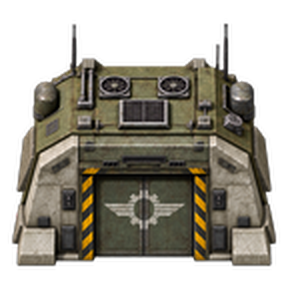
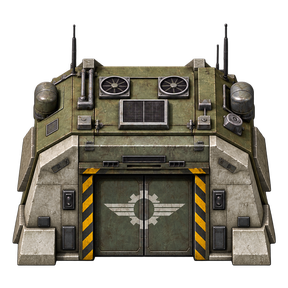
- Barracks. A 3x3 military bunker that trains soldiers like an assembler trains items. It needs no power, heals nearby soldiers, and plays a door animation when a new tank rolls out.
- RTS controls. Drag-select with the command tool, alt-drag to move or attack, and use Ctrl + 1–9 / Alt + 1–9 to assign and recall up to nine divisions. Ctrl + Shift + 1–9 adds the selection to a division without touching its other soldiers.
- Patrol routes. Draw a waypoint loop for a division. Each tank takes its own stretch of the route, and a large division also fills the inside on inner rings, so the whole area stays covered. When one tank comes under attack, the nearest tanks within 128 tiles come to help, more of them for a bigger attack, while the rest hold their posts. The helpers then return to their posts.
- Scout mode. A division splits into up to four teams that each explore their own direction. Flame tanks lead, carriers follow and siege tanks cover them from 30 tiles back. Teams keep pushing outward until water or cliffs stop them.
- Escorts. Assign a division to any player on your team, as a defensive ring around them or an offensive roaming band that clears everything it finds.
- Nest assaults. Offensive divisions gather on an arc outside a biter nest before they attack. Siege tanks shell the worms from out of range, flame tanks push in, and carriers follow. A division of carriers alone gathers, then attacks together. Order a division onto a nest yourself and it surrounds the nest first: its tanks spread evenly round it, out of worm range, and then attack from every side the same way.
- Healing retreat. Badly damaged escort, scout and patrol soldiers drive back to the nearest barracks or mobile headquarters in guarded convoys, heal, and return to their post. A scout team that takes too much damage pulls back together.
- Automatic reinforcements. Link a barracks to a division and set how many of its soldiers it keeps there. It replaces its losses automatically and pauses when its quota is full. Each barracks has its own division and quota, so several barracks with different recipes can feed one division.
- Division insignias. Divisions 1–9 each carry their own insignia: Iron Vanguard, Ashguard, Stormbreakers, Pathfinders, Siege Hammers, Night Watch, Dust Wolves, Steel Serpents and Last Bastion. It flies over the division, shows on the map and heads its row in the division window. Your whole team sees it.
- Veterans. Every unit has its own name. Soldiers earn experience from their kills, weighted by how tough the enemy was, and rise from Recruit to Trained, Seasoned and Veteran. Each rank makes a soldier faster, hit harder and shrug off more damage. Point at a unit to see its name, rank, experience and kills.
- Map vision. Soldiers keep the map live around themselves, so you can watch fights from the map view without radars.
- Multiplayer ready. Selections, divisions, route overlays and labels are private to each player. Everything is per force.
Units
| Unit | HP | Range | Speed | Training cost | Time |
|---|---|---|---|---|---|
| Chaingun Carrier Mk1 | 400 | 20 | fast | 15 steel, 20 gears, 10 firearm magazines | 10 s |
| Chaingun Carrier Mk2 | 500 | 20 | fast | 15 steel, 20 gears, 10 piercing magazines | 10 s |
| Chaingun Carrier Mk3 | 600 | 20 | fast | 15 steel, 20 gears, 10 uranium magazines | 10 s |
| Siege Tank | 900 | 52 | slow | 40 steel, 30 gears, 10 cannon shells | 30 s |
| Flame Tank | 2,400 | 10 | slowest | 60 steel, 40 gears, 10 flamethrower ammo | 30 s |
- The ammunition is used up during training. Soldiers never run out of ammo in the field.
- Your normal weapon research applies: bullet damage for carriers, cannon research for siege tanks, and flamethrower research for flame tanks.
- The siege tank outranges every worm, including behemoths.
- The flame tank has 90% fire resistance, and its flames leave no fires on the ground.
Mobile headquarters
Research Mobile headquarters (automation to utility science), then choose Build Mobile Headquarters in a barracks. It costs 400 steel, 100 gears, 40 electric engines, 40 processing units, 40 solar panels, 40 accumulators and 4 roboports, and takes 60 seconds.
- Body: about 9 by 14 tiles, 400 HP, one-sixth of a carrier's speed. It has no weapon and never fights back, so escort it. It flattens trees, rocks and cliffs in its way, but never buildings.
- Healing: 20 HP per second to every soldier within 24 tiles, also while it drives. Injured escort, scout and patrol soldiers retreat to it when it is nearer than any barracks, and follow it if it drives on.
- Camp: when it parks, it sets up a roboport with 25 times the normal reach (625-tile logistics, 1,375-tile construction), 12 MW of solar decks and a 1 GJ battery. The camp stays where it was while the headquarters drives, and moves to it when it parks again.
- Power: a camp within 12 tiles of one of your electric poles wires itself to that pole, so the grid shares its solar power and battery. It never links two grids.
- Robots: open the headquarters to put construction and logistic robots and repair packs into its roboport. Robots build from your logistic network like any roboport's. If the headquarters is destroyed, its docked robots and repair packs drop on the ground.
- Orders: select it with the command tool and move it or give it a patrol route like any soldier. An attack order moves it to the area; an order onto a nest parks it on the division's side while the tanks attack. Scouting and escort formations leave it where it is.
Veteran ranks
| Rank | Experience | Speed | Damage | Damage taken |
|---|---|---|---|---|
| Recruit | 0 | — | — | — |
| Trained | 50 | +30% | +100% | −65% |
| Seasoned | 250 | +60% | +200% | −75% |
| Veteran | 1000 | +100% | +400% | −85% |
A kill is worth a tenth of the enemy's maximum health in experience: a small biter gives 1.5, a behemoth 300. A siege tank's extra damage lands with its shell. A killing blow is never reduced, and a soldier's record ends with it. The mobile headquarters has a name but no rank. Point at a unit to see its card.
Controls
| Action | How |
|---|---|
| Select soldiers | Drag with the command tool |
| Move | Alt-drag over empty ground |
| Attack an area | Alt-drag over enemies |
| Assign selection to a division | Ctrl + 1–9 |
| Add selection to a division | Ctrl + Shift + 1–9. The division keeps its members, their orders and its job |
| Select a division | Alt + 1–9, or click its row in the division window. Drag the window by its title bar; its buttons fold it away or switch to short rows |
| Patrol | Toggle patrol mode on the shortcut bar, then alt-drag to place waypoints |
| Scout | Select a division and toggle scout mode on the shortcut bar |
| Escort | Select a numbered division, press the escort shortcut, then pick a player and a formation |
| Reinforce | Open a barracks and use the Automatic reinforcements panel |
All keys can be rebound in the controls menu. Each soldier belongs to one division at a time. Drag-selecting soldiers never takes them out of their division; an order to the selection does, but only from a patrolling, scouting or escorting division. Starting a patrol or scouting on a drag selection turns it into the lowest free division.
Escorts in detail
- Defensive: the division holds an evenly spaced ring 160 tiles from the player. When enemies come within 224 tiles of the player or of the ring's centre, the nearest half of the division intercepts them and the rest hold the ring.
- Offensive: the division roams 256–448 tiles from the player and attacks the nearest biters, nests, worms, turrets or enemy players.
- The escort only relocates once the player has stopped and moved more than 64 tiles, so it never chases a train.
- Soldiers below 35% health retreat to the nearest barracks or headquarters within 1,000 tiles and come back at 95%.
- The escorted player can dismiss the escort at any time.
Scouting in detail
- Teams: one team per three soldiers, at most four. A bigger division makes bigger teams. Each kind of tank is spread evenly, and every team gets at least one flame tank or carrier to screen its siege tanks.
- Directions: the teams split the compass from where scouting started, so each explores its own slice. Inside its slice a team always heads for the nearest uncharted chunk.
- Formation: flame tanks at the front, carriers in a V behind them, and siege tanks 30 tiles back, where their cannons still reach past the front. Teams move in 32-tile hops. Once the front or half the team has arrived, the rest get 10 seconds to catch up before the next hop. A tank more than 64 tiles from its team, such as one coming from a merged team, drives after it and takes its place in the formation when it arrives.
- Water: a team never sends its tanks into water. With water ahead it heads for the far bank, up to 160 tiles away, and the pathfinder leads it around the lake; with no bank in sight it follows the shore. A chunk still out of reach after 8 hops along the shore, or 20 hops in all, is skipped for 10 minutes. A chunk of open sea is skipped by every team for 30 minutes.
- Map: each team shows on the map with the division's number and a team letter, such as 3A and 3B, and its insignia. The labels follow merges and go back to the division label when scouting ends.
- Healing: a tank below 35% health drives to the nearest barracks or headquarters within 1,000 tiles and comes back at 95%, with guards in teams of more than 10. A team below half its total health, or down to half its tanks, drives back together and returns when every tank is healed.
- Help: a team that loses 15% of its health within 10 seconds, or loses a tank, falls back one hop and holds. The nearest healthy team within 192 tiles comes to help, while the other teams keep exploring. Once the fight has been quiet for 15 seconds, the team goes around that spot instead of back into it.
- Far out: when everything nearby is charted, a team marches straight outward until it finds fog again. A team blocked by water or cliffs, one that makes 48 hops without charting its target, or one left with only siege tanks joins the nearest team. Scouting stops only when every direction is blocked.
Mod settings
All of these are map settings and can be changed during a game (Settings → Mod settings → Map):
- Defensive ring radius and threat radius
- Offensive band inner and outer edge
- Escort follow distance
- Retreat health, rejoin health, and healing search range
- Soldiers reveal the map (turn this off to save the charting work on very large armies)
Performance
Tank Squads soldiers are native unit entities, the same type as biters. Movement, pathfinding, targeting and damage run in the engine's C++. The mod's scripts only react to events and run one light sweep per second, spread across ten slices. There is no on_tick handler.
In testing, 200 carriers in constant combat cost about 0.01 ms per tick of script time.
Veteran ranks add no per-tick work. Kills are counted from enemy deaths only, a Recruit's shots cost no extra engine calls, and names and ranks are shown on a card while you point at a unit rather than drawn over every tank.
A mobile headquarters' camp moves only when it parks, because the engine takes a few milliseconds to move a roboport with such a large reach. Its once-a-second sweep is otherwise light.
Compatibility
- Works in single player and multiplayer, and can be added to existing saves.
- Soldiers from AAI Programmable Vehicles are separate entities and are not converted.
- Space Age is not required.