

Spidertrons Manager
A powerful Factorio mod designed to streamline the management of Spidertrons. Group them together, command them to follow you, send them to a designated home base, and synchronize their settings effortlessly.
Features
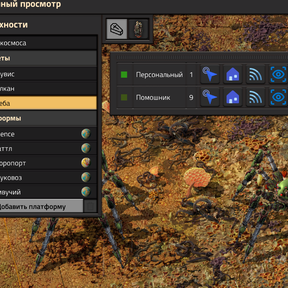
- Smart Grouping: Automatically groups Spidertrons on your current surface by their name or custom entity label.
- Advanced Follow Mechanics: Command groups to follow you.
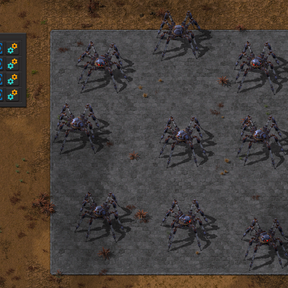
- Home Base Management: Set a "home" point or area for your Spidertron groups. When sending them home, the mod intelligently calculates grid positions to prevent overlapping.
- Integrated Pathfinding: Utilizes Factorio's native
surface.request_pathAPI to find valid paths, intelligently navigating around water and lava tiles. - Settings Synchronization: Copy configuration settings (logistics, filters, etc.) from one Spidertron to the entire group instantly.
- Quick Remote Assignment: Instantly equip a Spidertron Remote and pre-select the entire group for immediate manual control.
Controls & Usage
Open the Manager GUI:
- Press the
Ukey (custom input) OR click the Spidertrons Manager shortcut icon.
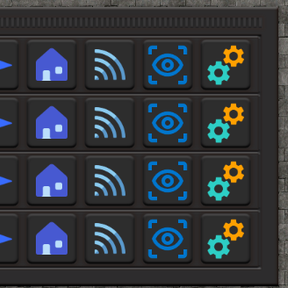
GUI Actions: Each Spidertron group in the list has a set of action buttons:
Follow Me:
- Normal Click: Sets the group's follow target to your character.
- Shift + Click: Requests a calculated path to your character (avoids obstacles).
- Ctrl + Click: Sets your character's current position as a direct autopilot destination.
Give Remote: Places a Spidertron Remote in your cursor and pre-selects this group.
Go Home:
- Normal Click: Sends the group to their saved home (point or area).
- Shift + Click: Sends the group home using pathfinding.
- Ctrl + Click: Activates the "Set Home" selection tool. Draw an area on the map to define the new home base for this group.
Go Location:
- Normal Click: Sends the group to location (point or area).
- Shift + Click: Sends the group to location using pathfinding.
View: Centers your camera on the lead Spidertron of the group.
Settings: Opens the lead Spidertron's GUI. Upon closing, its settings are automatically copied to all other Spidertrons in the group.