
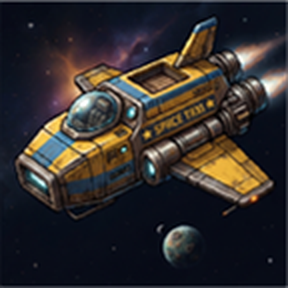
Space Taxi
Stop missing your ships. With Space Taxi you can book a ride on a space platform before it arrives, or just pick a destination planet and let the mod find the best ship for you.
Built for Space Age setups where ships run fixed routes and only stop for a few seconds at each planet: no more waiting ten minutes because you missed a 10-second window.
Features
Wait for a ship
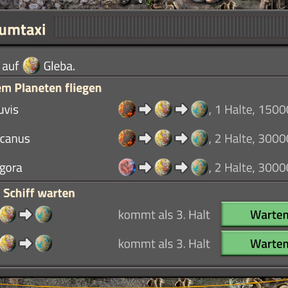
- Lists every platform in automatic mode that has your current planet in its schedule, even if it is far away.
- Shows when it arrives: in orbit now, next stop, stop no. 3, …
- Click Wait and you are seated in the rocket of the nearest silo with a rocket ready.
- When the ship arrives, the rocket launches automatically.
Fly to a planet
- Lists every planet you can reach from here with a passenger ship.
- Picks the most direct ship: the shortest route (in km along its schedule) from your planet to the destination. Ties go to fewer stops, then to the ship that arrives soonest.
- When the ship reaches the destination, you land automatically, just like pressing Land on planet.
Never miss the window
- The rocket flight takes about 35 seconds, longer than a short stop. When your ship arrives, Space Taxi pauses it until you are aboard (or have landed), then switches it back to automatic mode.
- The silo you are sitting in is switched off while you wait, so it cannot send your rocket somewhere else.
- If no rocket is ready in time, the ship leaves after a configurable time and your booking carries over to its next visit.
Passengers checkbox
- A Passengers checkbox next to the space platform hub window lets you choose which ships may be used for "Fly to a planet" (e.g. keep your cargo haulers out).
How to use
- Open Space Taxi with the shortcut bar button, Ctrl + Shift + T, or the button next to the rocket silo window.
- A status line at the top of the screen shows your booking. Click the red X to cancel, or simply leave the rocket.
Settings (map settings)
- Ships take passengers by default: used for ships whose Passengers box was never changed.
- Max. seconds a ship waits for a passenger: default 120.
Notes
- Requires Space Age.
- Ships must be in automatic mode, and their schedule must contain the planet as a stop. Interrupts are not taken into account.
- Tested in single player. Multiplayer should work, but has not been tested yet. Bug reports are welcome!
Languages
English, German