
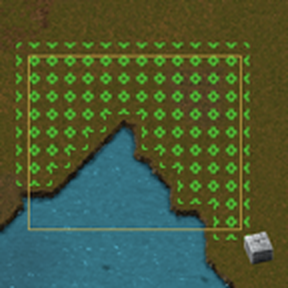
Select & Pave

Drag-select an area to pave it with the item in your hand.
Usage
- Hold a paving item: any item with a tile result, such as stone brick, concrete, refined concrete, landfill, or Space Age's foundation.
- Press the "Pave Selection" shortcut (default key: Alt + W), or click its button in the shortcut bar.
- Drag a box over the area to pave. Tile ghosts are placed for construction robots (or manual building) to complete.
- Hold Shift while dragging (Factorio calls this "alt-select") to also place an underlay (e.g. landfill) where the held item can't go directly, such as water.
After each drag the selection tool stays in your hand so you can pave several areas in a row; press Q (clear cursor) to put it away. The per-player setting "Behavior after selection" can instead return the paving item, or leave the hand empty, after every selection.
The map-wide setting "Protected tiles" lists tile names that are never overwritten by paving with a different item, so a broad selection can't accidentally destroy ground you want to keep.
While selecting, you can switch to the next/previous paving item with the "Pave Selection: Next/Previous Item" controls. These have no default key; bind them under Settings > Controls.
Related mods
Floor Placer covers similar ground with a GUI item picker instead of using the item in hand.