
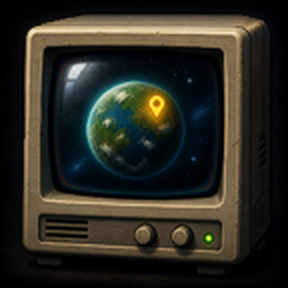
Pin a surface as your default Remote View destination. Press TAB to open Remote View on your chosen surface instead of automatically opening on your character's current surface.
Providing the player with new tools or adjusting the game interface, without fundamentally changing gameplay.
Version: 0.2.3
Date: 2026-09-10

  Features:
    - Companion pin list visibility follows player.game_view_settings.show_surface_list, so HUD mods that hide the vanilla Remote View surface selector (e.g. Dynamic HUD) hide this list too. No dependency on those mods.
    - Pattern for other mods: mirror that flag on companion UI next to the surface selector, or place persistent chrome under gui.top / gui.left via mod-gui for Dynamic HUD’s top/left auto-hide (mod_gui.get_button_flow / get_frame_flow). Avoid gui.screen for always-on icons you want auto-hidden.
Version: 0.2.2
Date: 2026-08-30

  Changes:
    - Pin list uses dark HUD panel styling: bordered scroll area, row separators, and highlight on the pinned/default surface.

  Features:
    - Screenshot in README and Mod Portal description (media/pin-list-screenshot.jpg on the public branch).
Version: 0.2.1
Date: 2026-08-21

  Bugfixes:
    - Pin list no longer jumps to the top when changing a favorite slot or pin.
Version: 0.2.0
Date: 2026-08-19

  Features:
    - Numbered favorites: assign slot 1–9 or 0 on each surface in the pin list.
    - Jump keys enter Remote View on that surface, or switch to it if you are already in Remote View.
    - Defaults: Alt+1, Alt+2, Alt+3. Slots 4–9 and 0 are unbound; bind them in Settings → Controls.
    - Pin list shows space platform names instead of internal ids such as platform-1.
Version: 0.1.2
Date: 2026-08-19

  Features:
    - Portal thumbnail (CRT monitor) and a stencil CRT icon for the toggle button.

  Changes:
    - Toggle lives in the top-left mod-gui button cluster with other mods, not as a separate top-bar control.
Version: 0.1.1
Date: 2026-08-19

  Features:
    - Button to show or hide the pin list while in Remote View.

  Changes:
    - Pin list is compact (no title-bar filler, no stretch-to-fill of the left GUI column).

  Bugfixes:
    - Crash on entering Remote View (Unknown style quick_bar_window_frame).
Version: 0.1.0
Date: 2026-08-19

  Features:
    - Per-player pin for a default Remote View surface.
    - Toggle map (default TAB) opens Remote View on the pinned surface when it is still valid.
    - Companion pin list in Remote View (vanilla surface list cannot be modified by the Lua API).