
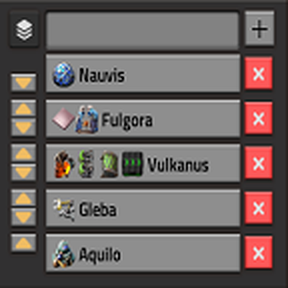
Save your current position with one click and jump back to it in remote view whenever you like.
The list sits on the left side of the screen, not under the minimap, where the space is usually already taken up by tooltips and the vanilla map pins.
The list does not cover any buttons in the left corner.
Features
- One-click bookmarks: Save your current position and surface to the list, then click an entry to jump straight to it in remote view.
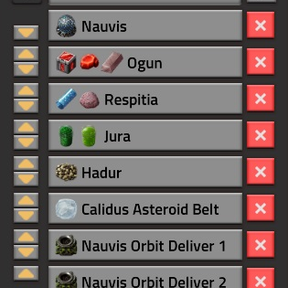
- Icons in names: The button next to the text field opens the signal picker, so you can add item, fluid and signal icons to your bookmark names. Several icons in a row work, too.
- Sortable list: Move entries up or down with the arrow buttons. The list scrolls when it gets long.
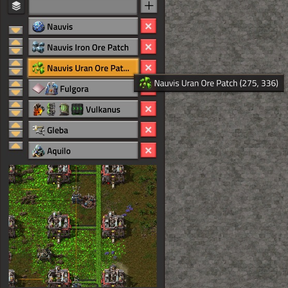
- Preview on hover: Hover over an entry to see a small camera view of the saved location, together with its coordinates in the tooltip.
- Rename in place: Right-click an entry to edit its name. Confirm with the check mark or Enter, or cancel with ESC or another right-click.
- Safe deleting: Click the red X to start a 5-second countdown. Click again to cancel, otherwise the entry is removed when it reaches zero.
- No language needed: Every button is an icon, so there is nothing to translate.
- Multiplayer stable and UPS friendly: Fully tested in multiplayer (each player has its very own list) and absolutely UPS friendly for everyone.
How to use
- Optionally type a name and pick icons. If you leave the field empty, the name of the current surface is used.
- Click + or press Enter to save your current position or the camera position when in remote view.
- Left-click an entry to jump there. Right-click it to rename it.
- Use the up and down arrows to reorder and the red X to delete a bookmark.
Check out my other mods.