
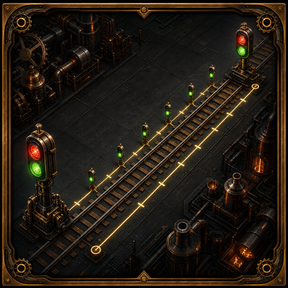
Automated Rail Signal Placer automatically signals connected rail lines using two selected endpoints.
Set the length of your longest train, select where signalling should begin and end, and the planner follows the connected route and fills it with properly spaced normal rail-signal ghosts.
How to use
- Right-click the shortcut to configure your train length and clearance.
- Left-click the shortcut to activate the planner.
- Place the temporary first and second signal endpoints.
- Review the completed plan and let construction robots build it.
Press Q to cancel an unfinished selection. Press Ctrl+Z after completion to undo the generated plan.
Your settings are saved automatically for each player.
Signalling direction
The sides on which you place the endpoints determine the result:
- Same side: one-way signalling
- Opposite sides: paired two-way signalling
For two-way tracks, both sides are checked before the plan is committed. If a required paired position is obstructed, the attempt is rejected without leaving a half-finished layout.
Features
- Spaces signals according to your configured train length
- Balances the remaining distance instead of leaving an unnecessarily short final block
- Supports straight rails, curves, ramps, branches, merges, and elevated rails
- Reuses suitable existing signals and planner ghosts
- Marks obsolete internal signals for robot deconstruction
- Preserves junction signals and signals belonging to unrelated branches
- Avoids legal but cramped signal positions beside neighbouring rails
- Waits until both endpoints are selected before releasing ghosts for construction
- Groups the completed plan into one Factorio undo action
- Protects unfinished selections from interference by other players
Existing signals and junctions
The planner examines the selected route before making changes. Correctly positioned signals are reused, obsolete internal signals are marked for deconstruction, and deliberate junction signals are preserved.
Rail Signal Planner creates normal rail signals for train-length blocks. It does not attempt to redesign complex intersections or automatically decide where every chain signal should go.
For complicated junctions, place the appropriate chain and exit signals normally, then use Rail Signal Planner on the connected approach and departure tracks.
When several connected routes are available, the planner selects the shortest valid route between the endpoints. Use closer endpoints or divide the railway into multiple spans when you want to control the route through a complicated network.
Temporary endpoints and construction
The endpoint markers exist only while making a selection. They are not ordinary construction jobs, so robots will not build them while you are choosing the route.
Only after the second endpoint is accepted does the planner remove the temporary markers and release the completed signal plan for construction.
Configurable clearance
The optional clearance filter avoids legal but visually cramped signal positions close to unrelated rails.
- 1.25 tiles: default clearance
- Higher values: avoid nearby rails more aggressively
- 0 tiles: disable the additional clearance check
Undo support
All ghosts and deconstruction orders created by one completed plan are grouped into a single Factorio undo action.
Press Ctrl+Z once to remove the generated ghosts and cancel removal orders created by that plan. If the route already contained deconstruction orders, the completion summary explains which older actions are outside the new undo item.
Compatibility
Designed specifically for Factorio 2.1.
Supports Base-game railways and Space Age elevated rail systems.