
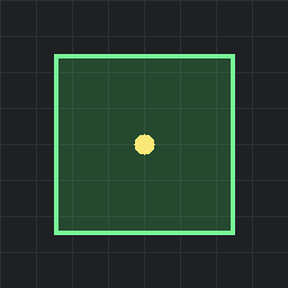
A heads-up overlay of your personal (character) roboport's construction range -- the zone your bots can reach to build, repair and deconstruct. Toggle it with a hotkey (ALT + Z -- Z for Zone) instead of the old deconstruction-planner trick. The border is colour-coded: green when active, amber when the buffer is too low to deploy bots, orange when out of power, and red when no personal roboport is equipped. Only your character's roboport is shown, never stationary ones.
Small changes concerning balance, gameplay, or graphics.
Version: 1.0.1
Date: 2026-06-27
  Changes:
    - Toggling the overlay no longer prints a console message or plays the console chime; the overlay appearing/disappearing is the only feedback.
Version: 1.0.0
Date: 2026-06-27
  Features:
    - Toggle a faint filled square with a dotted border showing your personal (character) roboport construction range, via a hotkey (default ALT + Z).
    - Per-player setting "Show range overlay by default" to start with the overlay visible.
    - State-aware colors: green when active, amber border when the buffer is below ~20% (bots won't deploy from the dock), orange border when fully out of power, red border with a "No Roboport Installed" label when none is equipped.
  Info:
    - Overlay follows the character, resizes with construction radius, and is only shown to the owning player.