
Q: Does this mod cause UPS drops in the late game?
A: I hope not. :) The mod is highly optimized for mega-factories. It scans surfaces one by one (change interval in the mod settings!) instead of all at once. Furthermore, it only performs a heavy radius search if and when a mining drill actually reports being completely empty (ore_count == 0). While your thousands of drills are happily working, the mod should consumes less CPU time.
Q: Is it compatible with X, Y, and Z resource mods?
A: Yes, 100% (at least, its designed for). The mod dynamically queries Factorio's core engine for entity prototypes. Whether it's Vanilla Iron, Krastorio's Imersite, or Space Exploration's Vulcanite, Cryonite, Vitamelange, and Naquium. If a mod entity is registered as a "resource", this mod tracks it automatically. (Note: Solid ores only; fluids/oil are not tracked.)
Q: How does the mixed-ore patch logic work?
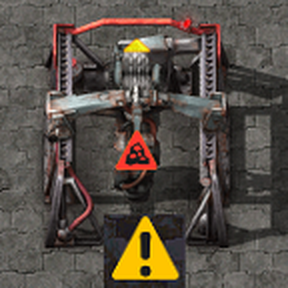
A: This mod uses a dynamic footprint cache. While a miner is working, the mod continuously remembers the exact resource type it is currently mining. The moment it drops to 0, the mod runs a precise check targeting only that specific resource name within a 50-tile radius (customizable in mod settings).
Q: Why do I get a yellow "Legacy" alert when loading my game?
A: This is a built-in feature! Upon loading a save file, the mod runs a one-time sweep to check for completely dead resource fields. This acts as an automated reminder for fields that went empty during your previous play session. To prevent chat flooding, multiple empty miners on the same dead field are automatically bundled into a single alert.
Q: Can I add the mod to an existing save?
A: Yes, of course.
Q: Can I safely remove the mod from a saved game?
A: Yes, absolutely.
Q: Is this mod compatible with multiplayer?
A: "Yes" was my very first answer here, but it seems, there are some problems with the multiplayer. I'm working on that.
Q: Can I change the settings mid-game?
A: The scan radii and the alarm sound can be changed instantly in the runtime settings menu. The Scan Interval (seconds) is a startup setting. To ensure absolute multiplayer stability and prevent timer de-synchronizations, changing the scan speed requires a quick game restart.