
Open Discord Bridge
Your server's chat and events, in your Discord channel. And back again.


Mirror your Factorio server's chat and events to a Discord channel, then relay Discord messages back into the game. Two-way, in real time, achievement-safe.
It works on a plain vanilla server with no other mods installed, and it contains no mod-specific code: other mods push their own events into it through a public interface.
Hosted on AleForge: first-class integration
Playing on AleForge? The bridge is built into their panel. Toggle it on, paste your bot token and channel ID, reinstall, and you are done. The illustrated setup guide walks through it in 10 to 15 minutes.
AleForge was the first host to ship it, and others are welcome. If you run a hosting panel and want the bridge in it, come talk to me on Discord. The integration is documented end to end, and I will help you land it.
This mod needs a small companion program
On its own, the mod records events to a file. The piece that talks to Discord is the bridge, a single small program you run next to your server. No database, no cloud service, and your bot token stays with you.
Running on public servers today. On AleForge the bridge is already installed; everywhere else you run one binary.
Quick start
- Install the mod on your Factorio server.
- Create a Discord bot and invite it to your channel.
- Run the bridge next to your server. The setup wizard walks you through it, or you can flip the toggle in the AleForge panel.
- Paste your bot token and channel ID.
- Say something in game and watch it land in Discord.
What you get out of the box
- Two-way chat. Game chat appears in Discord, and Discord messages appear in-game as
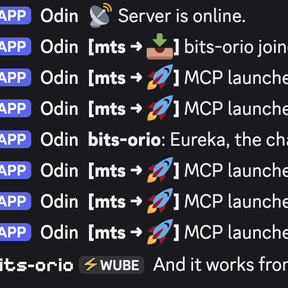
[Discord] name: message. Factorio rich text ([item=...],[color=...]) typed in Discord renders properly in game chat. - Server events: joins and leaves, deaths, research, rocket launches (rate-limited so a late-game base doesn't flood your channel), server up/down.
- Discord commands with zero setup. You get
!players, plus full account linking:!link CODE/!unlink, and admin-only!links,!unlink-player,!unlink-all("admin" = Discord's Administrator permission by default). Define your own custom commands too, optionally as native slash commands. - Player linking. Players tie their Discord and Factorio identities together in-game with
/odb-link. Linked players can also be given a Discord role and a synced nickname. - Mod events flow through automatically. Mods that integrate with the bridge (e.g. Multi-Team Support) post their own team-aware events with no extra setup, routable to separate channels.
Built to be trusted with your server
- In-game players can't ping
@everyone,@here, or roles from game chat. Mention parsing is off by default, and only deliberate features like linked-player mentions can ping. - Discord users can't forge fake chat lines in-game, because newlines are stripped before printing. Rich text still comes through, which is deliberate.
- Secrets never live in config files: the bot token and RCON password come from environment variables only.
- When something's misconfigured, the bridge writes a
bridge.effective.yamlsnapshot showing exactly what settings it resolved and which secret is missing. Debugging takes minutes, not days.
Hosting options
- AleForge gives you first-class panel integration, using the guide above. It was the first host to ship the bridge, and others will follow.
- Self-host by downloading the binary and running the setup wizard.
- Docker / Pterodactyl panels get images on GHCR, a reference egg, and an env-var-only config mode built for panels. Start from the deployment guide.
For mod authors
Push your own events into the bridge through the frozen open-discord-bridge-v1 remote interface. It carries namespaced events, custom labels, channel routing, and inbound Discord message subscription. The bridge contains zero mod-specific code, so your mod integrates into it, not the other way around. API docs and copy-paste patterns.
Already integrated: Multi-Team Support and OARC.
Links
Development
Developed with AI coding assistants alongside human review and in-game testing. Issues and pull requests are welcome on GitHub.
License: MIT