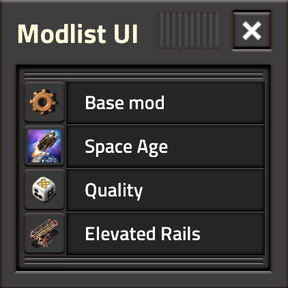
Feature Log
2026.09.10
- Live Settings! You can now edit all Per-Player runtime settings that pertain to Modlist UI in its own settings drawer, without needing to pause. Some settings even have live preview, such as the [Mini Widget] width allowing you to fine-tune your choices in real-time.
2026.08.30
- Mini Widget! (Also known as Minilist UI) A small, cute widget with a single mod row will steadily loop through all loaded mods. Click on the current mod to bring up that entry in the main view.
- Mod Counts have now been made more granular: Total Mods / User Pinned / Search Results
2026.08.20
- Pinning! Pin and reorder your favourite mods at the top, regardless of search/sort criteria. [Ctrl+Shift+Click] on Mod mini-thumbnail to precise-pin / reorder pinned mods.
- Proper large [info.json] skeleton for Dependancy Authoring.
2026.08.01
- Regular Modlist UI updates for Factorio 2.0 and 2.1
- Dependency Array Authoring. Use [Ctrl+Shift+Click] on the copy button to switch the copy-modlist mode.
- Thumbnail placeholders for various modes.
- Category column and accordion badge
- Copy-Pasteable URL bar in accordion
2026.07.01
- Factorio 2.1 support. Not too different from 2026.06.30. For now.
2026.06.30
- Searching: Now possible within Modlist UI to quickly find a particular mod. All fields are searched.
- Settings: There are settings to decide to what degree Modlist UI starts up 'safely': [No Thumbnails], [Version-Matching], [Trust blob]. See FAQ.
- Defaults: You can now set per-player defaults for the sort order [Ascending] / [Descending] according to a specific column
2026.02.28
- Minor localisation support, e.g. Mod Title.
- Sorting the list via Version, Title, or Author in Ascending/Descending/Default order.
- Clicking any of an entry's fields opens the accordion, with more information and bigger thumbnail displayed.
2026.02.12
- Copy button! Easy-ish shareable list of active mods.
- Active Mod count in a nice sleek footer.
Hotkeys
[Ctrl+Shift+M] will toggle Modlist UI's main window open or closed. [Ctrl+Shift+Click] on the Copy button will toggle the Dependency Authoring output instead of a text-modlist.[Ctrl+Shift+Click] on a mini-thumbnail will Precise Pin/Reorder a chosen mod. Click on a different already-pinned mini-thumbnail to pin above/below.[Ctrl+Shift+Click] on Minilist Widget's [▶️] button to reset it's dragged position to default.[Ctrl+Shift+Click] on the Setting's drawer 【Confirm❯ button to apply changes and keep the drawer open.[Ctrl+F] will open and focus Modlist UI's entry search once Modlist UI itself is open.[Esc] will first close/clear an active search. A second [Esc] or [E] (to open the crafting menu). will close/hide Modlist UI.
Known Bugs & Feature Roadmap:
- 🪲 Visual Bug: "Top-Left" Minilist Widget position in remote view is...quirky. Also, position naming description of "Above-ToolEquip" is weird.
- ⚙️ In-UI Settings drawer, (Minilist default position, minilist width, marquee duration, default sort, ...) for less gameplay flow-interruption.
- 🔣Broader Localisation for Translations