
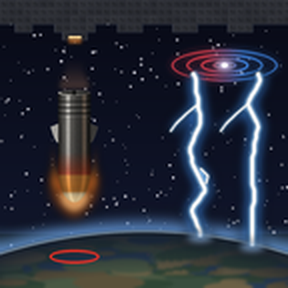
Strike the planet below from orbit. Drop kinetic impact rods or call down thunderstrikes from your space platforms. Build your own planet strike space platform
Mods introducing new content into the game.
Version: 1.3.2
Date: 2026-11-16
  Features:
    - Impact rod effect optimization map setting (No optimization / Balanced / Performance mode): rods inside a large area strike, or many rods landing at once, land with lighter effects. The edge of an area strike always stays the same.
  Optimizations:
    - Better performance during large strikes, with many platforms and with a long strike queue.
  Balancing:
    - Thunderstrikes take 1.5 times as much power. Cores charge 1.5 times as fast and store 1.5 times as much, so they still fire as many thunderstrikes.
  Changes:
    - Friendly fire, impact rod fire, clearing leftovers, thunderstrike fire, lightning-struck trees and the lightning rod quality are now map settings, which can be changed during a game. They go back to their defaults once.
    - The fold and cancel buttons of the strike queue are easier to see.
Version: 1.3.1
Date: 2026-11-16
  Major Features:
    - New impact rod landings: a short orange flash (also seen by day and with night vision), cannon shell sparks and an artillery blast. Carbon steel impact rods hit harder to the eye and leave a small crater.
    - Clearer area strikes: the preview and the warning circles show the outer edge of the strike, landing spots also show on the map, and dragging a large preview is much lighter.
  Features:
    - Test buildings in the map editor's Unsorted item tab: an infinite bombarder for each impact rod (no rods, power or cooldown) and an infinite thunderstrike inductor core (no coils or power, as hard as a core with all its coils). They fire a whole area strike at once.
    - The area strike target limit is a per-player number (1000 by default, 0 for no limit) instead of an on/off setting.
  Changes:
    - Changing the weapon, ammo or strike density of the targeting designator makes a sound.
    - The bombarder's status text sits at its lower right corner.
    - Carbon steel impact rod area strikes are denser: 12 / 9 / 5 tiles apart (low / normal / high).
    - The impact rods' shockwave dust ring is lighter.
    - Falling impact rods glow red-hot at the tip, and the falling tungsten impact rod has the same grey-purple as its icon.
  Bugfixes:
    - Fixed the thunderstrike inductor's charging sounds not playing. The core now clicks like a power switch once when it is full.
Version: 1.3.0
Date: 2026-11-16
  Major Features:
    - Added the Orbital weapons research. It follows the Rocket silo research and unlocks the targeting designator and the orbital weapons window, and every orbital weapon research now follows it.
    - Added the Orbital strike queue research. Before it, an order fires only the weapons that are ready and the rest is cancelled. After it, orders wait in the queue, and each player can turn the queue on or off in the Queue tab.
    - Impact rod carpet strike: area strikes with impact rods come down row by row along the long side of the area, and the bombarders fire one after another to match. Unlocked by the new Impact rod carpet strike research.
    - New impact rod sounds: a short whoosh just before each rod lands, a blast as it lands, an echo after the last rod of a quick run, and a splash in liquids. Carbon steel rods sound the same, but quieter.
    - Red sprites are now stronger: 1.5 times the damage and radius, more and farther bounces, for twice the power. They need the new Red sprite research, which follows the new Lightning formation experiment research.
    - Thunderstrikes bounce like a tesla turret: up to 6 enemies (10 for red sprites), and each bounce may fork in two (5% to 30% with the core's quality).
  Features:
    - New thumbnail and technology pictures.
    - The strike queue shows roughly when each order will land. Area orders can be opened to see every target.
    - The area strike preview also shows on the map view.
    - The orbital weapons window can be pulled out and moved freely, and put back in its place.
    - Added the Demolisher armor analysis research. The Tungsten impact rod research follows it.
    - Per-player setting to count the rods in the platform hub in the orbital weapons window (on by default).
    - Startup setting to clear corpses, tree stumps and remnants where impact rods land (on by default).
    - Impact rods break placed floor (concrete, stone path...) where they land.
    - Impact rods landing in water, lava or another liquid make a splash sound instead of the blast, and leave no dust, fire or crater.
    - Impact rods show a piercing power in their tooltip, and carbon steel impact rods their cooldown multiplier.
    - The bombarder tooltip shows the fall time for each quality.
    - Thunderstrike warning circles show a countdown like impact rods. Per-player settings turn the countdown on or off for each weapon.
    - Thunderstrike inductor cores show "Not charging" when no power comes in.
    - Thunderstrikes turn living trees on Nauvis into ashland trees, some of them burning (startup setting, on by default).
    - A thunderstrike taken by a lightning rod lands on its tip, and a lightning collector gets 25% of a Fulgora lightning bolt's energy (50% for red sprites) times its efficiency.
    - Thunderstrike inductor cores and coils make accumulator-like sounds while charging, and the core when it is full.
    - The orbital weapons window and the core info show red sprites next to blue bolts.
    - The thunderstrike inductor core tooltip shows the bounce targets and fork chance.
    - Thunderstrikes landing in a liquid make a splash sound and start no fire.
  Changes:
    - Setting names show the weapon and rod colours, and per-player settings are grouped: general, then the orbital kinetic bombarder, then the orbital thunderstrike inductor.
    - Impact warning circles have a separate per-player setting for impact rods (all strikes by default) and thunderstrikes (single shots only by default).
    - The orbital weapons window lists the planet you are looking at first, then the planets in the game's order.
    - The orbital weapons window shows each weapon as ready / total with the reasons for the rest, then the rods or bolts left, the same way for both weapons. Platforms start folded.
    - Own buildings are left out only of enemy-only area strikes, after the Orbital target analysis research.
    - The area strike preview shows the plain grid; only the real strikes are spread a little.
    - The targeting designator cannot pick a weapon that has not been researched yet.
    - The targeting HUD camera picks the platform with the most bolts or rods of the chosen kind.
    - Left-dragging the targeting designator no longer draws a box.
    - The targeting designator sits next to the artillery targeting remote in the item list, and its tooltip is styled like it.
    - Orbital kinetic bombardment research: no production science packs, 2000 units. The Orbital thunderstrike inductor research is renamed Orbital thunderstrike induction, with no production science packs. Orbital thunderstrike chain research: no production science packs. Orbital target analysis research: 3000 units, and it no longer needs the two weapon researches.
    - Impact rod carpet strike research: 2500 units.
    - Tungsten impact rod research: 2500 units with metallurgic science packs, no production science packs.
    - Impact rods fall for 8 seconds, shorter with bombarder quality (legendary: 3 seconds).
    - Carbon steel impact rods put the bombarder on a half-length cooldown.
    - Area strikes with impact rods are spread less (10%).
    - Impact rods break cliffs only after the Cliff explosives research, and then both kinds do. The Tungsten impact rod research no longer needs Cliff explosives.
    - Carbon steel impact rods break rocks and trees too.
    - Tungsten impact rod shockwave radius: 12 to 15 tiles. The shockwave dust now matches the real blast radius.
    - Impact rods also break placed floor in their shockwave, less often farther out.
    - The falling rod's glow is dimmer, and impact rod landings leave a brownish dust ring.
    - Startup setting for the screen flash of impact rod landings: none, weak (default) or normal.
    - Per-player setting to use the old (1.2.0) nuclear blast sound for impact rods, with or without the new falling whoosh.
    - The bombarder's status text sits at its lower left corner.
    - Carbon steel impact rods can no longer be crafted by hand.
    - Impact rod damage research: half of the bullet bonus, from Physical projectile damage 5.
    - Orbital thunderstrikes can strike areas from the start (shown in the Orbital thunderstrike induction research).
    - "Chain" is now called "bounce" in texts and settings (the research keeps its name).
    - Coils link when any part of them touches the core's range square.
    - Shorter core tooltip lines.
    - Thunderstrike damage research: +30% at Electric weapons damage 3, then +15% per level.
  Bugfixes:
    - "1 tiles" in tooltips.
    - Impact rod landings no longer light up the whole screen as brightly as a nuke.
    - The stored bolts icon is no longer cut off at the top.
Version: 1.2.0
Date: 2026-11-15
  Major Features:
    - Startup settings to turn each weapon off. A weapon that is off is removed from the game with its items, buildings and research.
    - New coil layout. Coils link inside a square counted in tiles from the core's edge: 10 tiles for normal quality, 2 more per quality level (20 for legendary). The whole coil must be inside, at least 1 tile away from the core.
    - Most coils per core: 12 for normal quality up to 36 for legendary. Each coil adds 5 bolts (60 for a normal core with 12 coils, 180 for legendary with 36). Damage per bolt is now 300 + 10 per coil.
  Features:
    - The bonus window shows the orbital thunderstrike damage bonus.
    - The thunderstrike inductor core info shows the damage with research bonuses applied.
    - Hovering a thunderstrike inductor core, or holding a coil, shows its coil range square and the space next to the core where coils do not link.
  Changes:
    - Map settings moved to startup settings, grouped under each weapon. The area strike target limit is now a per-player setting.
    - Left-dragging with the targeting designator no longer fires; left click fires at the cursor.
    - The area strike preview text sits above the target circles, and shows how many targets were left out to avoid your own buildings.
    - The impact rod flash is smaller.
    - Thunderstrike area spacing is tighter: 8 / 6 / 4 tiles for low / normal / high density.
    - Thunderstrikes hit anything whose body is inside the bolt radius, not only things whose centre is.
    - Thunderstrike chains now start from the enemy the bolt hit, like a tesla turret, and skip enemies the bolt already hit.
    - When the core fires, the coils light up ring by ring from the outside in, brighter and faster with more coils, and the core glows in the bolt colour.
    - Red sprite thunderstrikes and their beams, warnings and glows are redder; blue and red are easier to tell apart.
    - The thunderstrike inductor core and resonant induction coil are now made in an electromagnetic plant, and the core needs 500 electrolyte.
  Bugfixes:
    - Opening a planet or platform from the orbital weapons window no longer closes the window.
    - The targeting HUD camera no longer cuts off the right edge of the window.
    - The falling rod's re-entry glow no longer reaches below the rod.
Version: 1.1.0
Date: 2026-11-14
  Major Features:
    - The targeting HUD shows a camera of the platform that will fire, with its launch sounds. It can be hidden with the button on the HUD.
    - Added the Orbital thunderstrike chain research. Thunderstrikes chain to up to 4 nearby enemies.
    - Thunderstrikes can be switched between blue and red sprite with Ctrl + Shift + Wheel. The colour carries over to the chain beams, warning lights and target circles.
  Features:
    - Ctrl + Alt + Wheel changes the area strike density (low, normal, high).
    - The orbital weapons window has tabs, and the By platform view can fold each platform.
    - Added a map setting that refuses area orders with more than 1000 targets (on by default).
    - Thunderstrikes now leave a small fire where they land (Thunderstrike fire setting).
    - The resonant induction coils light up one after another when the core fires, and the core makes a discharge sound.
  Changes:
    - Area strikes no longer land on a perfect grid.
    - Orbital weapons fire from the platform shown in the targeting HUD camera first, then from the one with the most ammo left.
    - Orbital weapons moved to their own row in the Space tab.
    - Default keys swapped: Ctrl + O takes the targeting designator, Ctrl + Shift + O opens or closes the orbital weapons window.
    - Removed ammo quality selection.
    - Tungsten impact rods now destroy cliffs across their whole blast.
    - Falling tungsten rods are easier to tell apart from carbon steel ones.
    - The Thunderstrike inductor core now uses lightning collectors instead of tesla turrets.
    - The Orbital thunderstrike inductor research no longer requires Tesla weapons.
    - Removed the coil range line from the coil tooltip.
  Bugfixes:
    - Chat messages for repeated identical orders are no longer skipped.
Version: 1.0.0
Date: 2026-11-13
  Info:
    - Initial release.