
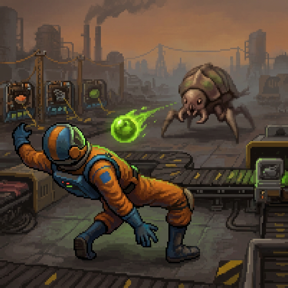

Bullet Time
Change the game speed automatically when certain events occur. This is nice for Rampant and Warptorio style mods, where you need to build or react fast.
You can set the game speed when:
- entering combat
- any buildings are attacked
- standing still
Plus configure the default game speed that the world runs at.
The mod can be entirely disabled during gameplay using a keyboard shortcut (default: control-shift-b), an optional GUI button, or the secondary control bar.
Why the Standing Still setting?
The game slows down while you are stationary, letting you build everything within reach quickly, then speeds up when moving to the next location.
This is nice for when you need to build fast and want the world to slow down when you are standing there considering what to do next and end up staring at the shadows of clouds drifting by on Nauvis for several minutes.
It's a nice accessibility / cheat mode for those who want to play the hard stuff without being stressed out about the time passing.
Combat Settings Explained
The 'player enters combat' setting triggers the instant you enter combat, and clears once it is over.
The 'when buildings are attacked' setting slows the world down when an under-attack alert is triggered. It stays slowed for about 10 seconds (configurable), then goes back to normal speed, letting you react quickly if needed.
Controls
- Top-left button — optional, disabled by default. Enable in the player settings menu.
- Shortcut bar — bottom-right toolbar.
- Keyboard —
CTRL+ALT+B(rebindable).
Slowdown Settings Notes
The various settings can be used in combination with each other. When multiple conditions apply the precedence is: in combat > buildings under attack > standing still.
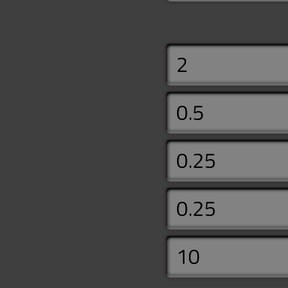
The settings are all in the Map tab. Each condition has its own game speed; set a condition's speed to 1.0 to disable it.
Here are the default values:
- Normal gameplay:
1.0 - When standing still:
1.0 - When in combat:
0.25 - When buildings under attack:
1.0 - Under attack slowdown duration:
10(seconds)
Note that the game's UPS and FPS will both slowdown. As far as I know, there isn't a way to only slow down the UPS; I believe all time control mods are like this.
Multiplayer
I'm not sure it would work for non-server-administrators since it involves modifying the game speed. I suspect this mod would also be annoying in a multiplayer setting; with the game's speed getting slowed down for everyone. But if you decide to try it though, let me know!
Similar Mods
There are several manual time control mods available, but I didn't see any that would trigger slowdowns on specific events like this.