

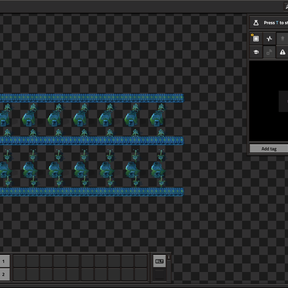
Open a blueprint directly in a temporary Remote View workspace. Use Factorio's normal pan, zoom, and ghost-building controls to inspect and edit the layout in your current save.
- In the Blueprint Library, right-click any books to browse them. Left-click the blueprint icon so it appears on your cursor, then click Edit / View or press Ctrl+Shift+B. If you opened the blueprint's details, close them first. For an inventory blueprint, open its details and click Edit / View.
- Edit the ghosts in the workspace. If you leave Remote View, use Blueprint workspace to return.
- Click Save copy to return to your factory. The edited blueprint is available through Ctrl+V or the export string. Discard closes the workspace. The source blueprint stays intact.
The editor has no fixed blueprint canvas size. It loads terrain around the occupied parts of the layout and generates nearby terrain as you move. Factorio's engine and available memory still apply, and dense blueprints can take longer to open. The edited copy is captured from the workspace, so grid snapping and parameter definitions must be reapplied if you used them.
Requires Factorio 2.1. Tested on 2.1.24 with the base game and with Space Age. No additional mods are required.