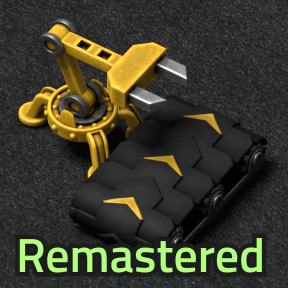
Black Rubber Belts - Remastered


Reskins vanilla belts in a dark rubbery style. Cosmetic changes only. Now updated for 2.0 and 2.1, with compat options! All credits go to the original mod's author, Deadlock989. I'm merely reuploading and revamping the mod for 2.0/2.1. Deadlock989, if you are reading this, please contact me about options regarding the existence of this port/update.

Tweaks
a day ago
2.0 - 2.1
6.46K
Logistics

i [Added] Stripe + Arrow Combination options?

3 months ago

I really like the idea of the stripe variants of the belts, but in practice I find it very hard to tell which direction the belts I am building are facing with it active, especially with very high tier belts. Perhaps some option to enable arrows as well would help? Maybe the side stripe + the arrows? Also, if possible, perhaps the thick stripe and also a black mask of the arrows on top of it (to "cut" them back out of the stripe)? For the thin arrows, I'm not sure if it would work better with the colored arrows or the black arrows. I suppose either might work? I don't know if combining multiple masks is very viable for the mod code. I see in an earlier thread you turned down coloring the whole belt, since it would need new masks, but perhaps at least some of these suggestions could be done without needing that?

3 months ago
(updated 3 months ago)

Interesting idea. I honestly didn't think about combining more than one mask layer. I'm afraid it might tank performance, but I'll test it and see.
Combining masks in photoshop could be doable too (in comparison, the inverted arrows would be tougher to do with either techniques), but it'd be tedious to make each combination of masks.
I'll run some tests later, rn I'm focusing on another mod I'm contributing to.

As for telling the direction of the belt while building, I'd like to add an overlay arrow pointing in the belt's direction whenever the cursor is hovering it. It's just hard to tell for some belts even with regular arrows.
I'm still looking for a proper solution to code it in though...

2 months ago

I've managed to get the code to draw 2 separate layers, one for stripes and one for arrows.
Here's a few first drafts of arrows appearing over stripes.

As you can see, I've even managed to make arrows automatically appear inverted over the thick stripe.
I'll probably try to make more arrow/stripe styles before releasing all of this in update 2.4.0

On another note, I've also added a direction indicator whenever a belt entity is in the cursor, to help tell which direction the belt is facing.
It's not perfect, but it's the best factorio can do without delving deep into the code.

2 months ago

The direction indicator will help a lot! I also really like that thick stripe with the inverted arrows, those all look great. All of these look like great readability improvements. I might be able to actually use some of the other mask types like this.

I like how a lot of the ones looked previously but in practice the difficulty telling the direction they were facing when placing them made it hard, so both of these options will do wonders there.

2 days ago
(updated a day ago)

This has been added in v2.4.1. "Arrows style", "arrow spacing" and "Stripes style" are now independent settings. You can mix and match styles to customize your belts.
If arrows are enabled on a brightly colored stripe style, the arrows will automatically appear belt colored, giving the impression of there being "cuts" through the colored stripes.

Although there's only one arrow style right now, I'm planning to add a some more when I find the time. (They were holding the updates back a bit... So I figured better release the new customization system now.)

On another note, The belt indicator now looks much better (and is part of a standalone mod), thanks to new 2.1 scripting options. :)
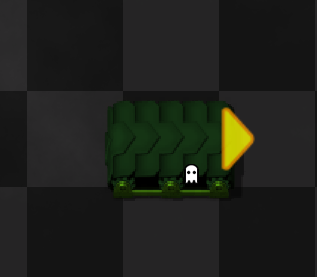
Speaking on which, this update is unfortunately only for factorio 2.1, so if you want to use it you'll need to update your game to the experimental branch...

New response