
Auto Train Manager
Drag over your rail network and get a complete signal layout. The mod works out which way each track runs, splits junctions into sensible blocks, and replaces the signals in the selection. You see a preview first, then confirm.
How to use
- Take the Train signal planner from the shortcut bar (or press Alt + S).
- Drag over the rails you want signalled. Planning a big network takes a moment; a progress bar shows it.
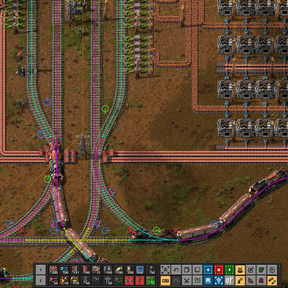
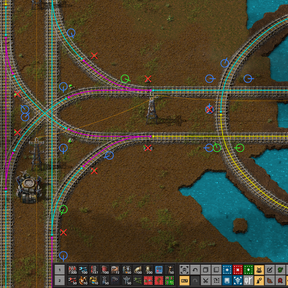
- Check the preview: green circles are rail signals, blue are chain signals, red crosses are signals that will be removed. Warnings list anything it could not handle.
- Press Confirm. Construction robots build the change, and Ctrl + Z undoes it. Admins can tick Build instantly to swap the signals at once.
Alt-drag with the planner clears the preview.
What it does
- Directions. Travel direction comes from existing signals, train stops, the trains running on the track, and your drive side (mod setting) for plain double track.
- Junctions. Chain signals into a junction, rail signals out. Forks, merges and crossings inside a junction get blocks of their own, so several trains can pass through at once without locking up.
- Plain track. A signal at least every train length. The train length is detected from the trains that use the selected track (or set in mod settings), so a stopped train always fits in its block.
- Stations. A station never shares a block with a junction, so a train waiting at it does not block the line.
- Two-way track. A stretch of single track used both ways becomes one block, with chain signals at both ends: a train only enters when it can get all the way through.
- Fewer changes. Signals that already do their job are left in place.
- Selection edges. Signals outside the selection are never touched; the track where it leaves the selection is closed off with new signals.
Settings (map settings)
- Default train length / Train length override. Used when no train is found, or always.
- Block margin. Extra tiles added to the train length.
- Drive side. Right or left; used to guess directions on unsignalled double track.
- Junction grouping distance. Junctions closer than this are signalled as one zone with chain signals through it. Higher is the safest against lockups, but trains wait longer. The default (8 tiles) gave the least waiting with no lockups in testing.
Testing
Tested headlessly against real saves (including hour-long train simulations checking for lockups and time spent waiting at signals) and against over a hundred published rail blueprints (Tertius's 2-lane book, TiMatic's Intersection Compendium, LuziferSenpai's Space Age grid book), checking that every signal is placed, attached to its rail, and actually separates blocks.