
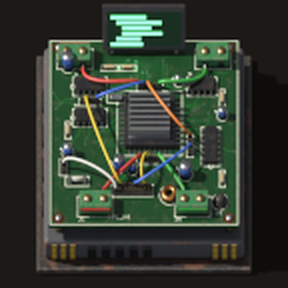
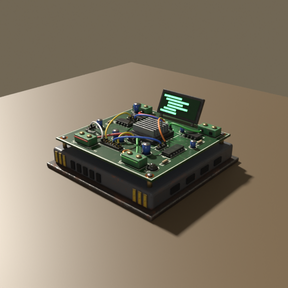
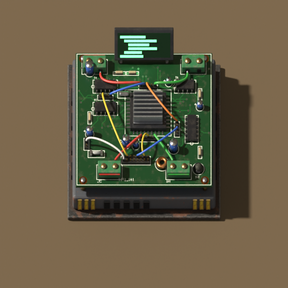
Pythonator
⚠ Early development – testing release. Pythonator is new and still being tested. Expect bugs, rough edges
and possible changes to the language or behaviour between versions (keep a backup of important saves).
Your feedback is very welcome – bug reports, ideas and programs that did not work as expected help the most.
Please write in the Discussion tab here or open an issue on
GitHub.
A programmable circuit controller you script in a subset of Python. Replace tangled combinator networks
with readable code: hysteresis, sequences, PID control, filtering hundreds of signals – in a few lines, with
deterministic timing.
before:  decider + arithmetic + constant combinators + memory cells + clock … wired by hand
now:     one Pythonator:   out["signal-S"] = 1 if inp["petroleum-gas"] < 1000 else 0
Enjoying the mod? You can support its development:

Getting started
- Research Pythonator (after circuit network and advanced circuits), craft it and place it. To face it east or west, rotate it with R while it is still in hand – once placed it only flips 180°, like any arithmetic combinator.
- Connect wires like to an arithmetic combinator: the input side reads, the output side sends.
- Click the building, write a program in the editor and press ▶.
def loop():
    if inp["iron-plate"] < 100:
        out["signal-A"] = 1
    else:
        out["signal-A"] = 0
The display on the building shows scrolling code while the program runs, frozen text while paused, red text on
an error and stays dark without code or power. A status LED blinks green / shines yellow / red.
Program model and timing
- A program must define
loop(). It is called once per tick (or once per interval, seeconfig). - Top-level code runs once when the program starts – that is the initialization.
- Timing: in tick T the inputs are read (what others sent in T−1),
loop()runs and the outputs are written.
Others see them in tick T+1 – exactly like a vanilla combinator.loop()always finishes within one tick. - State: global variables keep their value between ticks and across saves. Assigning to a global inside a
function needsglobal name(as in Python). Local variables are dropped when the function returns. - Time:
tick– ticks the program has run (stops while paused and without power),game_tick– the game
tick,dt– ticks since the previousloop(). config(interval=N, outputs="hold")– only as a top-level statement.intervalrunsloop()every Nth
tick,outputs="clear"clears the outputs before everyloop()("hold"keeps them, default).
Controls: ▶ runs (changed code is compiled and starts from scratch, otherwise the program continues), ⏸ pauses
(state is kept), ⟳ resets (globals from scratch, initialization again), ⏭ runs one loop() while paused.
The editor is read-only while running. Errors show the line in red; click the error to jump to it.
Signals
Reading inputs (a missing signal reads 0):
- inp[k] – sum of the red and green wire, like a combinator input
- red[k], green[k] – one wire only
Writing outputs (the value is truncated towards zero and wraps to int32):
- out[k] = v – to both wires
- out_red[k] = v, out_green[k] = v – one wire only; on the wire it adds up with out
- writing 0 shows the signal as 0 in the output panel, but nothing goes on the wire – the circuit network never carries zero (a condition A = 0 is true without the signal anyway)
- out.clear() – clears the outputs of that object (out_red.clear() only red)
Signal keys:
- "iron-plate" – item, fluid or virtual signal by name
- "iron-plate@rare" – with quality
- "recipe:iron-plate", "entity:…", "space-location:…", "asteroid-chunk:…", "quality:…" – another type
- an icon from the selector in the editor corner, e.g. [item=iron-plate] – same as text
Typos in keys are reported when compiling, with a suggestion of the right name.
Iterating: for k, v in inp.items(): (also .keys(), .values()), k in inp, len(inp).
Set an assembler recipe with the item signal: out["iron-gear-wheel"] = 1.
Language
A subset of Python – a program also runs in normal Python.
- Types:
int,float,bool(True/False),None,str,list[1, 2],dict{"a": 1},tuple(1, 2) - Statements:
if / elif / else,while,for x in …(range(), list, dict,inp.items()…),break,
continue,pass,def name(a, b): … return(top level only),global x, unpackinga, b = b, a,
augmented assignmentx += 1… - Operators:
+ - * /(always decimal)//(integer division)%**; comparisons< <= > >= == !=
also chained0 < x < 10;and or not in is;a if condition else b; bitwise& | ^ ~ << >>(32 bits) - Built-in functions:
abs min max round sum sorted len range int float str bool print - Methods:
- list:
append pop insert remove index clear - dict:
get items keys values pop clear - str:
upper lower startswith endswith split join replace - Not supported: classes,
import,try/except,lambda, comprehensions, f-strings,with, default and
keyword arguments, nesteddef,set,del. - Differences from Python:
intandfloatare not distinguished (6 / 2prints3); top-level functions
are available before their definition. print(…)writes to the log in the building window (last 50 lines).
Combinator library
Vector operations – one call over the whole set of signals (inp, red, green, out… and dict):
- x.each(op, v) – every signal op v, like Each in an arithmetic combinator. op: + - * / % ** << >> & | ^;
integers, / and % towards zero, division by zero gives 0. Returns a dict.
Example: inp.each("*", 2) → every signal doubled.
- x.where(op, v) – only signals matching the condition (op: < <= > >= == !=), with their original value –
like Each in a decider combinator. Example: inp.where(">", 1000) → signals above 1000.
- x.count(), x.count(op, v) – number of signals (optionally only those matching)
- x.sum() – sum of values
- x.max_key(), x.min_key() – key with the largest / smallest value (ties: smaller key), None for an empty set
- out.set(d) – replaces the outputs with set d (only the difference goes to the wire)
- out.add(d) – adds set d to the outputs
Operations can be chained: out.set(inp.where(">", 0).each("*", 2)).
Stateful elements – state under a name (first argument) survives saves, Reset clears it. Every element needs
its own name:
- latch(name, set, reset) – flip-flop: set turns it on, reset off (reset wins). Returns True/False.
- timer(name, period) – True once every period ticks, otherwise False
- edge(name, value) – 1 when the value just became true, -1 when it just stopped, otherwise 0
- counter(name, step=1, reset=False) – every call adds step, reset sets it to zero
- delay(name, value, n) – the value from n loop() calls ago (0 until filled; n ≤ 1000)
- pid(name, setpoint, measured, kp, ki, kd, lo, hi) – PID controller, returns the control output; lo and hi
are optional limits with integral protection (anti-windup)
Examples
Hysteresis – the pump (signal-S) turns on below 1000 gas and off above 20000:
config(interval=10)

def loop():
    gas = inp["petroleum-gas"]
    on = latch("pump", gas < 1000, gas > 20000)
    out["signal-S"] = 1 if on else 0
Sequence – once per second the next signal A → B → S → U:
config(interval=60)
step = 0

def loop():
    global step
    step = (step + 1) % 4
    out.clear()
    out["signal-" + "ABSU"[step]] = 1
Assembler recipe – makes gears until the network has 200:
config(interval=30)

def loop():
    out["iron-gear-wheel"] = 1 if inp["iron-gear-wheel"] < 200 else 0
Surplus (Each) – the surplus of every signal above 1000 and their count on signal-A:
config(interval=60)

def loop():
    surplus = inp.where(">", 1000)
    d = surplus.each("-", 1000)
    d["signal-A"] = surplus.count()
    out.set(d)
PID control – keeps the gas level at 5000, output 0–100 on signal-P:
def loop():
    u = pid("level", 5000, inp["petroleum-gas"], 0.02, 0.001, 0, 0, 100)
    out["signal-P"] = u
All examples can be inserted into the editor from the help window (? → Examples).
Performance (UPS)
A Pythonator costs CPU time only when its loop() runs. The window shows the cost of the last run; all
Pythonators together are in F4 → show-time-usage → mod-Pythonator (a tick has 16.7 ms).
- Interval is the biggest saving.
config(interval=N)runsloop()only every Nth tick: 1 for safety and
control loops, 10–60 for production and storage, 300+ for slow things. Buildings with the same interval are
spread over different ticks automatically – no spikes. - Write outputs only when they change.
out.clear()plus a new write every tick costs more than the
program itself. - Read only what you need.
inp["x"]is cheap; iterating all signals reads the whole network. Buildings on
the same network share the read within a tick.
Measured with 150 buildings running a simple sequence (Factorio 2.1.23, --benchmark):
| Program | ms per tick (all 150) |
|---|---|
| rewriting the output every tick | 0.99 |
| writing only on change | 0.46 |
config(interval=60) |
0.10 |
Building window and help
- Editor with line numbers, signal icon selector and a draft that survives closing the window.
- Live panels: input wires, actual output wire state, global variables, library elements,
print()log,
cost of the last run against the watchdog limit. - Help window (?) next to the editor: basics, signals, language, library, performance and examples to
insert. The same reference is in Tips and tricks (category Pythonator), available any time. - Safety: a watchdog stops runaway loops, a memory limit guards global variables (both map settings); an error
stops the program and shows the line. - Multiplayer safe and deterministic – all state lives in the save.
- Blueprints, copy-paste and ghosts carry the code (not the state); a new building starts with initialization.
Research and recipe
Research Pythonator after circuit network and advanced circuits (red, green and blue science).
Recipe: 5× advanced circuit, 2× decider combinator, 2× arithmetic combinator, 5× steel plate. 2×2 building, 50 kW.
Compatibility
Factorio 2.1, vanilla and Space Age (quality in signal keys). Players on Factorio 2.0 get version 0.1.1. Recipe and research are derived from the game's
data, tested with Pyanodon's (pymodpack), Bob's (bobrevamp) and AAI Industry.
Known limitations
- The Tab key does nothing in the editor (a game limitation) – indent with spaces; pasted tabs work.
- The signal icon selector sits in the bottom-right corner of the editor and scrolls away with long code.
intandfloatare not distinguished (6 / 2prints3).
Python is a registered trademark of the Python Software Foundation. This mod is not affiliated with or endorsed
by the Python Software Foundation.