
Search the Mod Portal by entering a search term.
To search for specific phrases, surround them with double quotes (").
The mod portal will match your query against the mod title, internal name, summary, and username of the mod owner.
To further refine your search, use the sidebar on the left. Enable the checkboxes to limit the search results to selected categories and tags or use the ban button to exclude them.
You can reset your filters by clicking the active tab on the top.
There's a lot of caching on this page. It can take several hours for new mods and updates to show up in search results.
Providing the player with new tools or adjusting the game interface, without fundamentally changing gameplay.
Providing the player with new tools or adjusting the game interface, without fundamentally changing gameplay.

Draws lines to your corpses and etc. (Press "alt" button to see/hide the lines) QOL. Initially, "darkfrei" made such mod. This mod fully rewritten from scratch with new features. Anyone can translate the mod on Crowdin. https://crowdin.com/project/factorio-mods-localization
Providing the player with new tools or adjusting the game interface, without fundamentally changing gameplay.

Death happens. The mod shows the lines between you and your dead corpses
Providing the player with new tools or adjusting the game interface, without fundamentally changing gameplay.

Providing the player with new tools or adjusting the game interface, without fundamentally changing gameplay.

Toggle "ghost mode", making all items you place a ghost item regardless of what's in your inventory. Bascially, it holds down Shift for you. With ghost mode enabled, using the pipette tool (Q) to pick an item will also always pick a ghost item. Ghost mode can be toggled via the default key binding Shift + G or the shortcut bar."
Providing the player with new tools or adjusting the game interface, without fundamentally changing gameplay.
Providing the player with new tools or adjusting the game interface, without fundamentally changing gameplay.

Removes explosion craters and marks of nuclear weapon explosions. Optionally remove the nasty floor from biter bases, dead biters, or even all decoratives (shrubbery, dirt, rocky surface look) if neither of the optional dependencies are active.
Providing the player with new tools or adjusting the game interface, without fundamentally changing gameplay.
Providing the player with new tools or adjusting the game interface, without fundamentally changing gameplay.
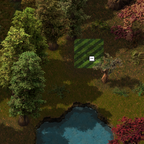
Removes biter decorations as well as nuke scorch marks in any given radius.
Providing the player with new tools or adjusting the game interface, without fundamentally changing gameplay.

Providing the player with new tools or adjusting the game interface, without fundamentally changing gameplay.

Adds a host of useful shortcuts and custom inputs to improve QOL. Shortcuts for: - Toggles for equipment and personal logistic requests - Artillery cannon fire toggle - Environment deconstruction planner - Vehicle settings and train manual mode - Rail block visualisation, player lamp, customizable grid overlay and far zoom - Shortcuts for various other mods Original mod by npc_strider (morley376): mods.factorio.com/mod/Shortcuts
Providing the player with new tools or adjusting the game interface, without fundamentally changing gameplay.

Simple and neat game speed switch button. There is an auto-acceleration function when traveling on a train. This may slightly worsen the impression of the game, but sometimes it saves a lot of time in real life.
Providing the player with new tools or adjusting the game interface, without fundamentally changing gameplay.

Disable repair for walls. This will prevent bots from sitting on walls 'repairing' them and taking damage / dying needlessly. Walls self-repair if they don't take damage for 5 seconds.
Providing the player with new tools or adjusting the game interface, without fundamentally changing gameplay.
WARNING: This mod does not support quality at the moment and it will cause issues like using normal item from inventory when placing quality item. Hit Kruise Kontrol and let it take care of your problems. Currently updated version only has major bugfixes, no new features.
Providing the player with new tools or adjusting the game interface, without fundamentally changing gameplay.
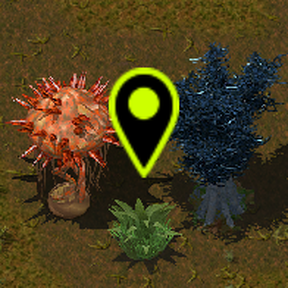
This mods marks trees and rocks containing special resources on the map.
Providing the player with new tools or adjusting the game interface, without fundamentally changing gameplay.

Providing the player with new tools or adjusting the game interface, without fundamentally changing gameplay.

Providing the player with new tools or adjusting the game interface, without fundamentally changing gameplay.
Providing the player with new tools or adjusting the game interface, without fundamentally changing gameplay.

Adds hotkeys for crafting item currently on cursor (holding) or selected (hover). Use the settings to change the bindings and amounts.
Providing the player with new tools or adjusting the game interface, without fundamentally changing gameplay.
