
Train Camera Tracker
Never lose sight of your favorite trains again!
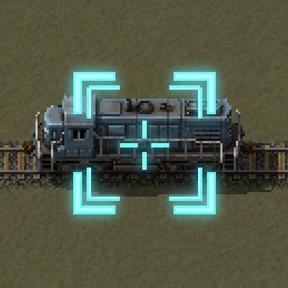
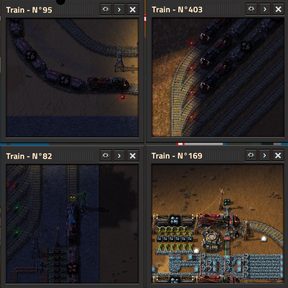
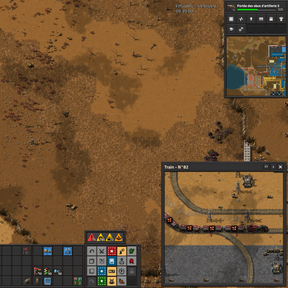
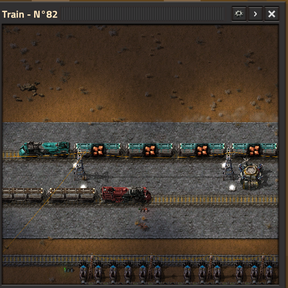
Train Camera Tracker is a handy utility mod that allows you to easily open smooth, tracking camera windows attached to any moving train in your network.
Features
- Smooth Tracking: The camera fluidly follows your targeted train. You can adjust the tracking speed from a buttery-smooth cinematic delay to an instant lock-on.
- Live Telemetry: A real-time dashboard below the camera displays the train's current speed, next scheduled station, and total distance traveled (odometer).
- Multiple Cameras: Keep an eye on several trains at once! Open as many camera windows as you need.
- Quick Access: Left-click directly on the camera feed to instantly open the train's scheduling interface.
- In-Game Settings Menu: Easily adjust the size, zoom level, and toggle telemetry metrics on the fly via a dedicated settings button (gear icon) on each window.
- Fullscreen Mode: Expand any camera to fullscreen for an immersive view.
How to Use
Simply hover your mouse cursor over any locomotive or wagon and do one of the following:
- Press the shortcut SHIFT + T (default).
- Type the command /track_train in the chat console.
Utility command: Use /close-all-cam to instantly close all your open camera windows and clear your screen.
Configuration
You can deeply customize the mod's behavior in the Mod Settings (Options > Mod settings):
- Per Player - Default window size & zoom: Set the initial size and zoom level of the camera.
- Per Player - Camera tracking speed: Adjust the catch-up speed of the camera (from 0.01 for a heavy delay up to 1.0 for instant, 1:1 tracking).
- Per Player - Telemetry defaults: Choose whether to show the speed, next station, and travel distance by default when opening a new camera.
- Global - Odometer interval: Server administrators can adjust how often the global odometers update. Leave at 0 for an auto-scaling mode that intelligently preserves server performance (UPS) based on your train count.