
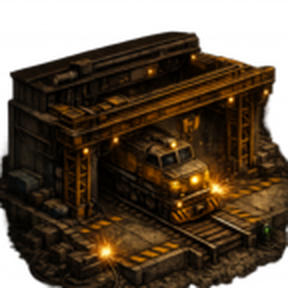
Train Foundry
Build complete trains from blueprint templates — no more placing locomotives and
wagons by hand.
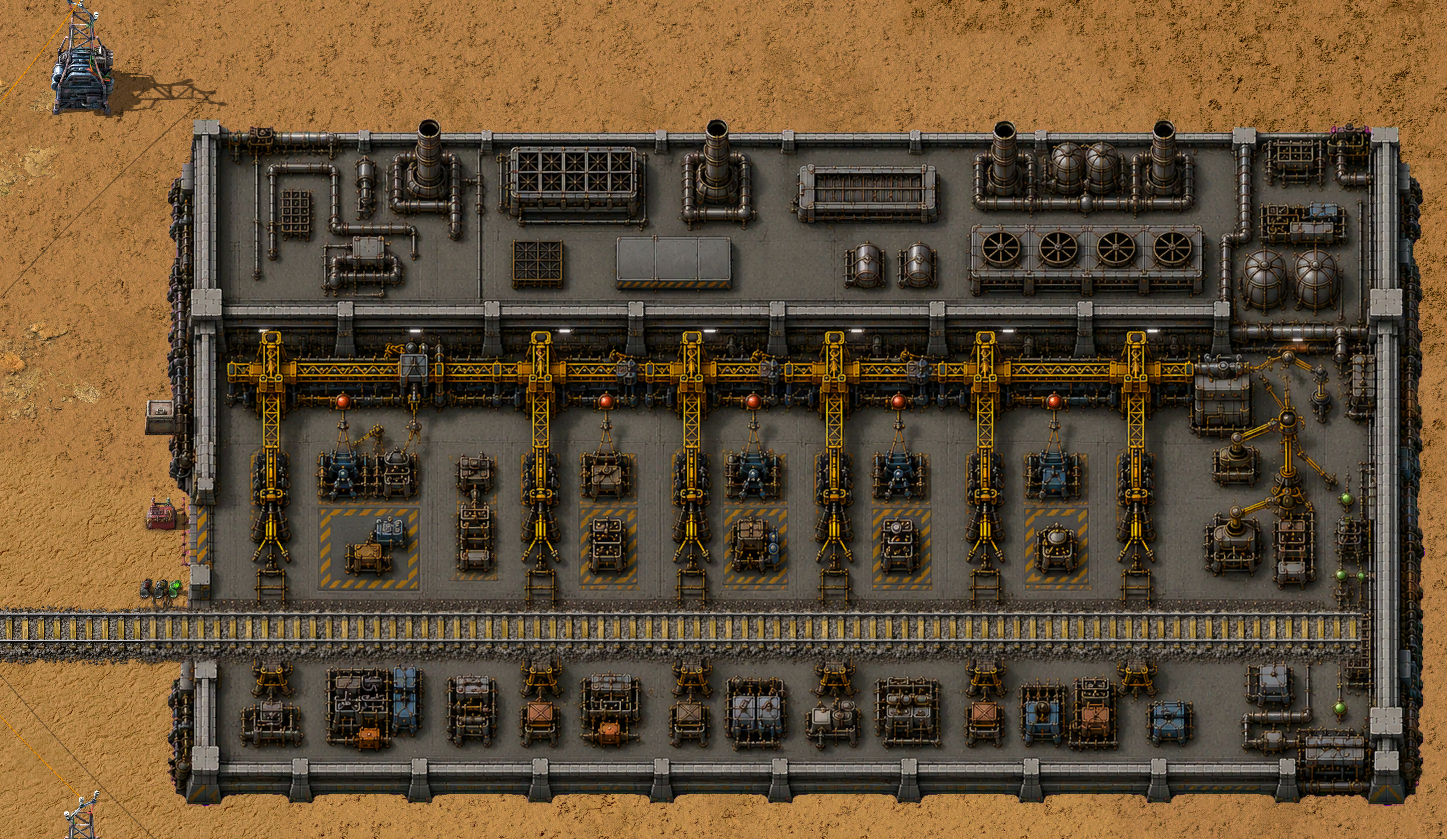
A large foundry building sits on the end of one of your rail lines. Import a
train blueprint into it, queue it, and the foundry assembles the whole train and
sends it off onto your network on its own — with the right composition,
orientation, colors, fuel, schedule, train group and blueprint parameters.
During assembly, the industrial hall comes alive: robotic arms move while work
lights and welding sparks follow the train's construction.
How it works
- Place it anywhere buildable. While you hold the item (or a ghost for robots),
a full preview of the building follows the cursor — in the game view and on the
map — so you see exactly where the tracks and walls will land. The foundry lays
its own exit track; just connect your network to the exit afterwards. It can even
be placed on water: the footprint is filled with landfill automatically. -
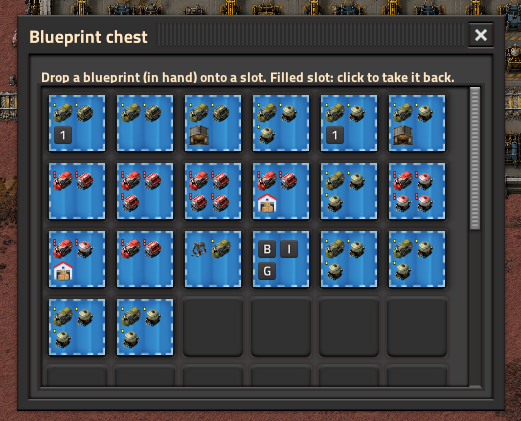
Drop blueprints in the chest. A dedicated blue blueprint chest sits on the
west apron — drop your train blueprints there (by hand or with inserters). The
foundry's window lists them; click a plan to queue it. Blueprints must contain
only the train (rails and signals under it are fine).
-
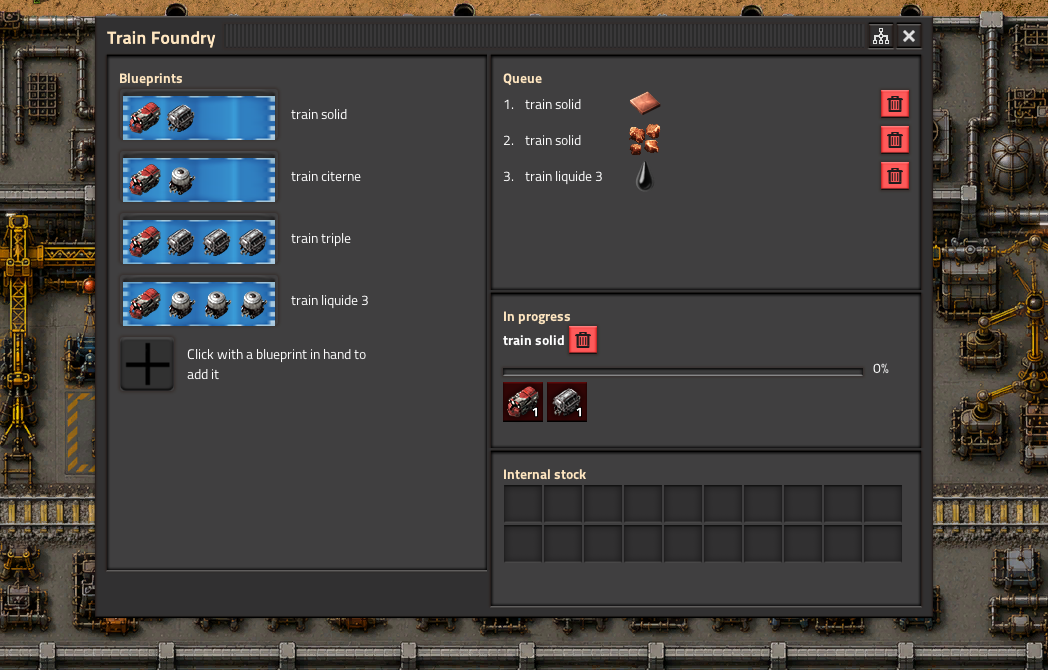
Queue trains. Click a template to queue it; blueprint parameters are asked
once. Trains are built one after another. - Feed the parts. Each build pulls its locomotives, wagons, fuel, ammo and
equipment-grid gear from the foundry's internal stock — fill it by hand or with
inserters. Each component shows an available/required ratio, green when covered,
red when short. - Off it goes. Once built and the track is clear, the train drives away with
its schedule, group, fuel and equipment already set.
Left or right exit
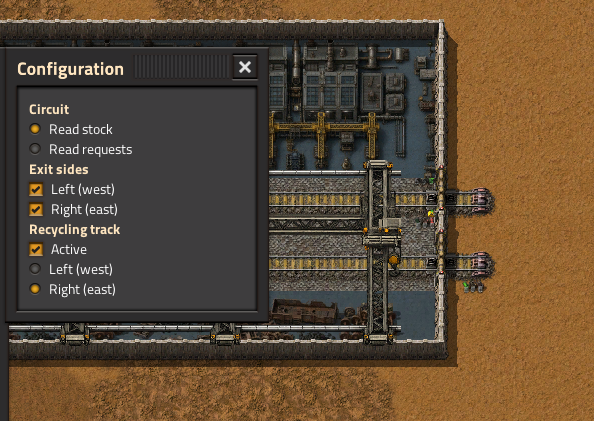
Trains leave to the left (west) by default. Open the foundry's window, click
the panel button in the title bar, and use the Configuration window to tick
Left (west) and/or Right (east) — either or both sides can be open at
once. The train takes whichever open side its schedule leads to. On a chained
foundry the east exit follows the far end of the chain automatically.
Longer trains
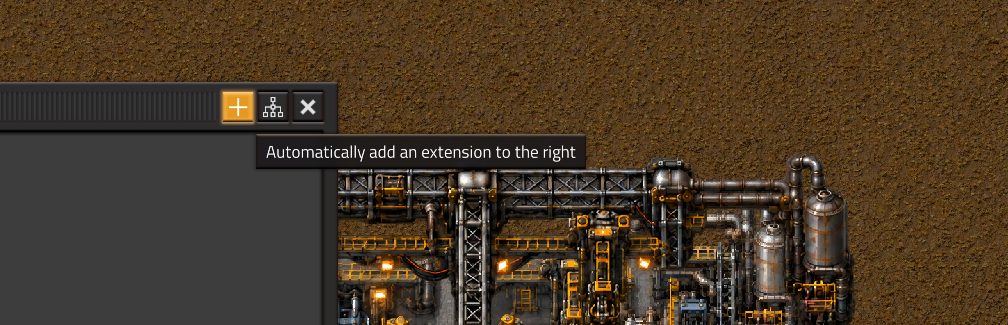
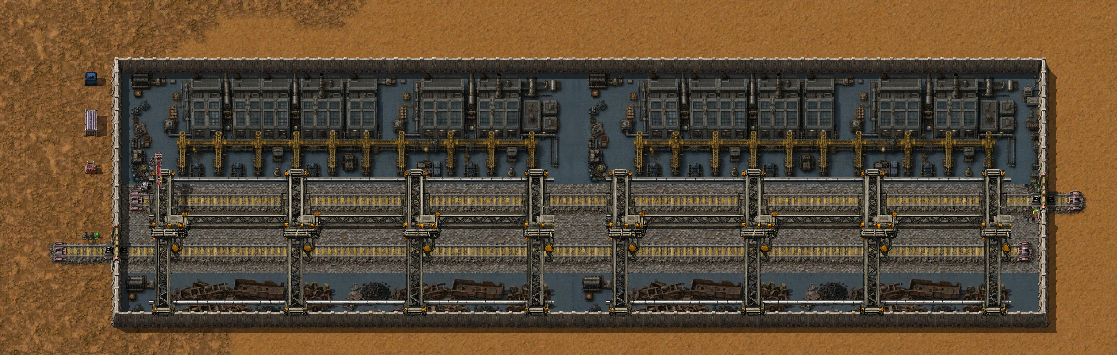
Need trains longer than five vehicles? Use Add extension in the foundry
window. It places an aligned construction ghost on the east side after checking
that the area is suitable. The internal track and capacity extend across the
whole hall; each module adds room for five more vehicles (5 alone, 10 with one
extension, 15 with two, and so on). Extensions have no chests or signal of their
own: the whole chain is driven from one window, and the stock stays on the west
end while the exits work across the whole hall.
Recycling track
Tick Recycling track in the Configuration window to add a second, dead-end
track inside the foundry, with its own entry side (left or right) and a
Train Recycle stop at the closed end. Route a train onto it and the foundry
destroys it and refunds its full cost — vehicles, fuel and cargo — straight into
the internal stock. A one-way block signal keeps a bidirectional train from
backing out.
Fuel
By default the train is fuelled exactly like the blueprint says — whatever fuel
the blueprint puts in the locomotives is what the foundry loads. Nothing to set up.
For a blueprint that has no fuel in it, or when you'd rather not tie a plan to
one specific fuel, tick Generic fuel in the Configuration window: the foundry
then fills every locomotive with the best unlocked fuel available in its stock
and adds a refuel interrupt covering every fuel the locomotive can burn (top up at
10%, leave once full). A solar (burner-less) locomotive needs no fuel at all. A
blueprint with no fuel always uses this generic mode — nothing to honour.
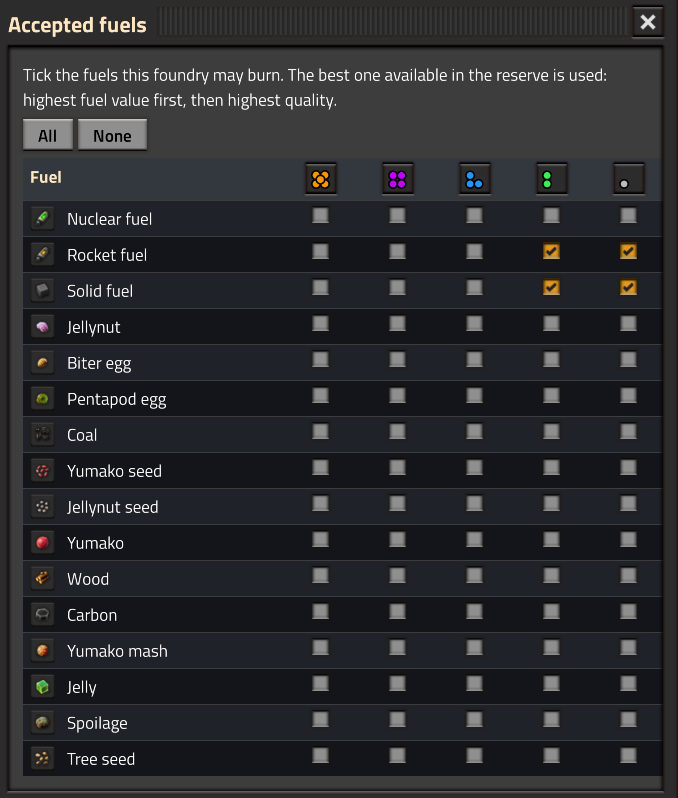
You decide what "best" may pick from. The gear button next to Accepted fuels
opens a window listing every unlocked fuel a locomotive can burn, with one
checkbox per quality — click a fuel's icon to toggle its whole row, or a quality
header to toggle its whole column. Only ticked fuels are burned and requested over
the circuit, and among them the foundry takes the highest fuel value first, then
the highest quality: tick solid fuel in legendary, rare and normal and it burns
legendary while you have some, rare otherwise, normal as a last resort. Handy for
keeping pentapod eggs and Gleba produce out of your locomotives, or for reserving
rocket fuel for something else. Left untouched, every fuel is accepted in normal
quality.
Extras
- Circuit network. The foundry's connector is an electric pole — wire it for
power, for circuit, or both. The internal stock contents and the components it
still needs are two independent outputs: in the Configuration window, enable
either or both and pick the wire (red, green, or both) each one goes out on. Read
what you have on one wire and what you need on the other, at the same time. - Clear a stuck train. If a built train cannot leave, one click destroys it
and refunds its cost. - Remote control. A shortcut-bar button (or CTRL+ALT+F) opens the foundry's
window from anywhere — no need to walk to it. One foundry (chain) per planet. - Compatible with vanilla, Space Age and Nullius.