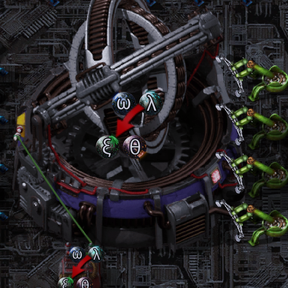
Hello, it seems that the arcosphere polarisation recipe can still be set via circuit network. This can be done by following these steps:
1. Connect a Gravimetrics Facility (GF1) to a constant combinator and enable the "set recipe" function.
2. Place another GF2 and manually set either of the two polarisation recipes.
3. Hover the cursor over the recipe description in GF2 and press the Q button. This allows you to copy and hold the polarisation recipe as a signal which cannot be found in the constant combinator signal selection menu.
4. Open the constant combinator and click any empty slot, then confirm (don't select anything). The polarisation recipe is now copied to the constant combinator and GF1 will run only this recipe without switching, which bypasses the randomization mechanism.
I've also noticed a bug that if you set the polarisation recipe via circuit as described above, some arcospheres may disappear. It appears the "set recipe" function conflicts with the randomization mechanism. This bug can be reproduced easily by doing the following:
1. Place a GF and set one of the polarisation recipes via circuit as described above.
2. Place several chests as inputs around the GF, and fill them with arcospheres (40 or more in total, and a multiple of 4. This ensures no arcospheres remain inside the GF once all recipes complete).
3. Place several chests as outputs around the GF.
4. Place inserters between the GF and both the input and output chests and let the GF keep working until all arcospheres are polarized.
5. Count the total output of polarized arcospheres, it will very likely be less than the input.
If the bug cannot be reproduced, you may need to add more arcospheres or just simply repeat the entire process.
Factotio version: 2.0.77
SE version: 0.7.57