
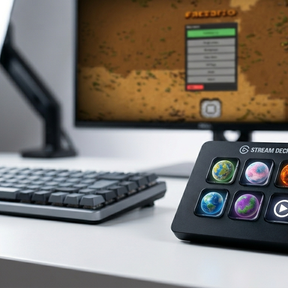
Bridge between Factorio and StreamDeck.
Provides RCON commands for game state data and remote view control with alert cycling.
Needs Usage of a StreamDeck device with the SD-Bridge plugin.
Version with original Factorio graphics (from your installation):
Github
Download ZIP
Extract and start "build-all.bat" to install directly to your StreamDeck
Features:
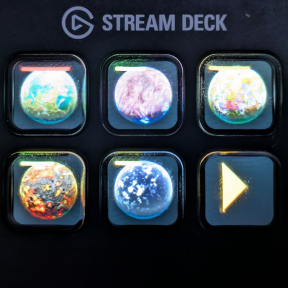
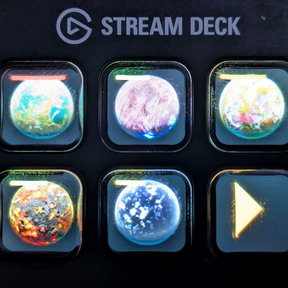
Buttons for Planets:
- chose planet to be shown
- button shows planet icon with:
- evolution factor
- red and yellow alerts
- when pushed, remote view switches to planet
- when alerts are present: jump to alert
- longpress always jumps to origin
- only discovered planets are shown
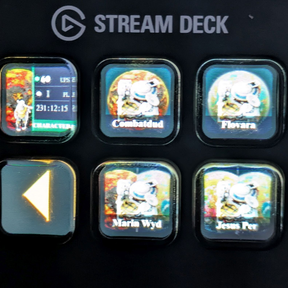
Button for player/ remote view:
- shows extra information:
- UPS
- Amount of players
- played time
- jumps to player or switches to remote view when pushed
- shows planet, where charakter is located, in the background
Button for space platforms
- chose plattform in stream deck app
- cycle platform via longpress
- shows alerts
- shows name of platform (without icons)
- jumps to selected platform when pushed
- shows planet in background, where the platform is located or the planets when in transit
Installation:
RCON is activ:
- edit config.ini in factorio/config directory (...\AppData\Roaming\Factorio\config)
; Socket to host RCON on when lauching MP server from the menu.
local-rcon-socket=127.0.0.1:25575
; Password for RCON when launching MP server from the menu.
local-rcon-password=ChoseToYourLiking
Install Mod in Factorio
Download or Clone the Github Repository
- Easiest way is to download the repository via the ZIP file and extract all files
Run the "build-all" script to build the StreamDeck Plugin from your Factorio installation sources.
Arrange the Buttons in the StreamDeck App to your linking (config connection parameters accordingly)
Start Factorio game and enjoy