


🎵 Space Age Music on Nauvis
Play the Space Age soundtrack in games where the Space Age mod is turned off, for example IR3, Space Exploration or Krastorio 2 playthroughs.
🎧 It is also an in-game music player. Skip tracks, go back, shuffle, stop or mute the music, and see what is playing, right from the top-left corner.
⚠️ You need to own the Space Age expansion. The music is not included in this mod. You copy it from your own Factorio installation, so it never leaves your PC.
✨ Features
- 🪐 The Vulcanus, Fulgora, Gleba, Aquilo and space platform tracks play on Nauvis, or on every surface if you prefer (useful for mods with their own planets and surfaces).
- 🎚️ Each planet's music set can be switched on or off, and so can the five arrival (hero) themes.
- 🎛️ A music player for all the music in your game, not only Space Age's.
- 🌍 Translated into all languages Factorio supports.
🎧 The music player
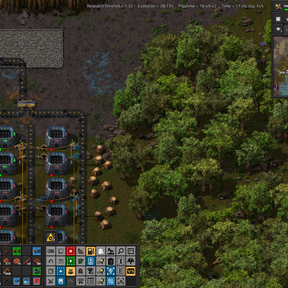
A small panel in the top-left corner, below other mods' panels.
- 🎶 ♫ button: sits in the mod button bar, next to buttons like Factory Planner's. It shows or hides the player and is highlighted while the player is open.
- 📝 Track name: the title of the track that is playing.
- ⏮️ Previous / Next: step back or forward. The player remembers your last 50 tracks.
- 🔀 Shuffle: on, the game picks tracks at random, as usual. Off, tracks play in album order.
- ⏹️ Stop / Play: Stop silences the music and keeps the current track. Play starts that track again from the beginning (mods can't resume a track mid-way).
- 🔇 Mute music: no music plays until you click it again or press Previous or Next.
- 💾 Remembered per player: shuffle, mute, stop, track history and whether the player is open are kept for each player and survive saving and loading.
The playlist is every track allowed on the surface you are on, so it changes when you travel between planets or surfaces.
🔊 Game sounds can't be muted by a mod. Use the game's own sound settings for that.
🤝 Compatibility
- 🌲 Vanilla music stays. The Nauvis soundtrack is left as it is and plays together with the Space Age tracks.
- 🎼 Other music mods work too. Their tracks keep playing, and the player can skip to them, shuffle them and show their names.
- ✅ With Space Age enabled, the Space Age music is left exactly as the game has it, and the player still works.
📦 Installation
- Close Factorio.
- Download the mod and unzip it into your mods folder, so you get a folder named
sa-music-on-nauvis_<version>. Then delete the zip, so Factorio doesn't load the mod twice.- Windows:
%APPDATA%\Factorio\mods - Linux:
~/.factorio/mods
- Windows:
- Copy two things from your Factorio folder (on Steam: right-click Factorio, Manage, Browse local files) into the mod folder:
- 📁 the folder
data/space-age/sound/ambientinto the mod'ssoundfolder (create it), so you getsound/ambient; - 📄 the file
data/space-age/prototypes/ambient-sounds.luainto the mod folder itself, next toinfo.json.
- 📁 the folder
- Start Factorio and enable Space Age Music on Nauvis.
💬 Until the music is copied, the mod still loads (only the music player works) and tells you in chat what to copy.
🔄 Copy the music again after a game update that changes the soundtrack.
⚙️ Settings
- 🚀 Startup: where to play the Space Age music (Nauvis only or all surfaces), and which music sets to include.
- 👤 Per player: shuffle, show the music buttons, show the track name.
📜 Please note
The music belongs to Wube Software. Don't share the mod folder after running the setup script, because it then contains the Space Age music.
Made by AI.