
Resource Outpost Planner
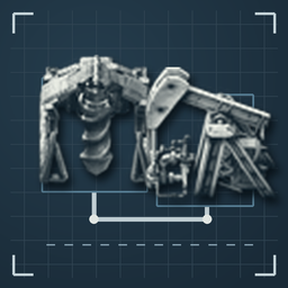
Plan mining patches and oil outposts in one interface. Select resources, inspect a ground preview, adjust the settings, and click Apply when the layout is ready.
Features
- Select mining drills and pumpjacks directly from the equipment row. Space Age adds the big mining drill.
- Preview original-size blueprint artwork before placement, with green available positions and red blocked positions. The preview creates no construction ghosts, landfill or demolition orders, so robots cannot build it.
- Change equipment, direction and shared settings to recalculate the preview.
- Plan mining drills, belts, underground belts, poles, lamps, beacons, modules and fluid inputs, with mining blueprint templates.
- Plan pumpjacks, pipe networks, poles, beacons, qualities and heating on cold surfaces.
- Place continuous beacon rows on both sides of drill columns, with independent drill and beacon modules.
- Choose cliff avoidance or removal, and water/lava/lightning-pool avoidance or filling. Unsafe connections stay visible in red so you can adjust the plan.
- Position belt outputs with a native blueprint cursor; rotate with R / Shift+R. Same-facing connections turn along the equipment boundary to keep the footprint compact.
- Enable Balance Outputs when needed for railway loading. It starts disabled with 8 output belts for four cargo wagons loaded on both sides; choose 1 to 32 outputs and position the balancer with Output. Blocked sections turn red.
- Enable Auto merge / split in Output and set a load range, defaulting to 0.8–1.0; 1.1 means 110% belt load. Merge underloaded belts and split overloaded drill rows using actual equipment, beacon coverage, productivity and stacking.
- Keep the configured final output count as the upper bound. When it cannot carry all production, show estimated bottleneck loss while allowing Apply. Necessary internal collection rows may remain above that count; extra splitting is limited by the budget.
- See planning progress, failures and capacity warnings above Apply. Changing output count updates the cursor immediately, and repeated clicks at the same valid output target do not restart planning.
- Generate a complete loading station from the Output section: choose 1 to 8 locomotives, 1 to 16 cargo wagons and one-sided or two-sided loading. Defaults to 2 locomotives, 4 wagons and both sides; balanced output count follows the wagon configuration.
- Include rails, a train stop, signals, buffer chests, inserters and poles in the station preview. Train counts set the layout dimensions without adding rolling-stock ghosts. R / Shift+R rotate and H / V mirror it. The belt module sits close to the wagons, with locomotives extending beyond the loading area.
- Use fixed, exact-count blueprints for the 1-to-8 input/output balancer matrix, preserving lane structure, underground connections, splitter priorities and filters. Two incoming belts and eight outputs use the original 2-to-8 template.
- Red and blue belts support all 64 matrix combinations; yellow supports 60. Yellow 5-to-8, 6-to-5, 7-to-5 and 8-to-7 require a higher belt tier. Larger stations retain their extended output layouts.
- Moving or rotating outputs reuses unchanged mining geometry and rebuilds only their connections. Changes to equipment, resources, research or nearby obstacles trigger full planning; Apply still revalidates the layout.
- Preview rendering reuses connection shapes, collision bounds and positions to reduce temporary allocations and pauses.
- Select equipment qualities with compact icons below each picker. Statistics combines placement reports and belt load overlays.
- Apply the plan to place construction ghosts, or cancel the current preview. Reselecting resources clears the planner's latest unfinished plan and old overlays, retaining completed buildings and other plans.
How To Use
- Press Ctrl+M or click the planner shortcut.
- Click Select, then drag over resources. Use Shift + left-drag to add another area. Click Select again or press Q to exit the tool.
- Inspect the preview and adjust the equipment and settings.
- Configure balanced belts or Generate loading station in the Output section, then click Output to position the preview. Rotate with R / Shift+R, or mirror a station with H / V. Click again or press Q to exit while keeping the target.
- Click Apply to place the construction plan, or Cancel Preview to discard the draft.
Compatibility
Requires Factorio 2.1. Space Age is optional; the big mining drill and expansion resource features require the corresponding game content. English and Simplified Chinese are included.
Disable the original Mining Patch Planner, or an earlier fork distributed under its internal ID, before enabling this independent release. Existing built entities remain in the save. Original planner data and pending plans are not imported; configure this planner after switching.
Credits And License
Maintained by Nowaterisenough. Based on Mining Patch Planner by Rimbas, with oil planning from Oil Outpost Planner 1.7.0 by Coppermine. Distributed under the MIT License, with both original copyright notices retained.
Belt balancer layouts use Raynquist's designs from Dogmai's balancer collection, retaining splitter priorities, filters and underground belt connections.
资源开采规划器
在同一个界面中规划矿区与油田:先框选资源,查看地面预览,修改配置,满意后点击 应用。
主要功能
- 在顶部直接选择矿机或抽油机;启用《太空时代》后可使用大矿机。
- 预览采用原尺寸蓝图图像,可放置部分显示绿色,受阻位置显示红色;不生成建设蓝图、不填土、不下达拆除命令,机器人不会提前施工。
- 修改设备、布局方向和共用配置后,预览实时更新。
- 采矿支持矿机、传送带、地下传送带、电杆、灯光、插件塔、插件、流体输入和蓝图模板。
- 油田支持抽油机、管网、电杆、插件塔、实体品质和寒冷星球供热。
- 在矿机两侧摆放连续整排插件塔,设备内插件和塔内插件分别配置。
- 悬崖可选择避让或拆除,水、岩浆、雷池可选择避让或填补;无法连通的位置保留红色预览,方便调整。
- 用原生蓝图光标放置传送带出口,按 R / Shift+R 旋转;同向出口优先贴着设备轮廓转弯,压紧占地。
- 接火车时可开启 均分输出:默认关闭,路数默认 8,适合 4 节货厢双面上货;可修改为 1 至 32 路,用 输出 放置均分器,受阻部分显示红色。
- 在输出区域开启 自动并带/分带,设置负载范围,默认 0.8–1.0;1.1 表示 110% 传送带负载。根据实际设备、插件塔覆盖、采矿产能和堆叠能力,合并低负载传送带并拆分过载矿机行。
- 最终出口不超过设定路数;运力不足时显示预计瓶颈损失,仍可应用。矿机行数较多时保留必要内部采集带,额外分带受出口数量限制。
- 应用按钮上方直接显示规划进度、失败原因和容量提示;修改出口路数会立即更新光标,在同一有效位置重复点击不再重启规划。
- 在独立的输出区域启用 生成装货站,可设置 1 至 8 个车头、1 至 16 节货厢及单边或双边装货。默认 2 车头、4 货厢、双边装货,均分路数随编组自动计算。
- 装货站预览包含铁路、车站、信号灯、缓存箱、机械臂和电杆,编组数量仅用于计算布局尺寸,不生成列车虚影;R / Shift+R 旋转,H / V 镜像。输送模块靠近货厢,允许车头伸出装货区。
- 1 至 8 路输入、1 至 8 路输出使用固定矩阵中的同规格蓝图,保留双车道结构、地下带连接、分流器优先级和过滤设置;两条来带接八路输出时直接使用原始 2 进 8 出模板。
- 红带、蓝带支持全部 64 种矩阵组合,黄带支持 60 种;黄带的 5 进 8 出、6 进 5 出、7 进 5 出、8 进 7 出需要升级传送带。较大装货站继续使用扩展输出布局。
- 移动或旋转出口时复用未变化的矿区布局,只重算出口连接;设备、资源、研究或附近障碍改变时完整重算,应用前仍重新校验。
- 预览绘制复用连接形状、碰撞边界和位置对象,减少临时内存分配与停顿。
- 品质使用设备下方的小图标选择;统计 合并放置报告和传送带负载显示。
- 点击应用后才生成建设蓝图;重新选区会清掉本规划器上次未施工的规划和旧叠层,保留已建成设备和其他规划。
使用方法
- 按 Ctrl+M 或点击规划器快捷按钮。
- 点击 选区 后拖动框选资源;使用 Shift + 鼠标左键拖动 添加选区。再次点击选区或按 Q 退出工具。
- 查看预览,选择设备并修改配置。
- 在输出区域配置均分传送带或启用 生成装货站,再点击 输出 放置预览。R / Shift+R 旋转,装货站还可用 H / V 镜像;再次点击或按 Q 退出,保留出口位置。
- 点击 应用 放置建设蓝图,或点击 取消预览 丢弃草稿。
兼容说明
需要 Factorio 2.1。《太空时代》为可选内容;大矿机与扩展资源功能需要对应的游戏内容。内置英文和简体中文。
启用本独立发行版前,请停用原版 Mining Patch Planner,或此前沿用其内部标识的安装包。存档中已有建筑会保留;原规划器数据和未应用预览不会自动导入,切换后请重新配置规划器。
来源与授权
由 Nowaterisenough 维护,基于 Rimbas 的 Mining Patch Planner,集成 Coppermine 的 Oil Outpost Planner 1.7.0 规划引擎。采用 MIT 许可证,保留两位原作者的版权声明。
传送带均分布局采用 Dogmai 均分蓝图集中的 Raynquist 设计,保留分流器优先级、过滤设置和地下带连接。