
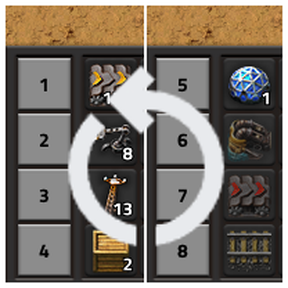
Switch between pre-defined sets of quick bar pages with a single keypress (Ctrl+Q), keeping your hotbar clean and context-appropriate. 2-Layout mode (default): alternates between two full sets of 4 bars (pages 1–4 and 5–8), giving you 8 accessible quick bar pages instantly. 3-Layout mode: one bar stays anchored to a fixed page (perfect for universal items like roboports or repair packs), while the other 3 rows cycle through three rotating sets — giving access to all 10 quick bar pages.
Providing the player with new tools or adjusting the game interface, without fundamentally changing gameplay.