
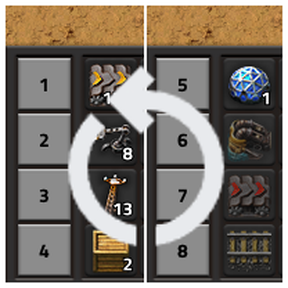
Quick Bar Switcher lets you multiply the usefulness of your quick bars without cluttering them. Instead of cramming everything into the 4 visible quick bar rows, you can switch between entirely different sets of bars with a single keypress — keeping your hotbar clean and context-appropriate for whatever you're doing.
How It Works
Factorio provides up to 10 quick bar pages, but only 4 rows are visible at any given time. This mod lets you bind different pages to those 4 rows and switch between pre-defined groups instantly using the default hotkey Ctrl + Q (rebindable in Controls settings).
The mod offers two modes of operation: 2-Layout and 3-Layout.
2-Layout Mode
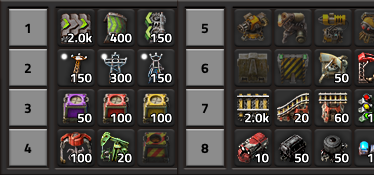
The default mode. Your 4 visible quick bar rows alternate between two complete sets of bars:
| Slot 1 | Slot 2 | Slot 3 | Slot 4 | |
|---|---|---|---|---|
| Layout A | Page 1 | Page 2 | Page 3 | Page 4 |
| Layout B | Page 5 | Page 6 | Page 7 | Page 8 |
Press Ctrl + Q to toggle between Layout A and Layout B. You effectively get 8 distinct quick bar pages accessible at the tap of a key — ideal for players who want one set for construction and another for combat or logistics.
3-Layout Mode
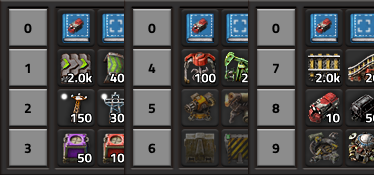
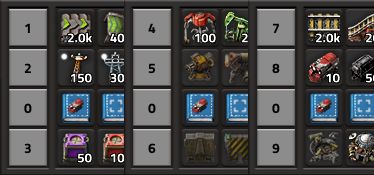
For power users who need even more hotbar real estate. In this mode, one of the 4 visible rows becomes an anchored bar — it always shows the same quick bar page (page 10) regardless of which layout is active. The remaining 3 rows then cycle through three rotating sets:
| Anchored Slot | Slot A | Slot B | Slot C | |
|---|---|---|---|---|
| Layout A | Page 10 (fixed) | Page 1 | Page 2 | Page 3 |
| Layout B | Page 10 (fixed) | Page 4 | Page 5 | Page 6 |
| Layout C | Page 10 (fixed) | Page 7 | Page 8 | Page 9 |
Press Ctrl + Q to cycle through Layouts A → B → C → A.
This gives you access to all 10 quick bar pages — that's 2 extra pages compared to 2-Layout mode. The anchored bar is perfect for items you always need regardless of context: your personal roboport, repair packs, personal construction robots, or any other universal tools.
Settings
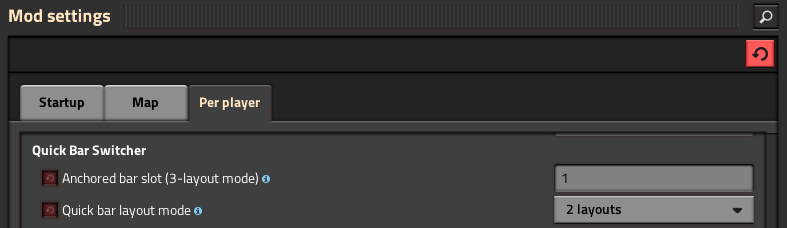
All settings are per-player and can be changed at any time from Escape → Settings → Mod Settings → Per player, even mid-game.
Hotkey — Switch Quick Bar Pages
Default: Ctrl + Q
The keybind that triggers the layout switch. You can rebind it to anything you prefer from Escape → Settings → Controls, under the Quick Bar Switcher section.
Quick Bar Layout Mode
Options: 2 layouts / 3 layouts — Default: 2 layouts
Determines whether pressing the hotkey alternates between 2 sets of bars or cycles through 3. Choose 3 layouts if you need access to more quick bar pages.
Anchored Bar Slot (3-Layout mode only)
Range: 1 to 4 — Default: 1
Sets which of the 4 visible quick bar rows stays fixed while the other 3 rotate. Pick the slot position that best suits your screen layout and muscle memory.
Credits
- andrevdm — Conceived and implemented the 3-Layout mode (contributed via pull request).