
Production Plus


Replaces the production window with one that adds a Net panel (produced minus consumed) next to production and consumption, so you can see deficits and surpluses at a glance. Also adds search, a sortable table view, click-to-graph and pinning, lock and flip, quality filters, a Power tab with every electric network, CSV export, and a one-click switch back to vanilla. Built to look like vanilla and stay lightweight.

a day ago
2.1
78

b UI scale bug

3 days ago

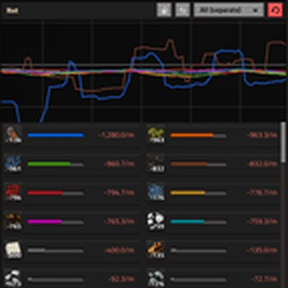
The graphs don't scale with the UI (apparently) because they're really small. I would expect them to fill the black box you made for them.

I made this on a 4k tv with the UI scale at 200%. I need references to make a proper fix.

  1. Steam screenshot (a screenshot taken by steam because it captures the full scale of your resolution)

  2. What you have your UI scaled too. (100, 125, 200, etc.)

  3. What your resoultion is (720...for whatever reason it would be that, 1080p, 1440p(2k) or 3840(4k).

We can chat here to work out how i will get that info.

2 days ago
(updated 2 days ago)

1440p, 125%, not sure how to post screenshots here. At 125% the graph looks somewhat larger than 50% of the reserved space. At 100% the graph sizes is closer but still small. At 200% the graph size is quite small (on the order of 1/3 width and height) and I can see the top and bottom of extra graphs in the reserved graph space. At 80% UI scale it looks great, but I'm not playing that way.

I guess i could have a independent ui scaling setting in the mod settings. I'll look into that.

2 days ago
(updated 2 days ago)

Patch posted below. The old layout code was inflexible per the comment.

2 days ago
(updated 2 days ago)
--- a/control.lua
+++ b/control.lua
@@ -733,7 +733,12 @@
-local CAMERA_ZOOM = 0.8   -- measured: camera tile size already includes UI scale (x1.25)
+-- A GUI camera shows zoom/ui_scale screen px per world px, so the graph (drawn at
+-- 1/32 tile per GUI px) fills it exactly when zoom == the player's display scale.
+local function camera_zoom(player)
+  local ok, z = pcall(function() return player.display_scale end)
+  return (ok and z and z > 0) and z or 1
+end
@@ -1319,7 +1324,7 @@
-    zoom = CAMERA_ZOOM,
+    zoom = camera_zoom(player),

New response