
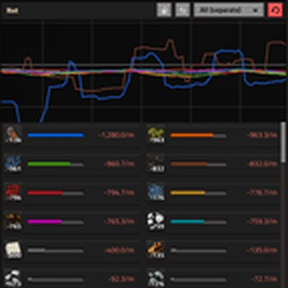
Replaces the production window with one that adds a Net panel (produced minus consumed) next to production and consumption, so you can see deficits and surpluses at a glance. Also adds search, a sortable table view, click-to-graph and pinning, lock and flip, quality filters, a Power tab with every electric network, CSV export, and a one-click switch back to vanilla. Built to look like vanilla and stay lightweight.
Version: 0.2.2
Date: 2026-11-20
  Features:
    - Table view: new "Average (1h)" column between Net and Net %, showing net per minute averaged over the last hour whatever time scale is selected. Steadier than Net, so it shows how much surplus you can reliably take. Sortable, and included in CSV exports.
Version: 0.2.1
Date: 2026-11-20
  Features:
    - Pollution tab (Columns view): Emitted, Absorbed and Net panels from the game's pollution statistics, with a summary of totals and the pollution currently on the surface. Spores on Gleba are shown the same way.
    - Enemy tab (Table view): enemy evolution over time for the selected surface, and how much of it comes from time, pollution and spawner kills. The mod records the history itself, starting from when this version is installed.
    - Expansion, as seen by your radars: an estimated countdown to the next expansion, the size of the last settler party, new bases seen (last hour and total) and a button to show the newest ones on the map.
    - Evolution stage: one lane each for base types, every spawner type's units and worms, on a shared 0–100% scale, showing where each stage starts, what each lane makes right now and what comes next in that lane. Read from the game data, so modded enemies such as Bob's Enemies and Rampant, and Gleba, work too. Stage thresholds are also marked on the evolution graph.
    - Power is now only in Columns view, since its Table view was identical.
    - Settings button (gear) at the end of the control row. Opens a settings strip under it without changing the window size.
    - Graph scale setting: starts at 100%, adjustable from 50% to 300% in 5% steps, remembered across saves. While settings are open, every graph shows a yellow frame so you can see when it fits its box.
    - Window mode moved from the mod settings menu into the settings strip. Your previous choice carries over and is remembered across saves.
  Bugfixes:
    - Graphs did not scale with the UI scale on most screens (they used a fixed zoom measured on one 4K setup). Use Graph scale to fit them to your screen.
Version: 0.2.0
Date: 2026-11-19
  Features:
    - Table view, search, CSV export, Power tab, click-to-graph, shift-click pinning, lock and flip, sortable headers.
  Changes:
    - Large performance pass and save-safety checks.
Version: 0.1.0
Date: 2026-11-18
  Features:
    - Initial release.