

Pocket Planner
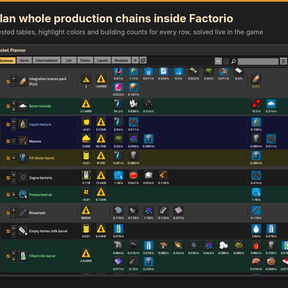
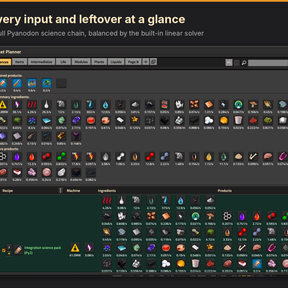
A YAFC-style production planner that runs inside Factorio. Pick what you want to make, add recipes, and a linear solver works out every building count, including loops, byproducts and recipes with several outputs. It is built for large modpacks like Pyanodon, where one recipe feeds several chains and many products come back around as inputs.
Open it from the shortcut bar or with Ctrl+Shift+Y.
Features
A real solver, inside the game
- Each page is solved as a linear program with a revised simplex solver written for this mod.
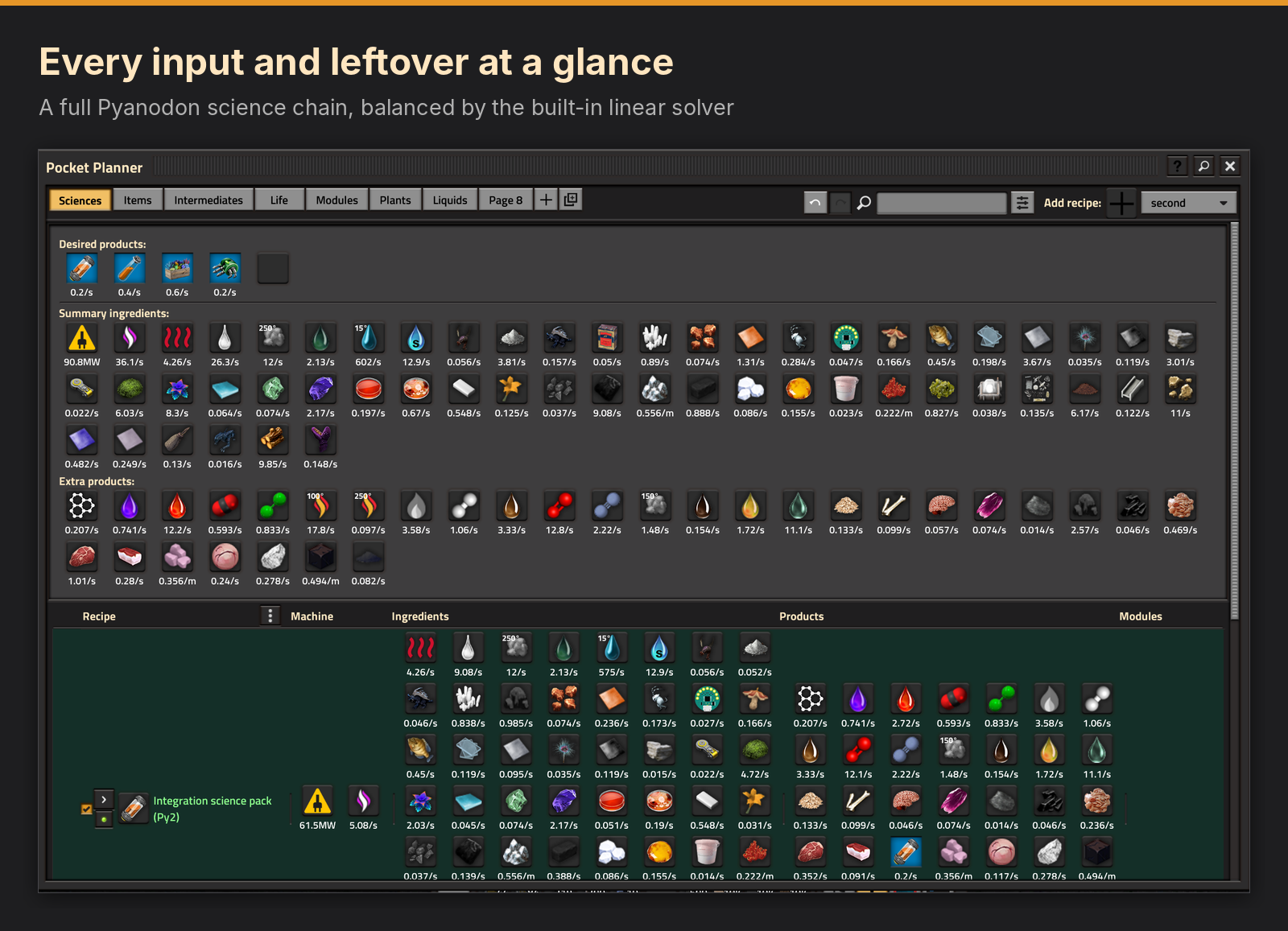
- Loops such as animal breeding, catalysts and recycling balance without manual math.
- The solver avoids shortfalls first, then leftovers, then extra buildings, so spare output goes to whatever on the page can use it.
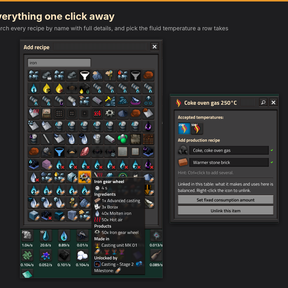
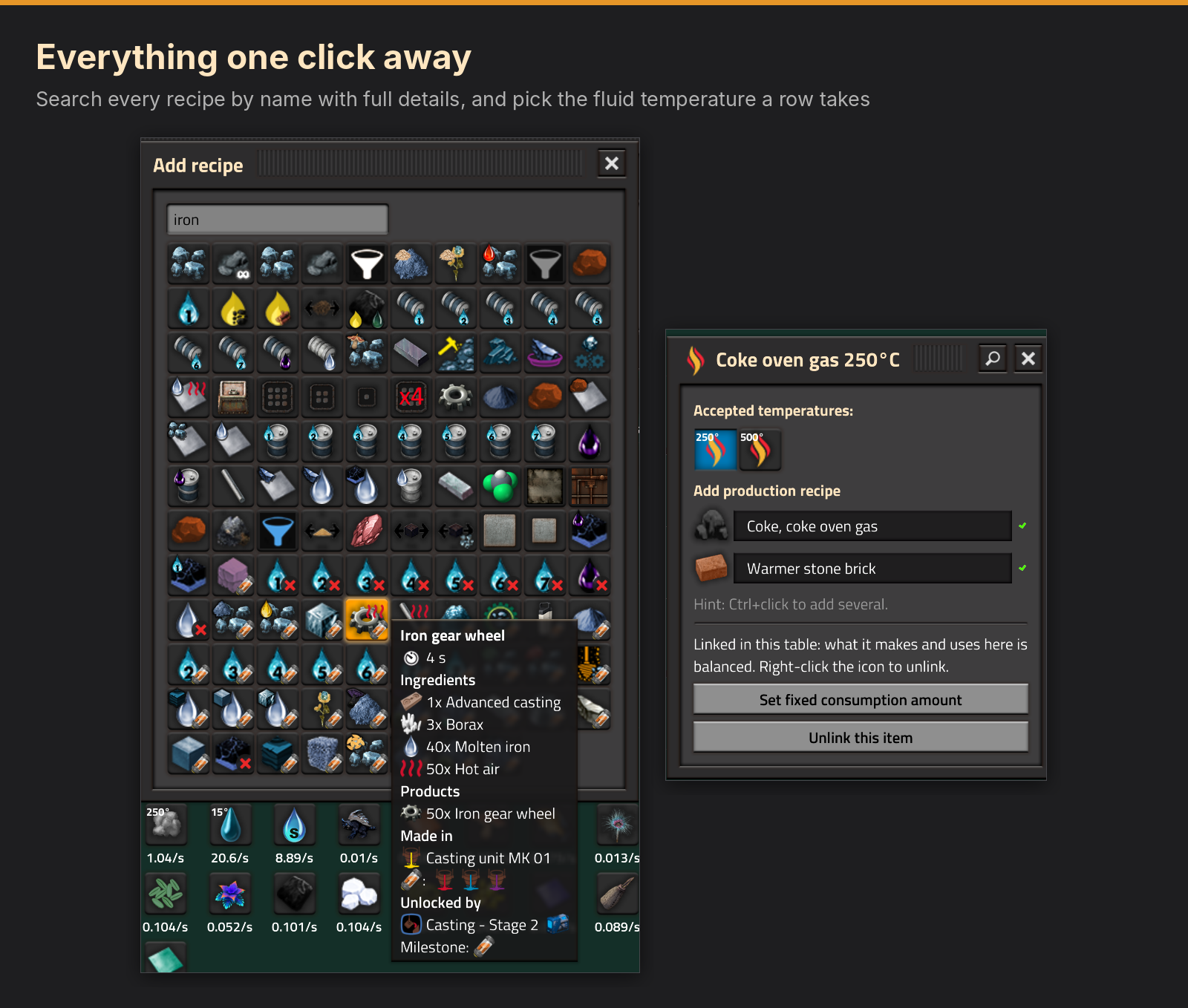
- Fluids at different temperatures are separate items, so 250° and 500° steam never get mixed up. Heat from reactors carries its temperature too.
Planning tools
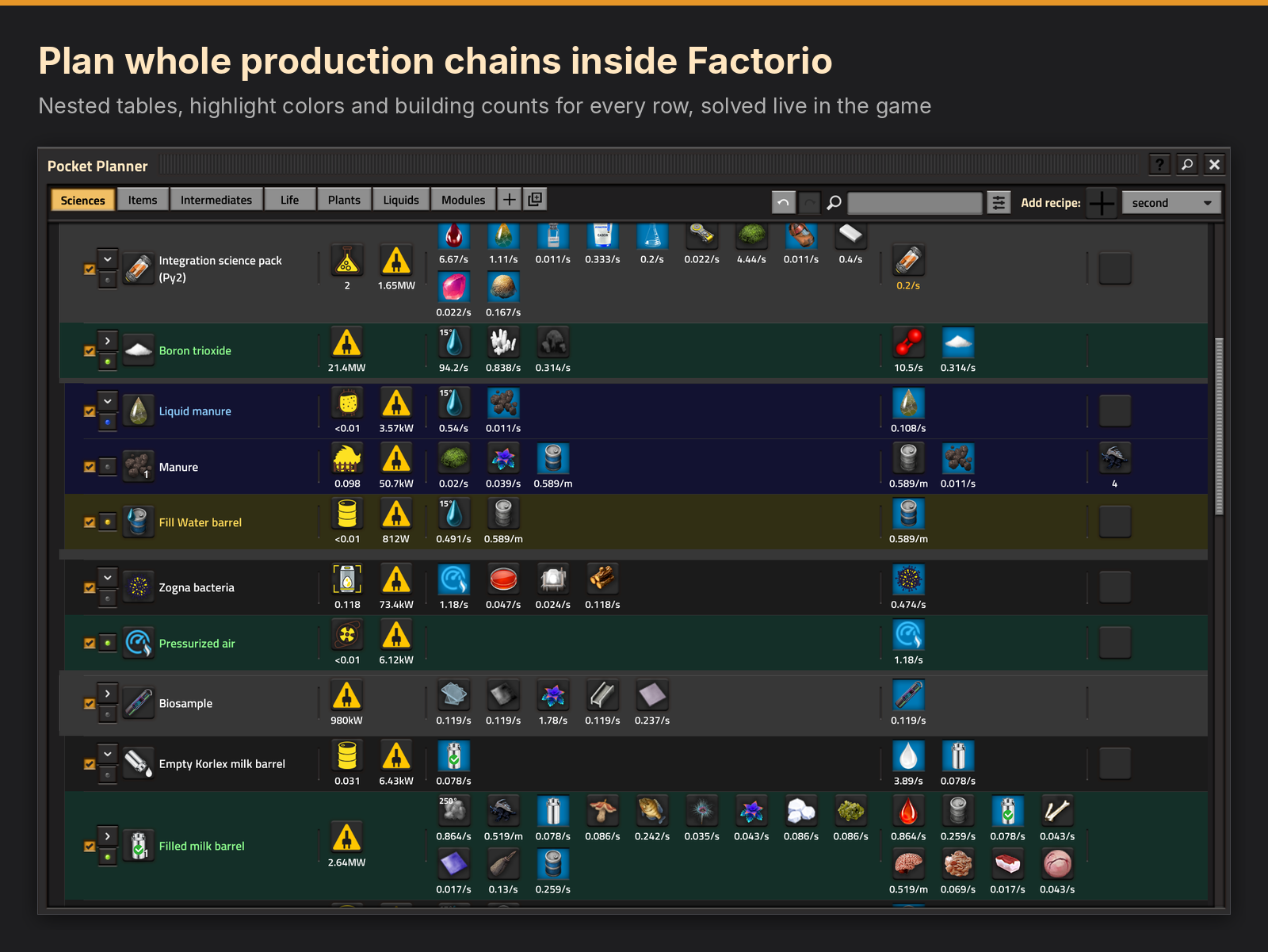
- Pages and nested tables. Pages are tabs. Rows can be grouped into nested tables that you open, close, move and switch off as a unit.
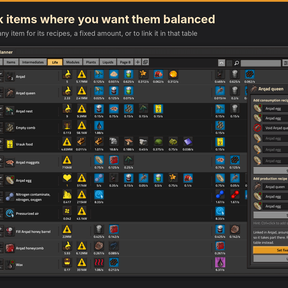
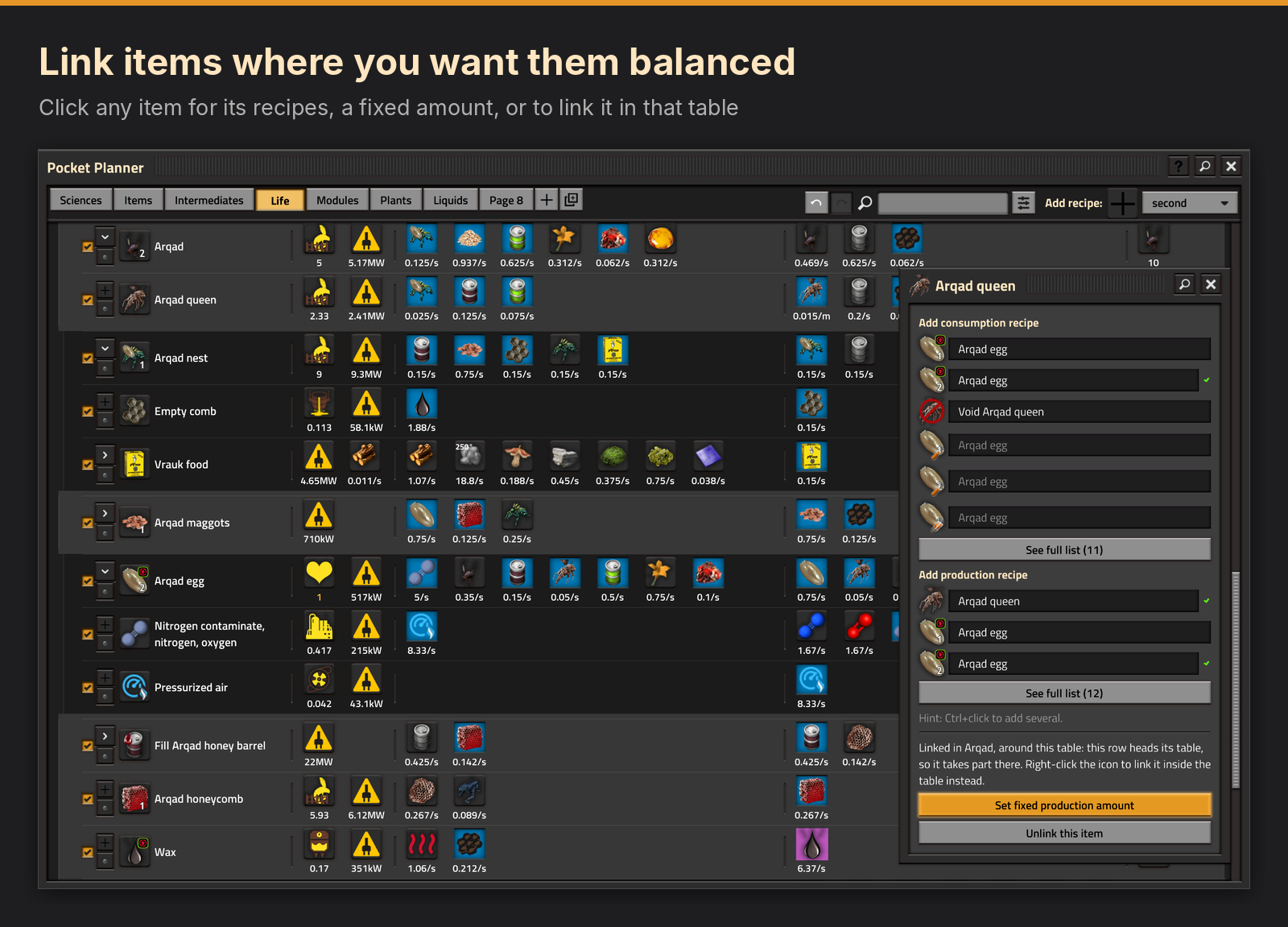
- Links you control. An item is balanced only where you link it. Blue means covered, red means short and purple means more is made than used.
- Desired products, fixed amounts and fixed building counts, typed with units such as 10/s, 99/m or 10/3m.
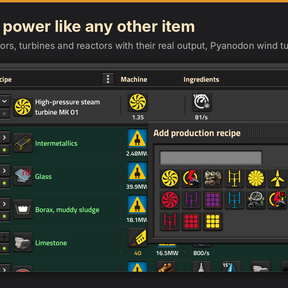
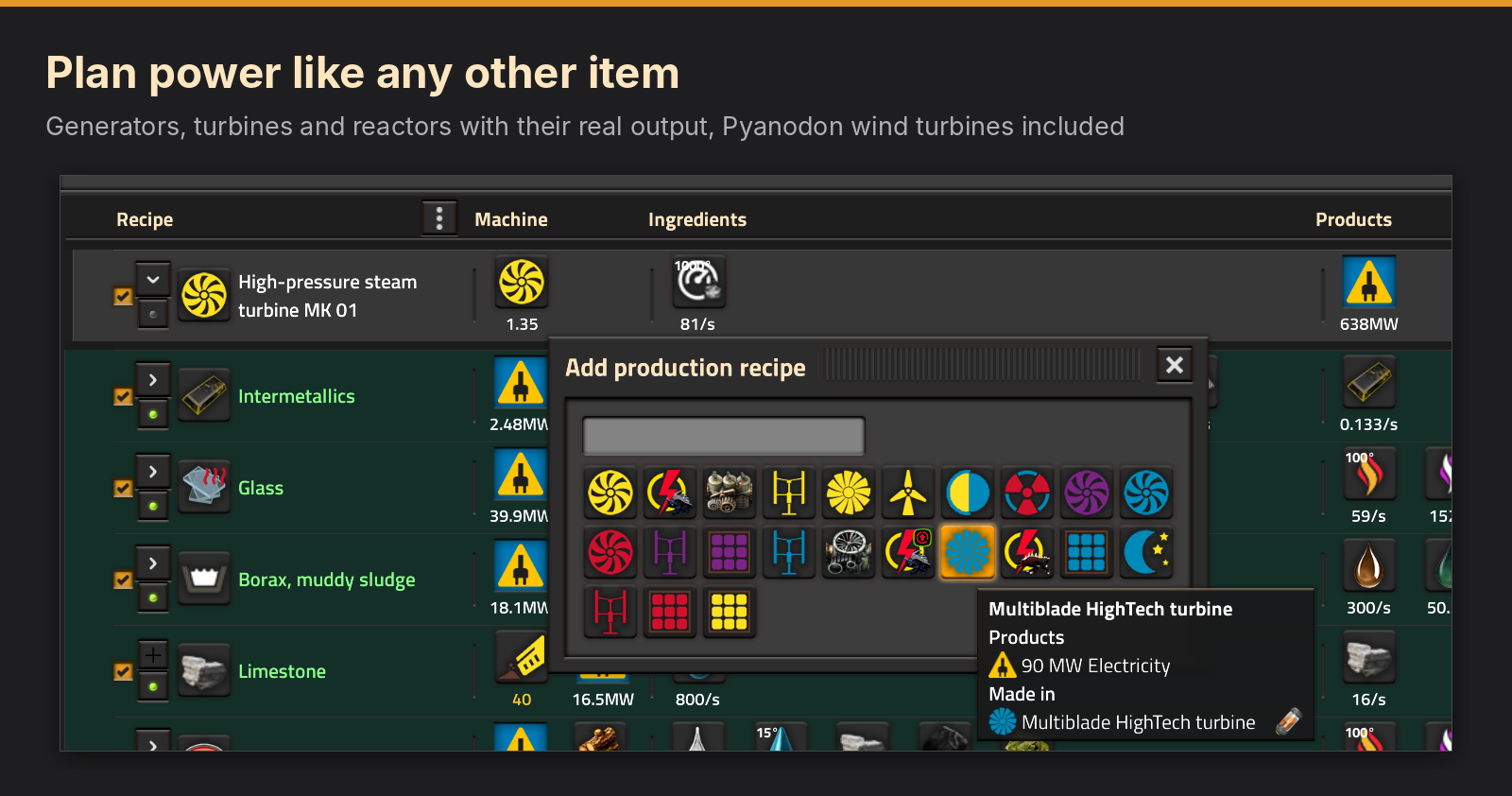
- Electricity and heat work like items. Link them to balance generators against machines, or ask for an amount such as 15 MW.
- Automatic fuel. Let the planner pick each row's fuel. It burns fuel the page already has left over, then the cheapest fuel, and never makes you build extra fuel production for it.
- Modules and beacons per row, with quick fill and a full editor.
Finding things
- Click any item for the recipes that make or use it, with the ones you used before at the top.
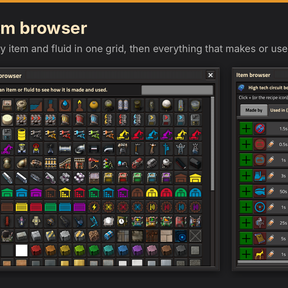
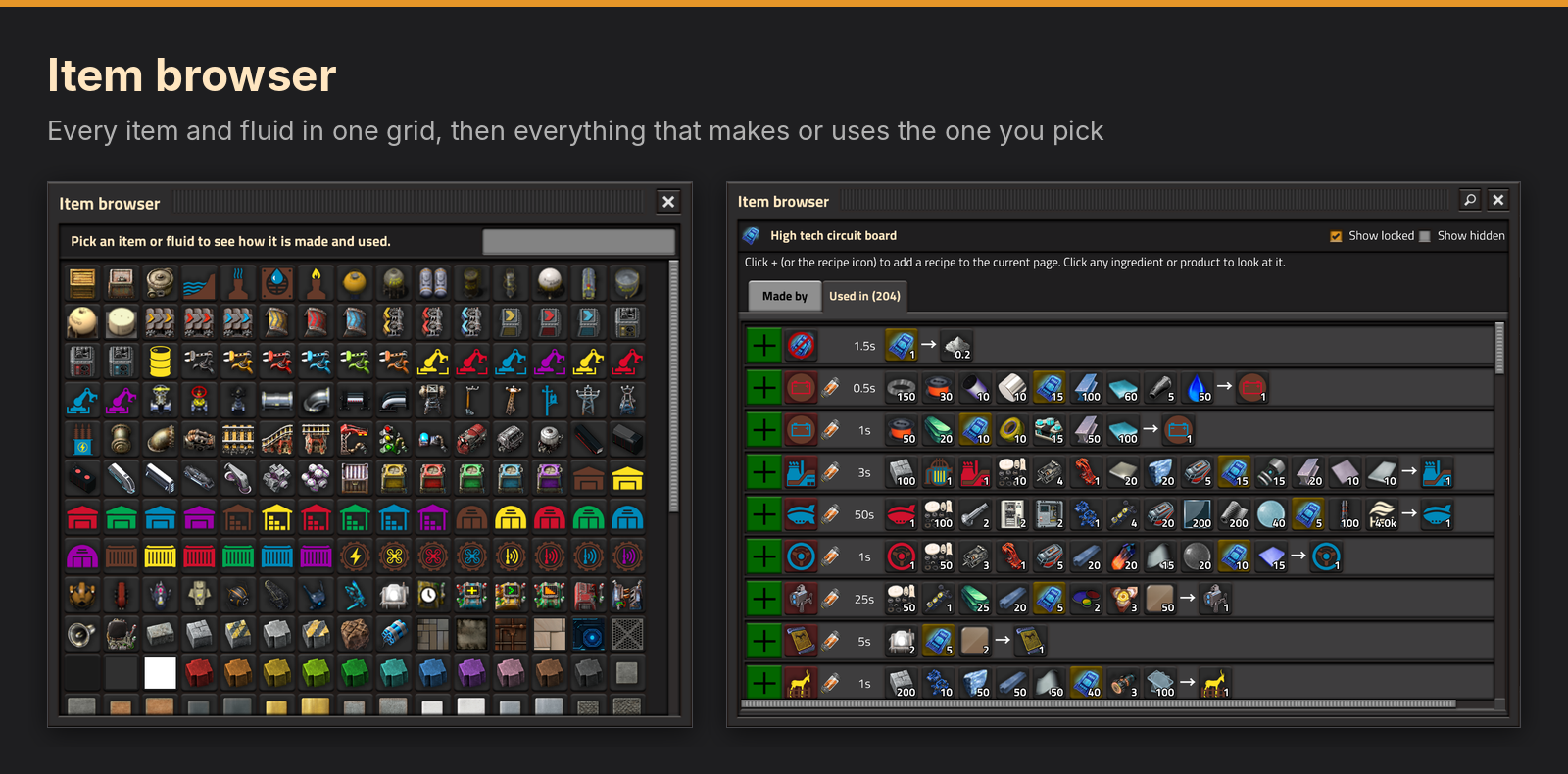
- The item browser shows every item in a searchable grid, then everything that makes or uses the one you pick.
- Science pack badges show which research a recipe or machine still needs.
- Find on page shows only the rows that make or use something with a given name.
- Alt+click opens anything in Factoriopedia. Q over an icon picks up that item, machine or recipe in the game.
Comfortable to use
- Most actions have a button in a menu, and keys for speed once you know them.
- Undo and redo cover every change across all pages and jump to what changed.
- Tiny rates switch to per minute, per hour or per 10 hours so they stay readable.
- Sized for the Steam Deck and other small screens.
- The ? button opens a cheat sheet of every click and key.
Pyanodon support
Everything is read from the game's own data, and Pyanodon gets extra care on top of that:
- TURD upgrades apply to the machines they affect.
- Wind turbines, including the multi-blade fish turbine, make their real power.
- Dig sites have one recipe per creature and food.
- Smart farm recipes use up their seed.
Getting started
- Click the Pocket Planner button on the shortcut bar, or press Ctrl+Shift+Y.
- Click the empty slot under Desired products, choose an item and type how much you want.
- Click its icon and pick a recipe. Keep clicking ingredients to build the chain downward.
- Right-click an item to link it in its table. Linked items are balanced.
- Press ? in the title bar for the full cheat sheet.
FAQ
Do I have to pick free items, like in other matrix solvers?
No. Each page is solved as a linear program, so the number of recipes and items does not have to match. You decide what gets balanced with links. Link a looped item and it is balanced in that table, with any extra shown as surplus. Leave it unlinked and it comes in from outside as an input. A fixed amount or a fixed building count sets an exact number.
Why is an item not balanced?
Only linked items are balanced. Right-click the item, or use the link button in its menu, to link it in that table. An item with no color is not linked, and the planner does not try to match what is made with what is used.
Why does a row show 0 buildings?
A row runs only as much as something asks for. Link its product to a row that uses it, add the product as a desired product, or set a fixed amount or a fixed building count on the row.
What does "Cannot balance" mean?
A linked item needs more than the recipes in that table can make. Add a recipe that makes it, or unlink it to take it from outside the table.
How do I plan power?
Electricity shows as an item with the lightning icon. Add generator rows and link electricity in the same table, and the solver sizes the generators to the machines. You can also add electricity as a desired product and type an amount such as 15 MW.
How does Automatic fuel choose?
If the row's table links a fuel and a row there makes it, Automatic burns that fuel and the production grows to match. Otherwise it burns fuel the page has left over, then the cheapest fuel that can be made. It never makes you build extra fuel production for it, and a row can burn a mix when one leftover is not enough.
Why do some fluids show a temperature?
A fluid made at several temperatures is treated as a separate item for each one. Click a fluid ingredient to choose which temperature the row takes.
Does it work with mods other than Pyanodon?
It reads recipes, machines, fuels, modules and beacons from the game, with nothing written in for a particular mod outside the Pyanodon module. It is tested on Pyanodon, vanilla and Space Age. Reports from other overhauls are welcome.
Does it support quality?
Not yet. Space Age quality is not part of the calculations.
Does it slow down my game?
No code runs every tick. The planner only works when you click in it. The recipe index is built while the save loads, which takes about a second and a half on a full Pyanodon game.
How reliable is the solver?
It is a revised simplex solver with scaling, a stable refactoring step and a cleanup pass for degenerate problems. It is checked against SciPy's solver on hundreds of test problems and on real planning pages.
Is it safe to add to an existing save? Can I remove it later?
Yes to both. The planner never touches your factory. Removing the mod deletes its saved pages and nothing else.
Does it work in multiplayer?
Each player has their own pages. Multiplayer has had less testing than single player, so reports are welcome.
Cheat sheet
Basics
| You do | What happens |
|---|---|
| Ctrl+Shift+Y | Open or close the planner. Change the key in Settings, Controls. |
| Esc | Close the window or popup on top. |
| + Add recipe (toolbar) | Search every recipe, mining, pump and boiler by name. |
| ? and magnifier (title bar) | ? opens this sheet. The magnifier opens the item browser. |
Desired products (top of the page)
| You do | What happens |
|---|---|
| Click the icon | Pick a recipe that makes it. |
| Click the number | Type how much you want, for example 10/s. |
| Right-click | Remove the product. |
| Empty slot | Choose another item or fluid you want. |
Items (icons in rows)
| You do | What happens |
|---|---|
| Click | Pick a recipe that makes or uses it, or a fuel. |
| Right-click | Link or unlink it in this table. Linking balances it. |
| Shift+click the number | Fix that amount (also a button in the item menu). |
| Ctrl+click in a popup | Add several recipes without closing it. |
Rows
| You do | What happens |
|---|---|
| Click the recipe icon | Row menu: Enabled box, highlight colors, nested table, move, delete. |
| Click the name | Pick the row up. Left-click drops it, right-click cancels. |
| Right-click the recipe icon | Delete the row. On a table's top row, a closed table is deleted and an open one is unpacked. |
| Shift+click the row, or + | Start a nested table with this row on top. |
| Ctrl+click the row | Open or close its table. |
| Shift+right-click, Ctrl+right-click | Switch the row on or off. |
| Button left of the name | Cycle a highlight color. Right-click clears it. |
Machines
| You do | What happens |
|---|---|
| Click the machine | Pick another machine. Star one to use it for new rows. |
| Right-click the machine | Open the row editor with modules, beacons and fuel. |
| Fuel icon, Automatic | The planner picks the fuel: a linked fuel the table makes, then leftovers on the page, then the cheapest. |
| Click the modules | Fill the slots quickly. |
| Shift+click the count | Fix the number of buildings (also a button in the machine menu). |
Typing amounts
| You do | What happens |
|---|---|
| 10/s 99/m 10/3m | Type a unit. 10/3m means 10 per 3 minutes. |
| 10 | A plain number uses the unit chosen at the top right. |
| Very small rates | Shown per minute, hour or 10 hours. 0.01/10h is the lowest. |
Colors and badges
| You do | What happens |
|---|---|
| Blue | Linked and covered. |
| Red | Linked and short of supply. |
| Purple | Linked and more is made than used. |
| No color | Not linked, so nothing balances it. |
| Science pack icon in a corner | Research is needed first. The pack shown is the one that research uses. |
| Red X in a corner | No research unlocks it. |
Pages and tools
| You do | What happens |
|---|---|
| Page tabs | Click to switch, right-click to rename or delete. Press the open tab to move it. |
| Undo and redo | Go back through every change in order, across pages. |
| Search box | Show only the rows on this page that use or make something with that name. |
| Q over anything | Pick up that item, machine or recipe in the game. |
| Alt+click anything | Open it in Factoriopedia. |
| Three dots on the header | Change the column widths. |
Feedback
If something looks wrong, a screenshot of the row and your mod list help the most.
AI disclosure
This mod was made with AI help. Claude, an AI model made by Anthropic, wrote nearly all of the code. I designed how it should work, tested every build in game on Pyanodon and decided what goes in. The solver follows standard published linear programming methods and is checked against SciPy's solver on hundreds of test problems.