

Features
1. Pipe Visualizer
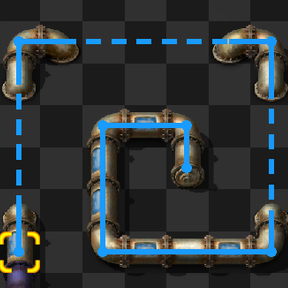
- How it works: Toggle the Pipe Visualization shortcut and hover your cursor over any pipe.
- What it does: Draws a clear line highlighting the entire connected pipe network.
- Color-Coded: The highlight line dynamically matches the color of the fluid currently inside the network.
2. Belt Visualizer
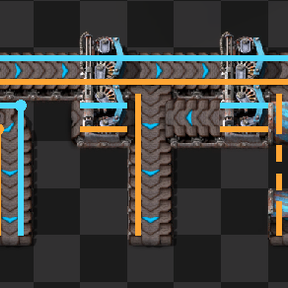
- How it works: Toggle the Belt Visualization shortcut and hover your cursor over any transport belt, underground belt, splitter, or inserter.
- Dual-Lane Tracing: Draws two distinct lines representing both the left and right lanes throughout the entire connected transport network.