
Inserter Flip Indicator
See which way an inserter is flipped—and which input belt lane it prefers.
Space Age is optional.
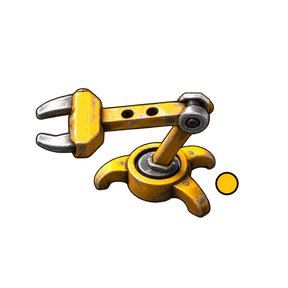
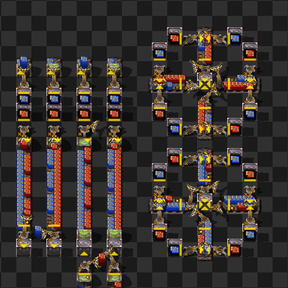
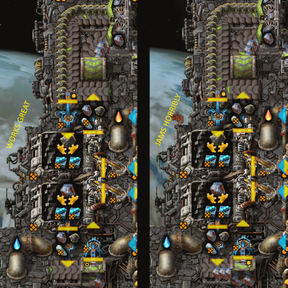
Flipped inserters can look identical while picking from different belt lanes, especially when their output goes into a chest or machine. Inserter Flip Indicator adds two visual cues:
- A brass tab on the base that switches sides when the inserter is flipped, visible without Alt mode.
- A gold pickup dot shown in Alt mode or on mouse-over. A solid dot means normal; a hollow dot means flipped.
The vanilla output arrow and pickup line remain intact. The mod does not change inserter behaviour, throughput, filters, or lane priority.
Reading the indicators
On straight belts, underground belts, and splitters, the pickup dot sits toward the preferred input lane. For perpendicular pickups and curved belts, flipping does not change lane priority: the dot sits on the belt's inserter-facing side, aligned with the inserter's center line. Its solid or hollow shape still distinguishes flip state. An inserter can use the other lane when its preferred lane has no eligible items.
For inventories and transport-belt ghosts, the dot indicates flip state rather than predicting lane choice. Inventory dots use the same inserter center-line placement and inset toward the inserter as curves and perpendicular belts. Placed underground-belt and splitter ghosts use their planned direction for the lane marker.
The base tab always shows flip state. With pickup facing north, it appears on the west side normally and the east side when flipped; those sides rotate with the inserter. The pickup dot reflects its input: it can sit on a different physical side for a reversed belt, or on the inserter center line for inventories, curves, and perpendicular belts. With no recognized source, it uses the nominal flip side.
Settings
Under Settings → Mod settings → Per player:
| Option | Effect |
|---|---|
| Show pickup indicator in Alt mode | Show gold pickup dots while your Alt mode is enabled. |
| Show pickup indicator on mouse-over | Show the dot for the inserter or inserter ghost under your mouse, including with Alt mode off. |
| Show pickup indicator when picking from inventories | Allow inventory-input dots in either mode. Disable to hide them in both modes while retaining dots for belt inputs. |
| Show pickup indicator when flipping does not affect lane priority | Allow dots for curved belts, perpendicular belt pickups, and inventory inputs. Disable to hide them in both modes. Unknown belt geometry remains visible. |
All four Show options default to enabled and apply immediately. The inventory option includes chests, assemblers, furnaces, other entities with inventories, and their placed ghosts. Only the pickup source is considered: an inserter taking from a belt and feeding an assembler can still show a dot. No option enables a display mode that you have disabled. Existing preferences from the former Hide option are preserved. The brass base marking is unaffected.
Under Startup, Inserter base marking independently controls the brass tab. It defaults to enabled and requires a restart to change. The per-player pickup settings do not affect it.
Supported inserters
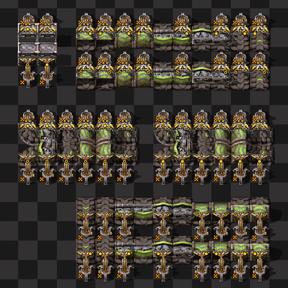
Base markings support all vanilla inserters: burner, normal, long-handed, fast, bulk, and Space Age stack inserters. They cover all four directions and retain the supplied frozen appearances.
Pickup dots also appear on placed inserter ghosts. Rotation, flipping, blueprint placement and paste-over, robot construction, and save/load are handled automatically. Blueprint cursor previews before placement are not marked.
The mod can be added to existing saves; existing inserters and ghosts receive indicators automatically. Disabling or removing it removes the added markings without changing the factory's behaviour.
Existing sprite layers, colours, shadows, and hand animations are preserved. Graphics mods that substantially reshape bases may need different marking placement; mods that replace platform graphics after this mod loads can remove the tab. Lane handling is verified for cardinal pickup vectors on straight/curved belts, underground entrances/exits, and both splitter halves; custom vectors and item availability can affect actual pickup.