
How this Factorio mod (GUI Manager) works
This mod is a debugging tool for mod developers that lets you inspect and manage a player's GUI element tree directly in-game. Let's break it down file by file.
Overall architecture
data.lua          → registers prototypes (loaded at game startup)
├── custuminput.lua → Y key
├── luashortcut.lua → shortcut button in the shortcut bar
└── sprites.lua     → icons for the buttons

control.lua       → all runtime logic
data.lua — prototype loading stage
Simply includes three files with prototype definitions.
custuminput.lua — creates a custom input:
{ type = "custom-input", name = "guiManager", key_sequence = "Y", consuming = "none" }
Pressing Y generates a guiManager event (handled in control.lua). consuming = "none" means the key is not "eaten" — it also works in other contexts.
luashortcut.lua — a guiManager shortcut button in the quick bar. action = "lua" means: clicking it generates an on_lua_shortcut event with prototype_name = "guiManager". associated_control_input links the shortcut to the Y key (one action — two ways to trigger it).
sprites.lua — registers 4 icons (gui_manager_close, rebuild, expand, back) using images from core (vanilla icons). They are needed for the sprite-button elements in the GUI.
control.lua — main logic
Helper functions
· split(input, delimiter) — splits a path string ("center/frame/label") into parts.
· get_gui_path(gui) — walks up via .parent and builds a string like "center/gui_manager_parent_frame/...". Used to check that the player isn't editing the GUI Manager itself, and for tooltips.
· print_table / print_interfaces — debug helpers (unused).
The gui_elements table — element "templates"
Key trick: element descriptions are stored in a table keyed by template names:
gui_manager_children_table = { type="table", column_count=4, ... }
gui_manager_visible_row_   = { type="checkbox", state=false }
gui_manager_open_row_      = { type="sprite-button", sprite="gui_manager_expand" }
Note the trailing underscore on *row — these are placeholders for indexed names (gui_manager_open_row_1, _2, ...).
trust_but_verify_gui(gui_name, parent) — "create or find"
local element = parent[gui_name]
if element == nil or not element.valid then
    lookup_string = string.gsub(gui_name, '%d', '')  -- strip digits
    local element_table = gui_elements[lookup_string]
    element_table.name = gui_name
    element = parent.add(element_table)
end
element.visible = true
return element
Logic: if an element with that name already exists under the parent, return it; otherwise take the template (name without digits), set the real name, and create it. This is an idempotent "upsert". It also forcibly makes the element visible.
rebuild_gui_manager(player, gui) — the core of the mod
Builds/updates the control panel:
- Determines the currently selected element (gui). If nil or the root — shows "No selected element", otherwise the name and path.
- Saves the selection in global[player.index].current.
- Creates the hierarchy:
· gui_manager_parent_frame (in player.gui.center) — vertical frame
· gui_manager_menu_frame — horizontal row:
· label with the current element
· buttons: back, rebuild, close
· gui_manager_child_scroll_pane (height 400)
· gui_manager_children_table (4 columns, with lines) - Hides all old children of the table (child.visible = false) — to avoid duplicates (more on this below).
- Shows the headers: Mod / GUI Name / Visible / Open.
- Iterates over gui.children and creates 4 row elements for each child:
· gui_manager_mod_row_N — label with child.get_mod() ("Scenario" if nil)
· gui_manager_name_row_N — label with child.name
· gui_manager_visible_row_N — checkbox, state = child.visible
· gui_manager_open_row_N — sprite-button (expand arrow) - Key trick: stores a reference to the actual child GUI element in global[player.index][checkbox.index] and global[player.index][open.index]. .index is a unique numeric ID of the element in the GUI tree, so you can retrieve the target by it later.
unbreak(player) — protection against "self-bricking"
If the player hid center, menu_frame, or rebuild_button (without which the panel cannot be restored), the mod forcibly makes them visible and prints a warning to chat. Called before opening the panel.
Event handlers
on_gui_click — the central handler:
· rebuild_button → rebuild_gui_manager(player, current) — rebuild.
· close_button → this_gui.visible = false — just hide the frame.
· back_button → rebuild_gui_manager(player, current.parent) — go up one level (unless at the root).
· gui_manager_open_row_* (checked via string.gsub(name, "%d", "")):
1. Retrieves the target: gui_to_open = global[player.index][event.element.index]
2. Checks valid — if the element is already deleted, returns to the top level.
3. Protection: if the target's path is "center/gui_manager_parent_frame", refuses (you can't edit the manager itself, otherwise recursion).
4. Otherwise rebuild_gui_manager(player, gui_to_open) — "enters" the selected element.
on_gui_checked_state_changed — checkbox click:
if string.find(gui_element.name, "gui_manager_visible_row_") then
    target_gui = global[event.player_index][gui_element.index]
    target_gui.visible = gui_element.state
end
Toggles the visibility of the actual GUI element (the one stored by .index).
guiManager (custom input) and on_lua_shortcut — open/hide the panel:
unbreak(player)
local parent_frame = player.gui.center["gui_manager_parent_frame"]
if not parent_frame then
    rebuild_gui_manager(player)      -- first time: create
else
    toggle_gui_visible(parent_frame) -- already exists: show/hide
end
remote.add_interface("gui_manager", {...})
Public API for other mods:
· edit_gui(player, gui) — opens the manager on the specified element (with player and GUI validation).
· debug_var(variable) — stub, not implemented.
About the warning at the top of the file
--***Critical issue where opening up the child_table causes exponential creation of children elements.
--For now, forbid manipulating this GUI's children.
The problem: rebuild_gui_manager is called many times (on every click). Each time trust_but_verify_gui creates/finds elements by name. But children are appended to a table, and if you allowed "expanding" the children_table itself, then on every rebuild it would create children inside itself, including new rows, which would again be iterated over in gui.children → exponential growth. That's why:
- Old children of the table are hidden (visible = false) rather than deleted.
- It's forbidden to open gui_manager_parent_frame as a target (path check in on_gui_click).
So the mod doesn't delete elements (that's expensive/risky) — it reuses them by indexed names and hides the excess.
The resulting user scenario
- The player presses Y or clicks the shortcut → a panel appears in the center of the screen listing the GUI children of player.gui.
- The table shows: which mod created the element, the name, a visibility checkbox, and an "expand" button.
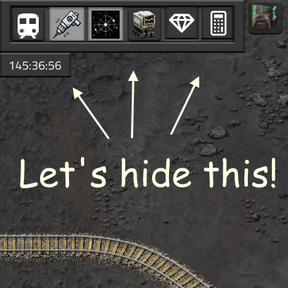
- Clicking the checkbox instantly hides/shows the actual element of another mod (useful for debugging: "whose frame is this?").
- Clicking the arrow "drills into" the element to see its children. The "back" button goes back up.
- The "rebuild" button rebuilds the view (if the GUI changed externally).
- The "close" button hides the panel.
Essentially, this is a DOM inspector for the Factorio GUI, analogous to DevTools in a browser.