
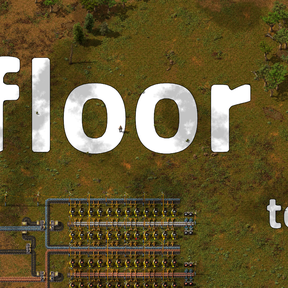
Floor Text
Floor Text lets you write custom labels directly onto your factory floor.
THIS IS CODED USING GEMINI - I AM SORRY, I JUST NEEDED A MOD TO DO THIS FOR ME.
Features
- The height of your selection box automatically dictates the font size—drag a larger box for massive labels.
- Text is drawn underneath your machines, belts, and inserters so it never gets in the way of building or blocks your view of the factory.
To REMOVE TEXT - Just drag the eraser tool over the text to wipe it clean.
How to Use
Write: Press ALT + T (or click the 'T' icon on your shortcut bar) to grab the Write Tool. Drag a box on the ground, type your message, and press Enter to lock it in.
Erase: Press ALT + R (or click the 'X' icon on your shortcut bar) to grab the Erase Tool. Drag a box over any existing floor text to remove it.