Hi RedasKG,
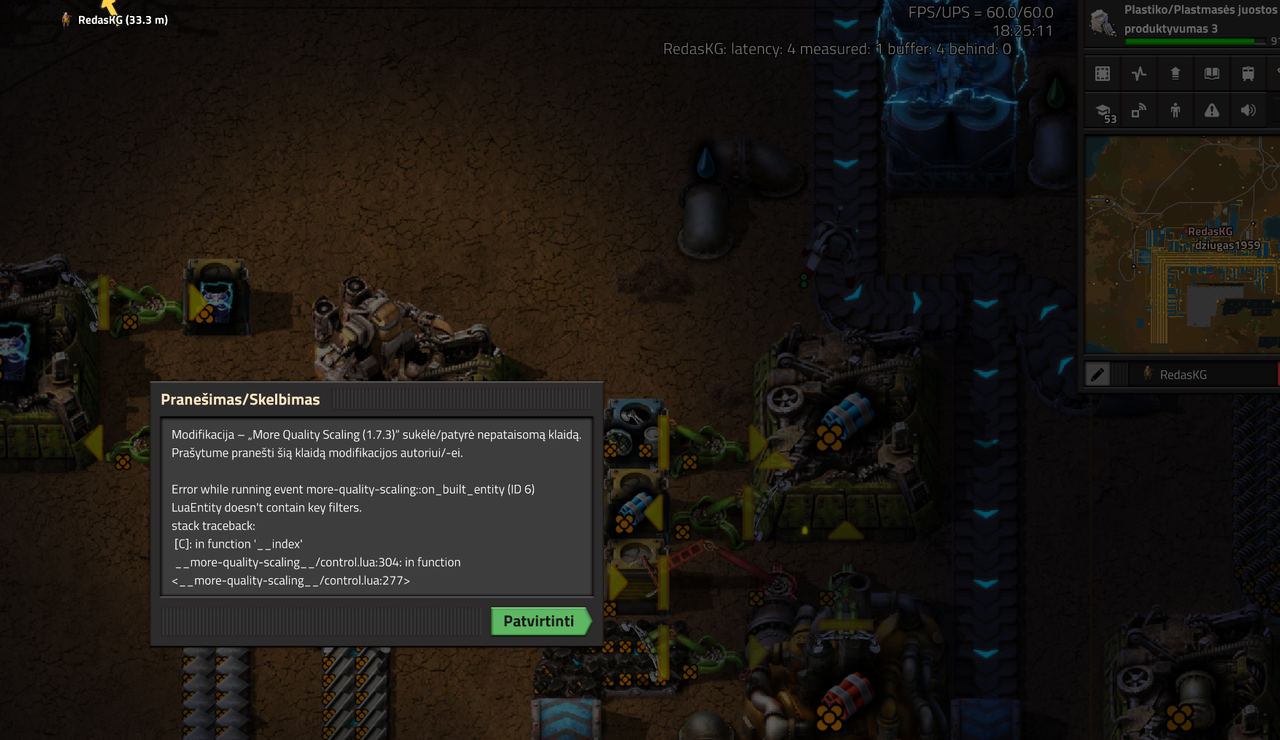
Thanks for reporting the issue and providing the screenshot!
I can see that the error originates from More Quality Scaling, but to properly investigate the compatibility issue and determine whether I can fix it on my side, I really need the factorio-current.log file.
Where to find it (Windows):
1. Press Windows + R.
2. Paste %APPDATA%\Factorio and press Enter.
3. Find the file named factorio-current.log.
4. Attach the file to your reply.
If possible, please reproduce the crash and copy the log before restarting Factorio, as the log may be overwritten. If you've already restarted, you can also check factorio-previous.log.
If you're running a dedicated server, please provide the server's log instead.
Thanks for your help!
P.S. Judging by the screenshot, I'm guessing you're Lithuanian? :P My Lithuanian is about as good as a broken inserter, so I asked Google Translate to do the heavy lifting. Hopefully it didn't turn my bug report request into a declaration of war!
Lietuviškai (Lithuanian)
Sveiki, RedasKG!
Ačiū, kad pranešėte apie problemą ir pridėjote ekrano nuotrauką!
Matau, kad klaida kyla „More Quality Scaling“ modifikacijoje, tačiau norėdamas tinkamai ištirti suderinamumo problemą ir nustatyti, ar galiu ją ištaisyti savo modifikacijoje, man tikrai reikia factorio-current.log failo.
Kur jį rasti („Windows“):
1. Paspauskite Windows + R.
2. Įklijuokite %APPDATA%\Factorio ir paspauskite Enter.
3. Suraskite failą factorio-current.log.
4. Pridėkite šį failą prie savo atsakymo.
Jei įmanoma, pakartokite klaidą ir išsaugokite žurnalo failo kopiją prieš iš naujo paleisdami Factorio, nes žurnalas gali būti perrašytas. Jei žaidimą jau paleidote iš naujo, taip pat galite patikrinti factorio-previous.log.
Jei naudojate atskirą žaidimo serverį, atsiųskite serverio žurnalo failą.
Ačiū už pagalbą!