
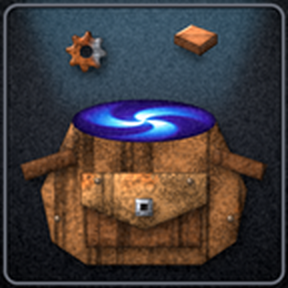
Limit every item to 10 (configurable) slots in your inventory. Everything over that goes into a pocket dimension that tops your inventory back up as you use it. Ctrl-click into and out of chests uses the pocket too, and it always keeps empty slots free for new items. Made for infinite inventories with ten thousand stacks of coal.
Providing the player with new tools or adjusting the game interface, without fundamentally changing gameplay.
Version: 1.2.7
Date: 2026-11-02
  Major Features:
    - Ctrl-clicking an item into a chest, wagon or car moves everything, the pocket included, not just the slots in your inventory.
  Changes:
    - Made for Factorio 2.1.
    - Your inventory refills right after you move items out, instead of up to half a second later.
    - Much lighter on UPS: nothing runs while your inventory doesn't change.
  Gui:
    - New window: drag it around, close it with Esc, search stored items from the title bar, and click any item to give it its own limit or tick Never stash. Items with their own limit are yellow, kept-out ones are red. It shows short totals like 7.16M and has no wall of text.
    - Items with their own limit go to the top and stay in the window even when none are stored.
    - Click anywhere outside the window to close it.
    - Press the pipette key over any item in the window to pick it up. A stack comes out of the pocket if your inventory has none.
    - Ctrl-click takes everything out of a chest in one go: what does not fit in your inventory goes straight into the pocket.
    - Your inventory always keeps exactly 1 empty slot, adding a slot or taking it away as needed, so a new kind of item can always be picked up. A big change like a higher default slot limit comes back in one go.
    - A Pocket Dimension button in the shortcut bar opens the window.
    - Items the pocket cannot hold, like named caravans, are given back to your inventory if an old version stored them.
    - The default slot limit works for them too: they stay in your inventory because they carry their own data.
    - A scroll bar appears when there are more than ten rows of items, and it no longer covers the last column.
    - The window redraws by itself when items go into the pocket or come out of it, for example after you change a limit.
    - The default slot limit is now set in the window instead of mod settings. If you had changed it before, your value carries over.
    - Setting an item to the same number as the default no longer counts as its own limit, and items follow the default if you change it.
    - Type a number and click anywhere else and it is set, like pressing Enter. That click does nothing else, the next one does. This also holds when you only click into the box without typing. Moving the mouse over a box changes nothing.
    - The default slot limit has no Set button any more, you just type the number.
    - Changing the default slot limit redraws the window faster.
    - The window is always exactly as wide as the item rows.
    - The top button is now an icon.
    - New icon: a worn leather pouch with a portal swirling out of it. It is the mod picture, the top button and the shortcut bar button.
  Bugfixes:
    - Items that carry data or spoil (armor with equipment, blueprints, items with their own inventory) are no longer moved into the pocket, so they keep their contents and freshness.
Version: 1.0.0
Date: 2026-07-08
  Major Features:
    - First release.