
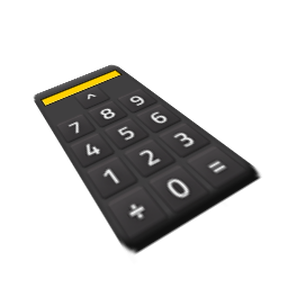
A calculator GUI opened with Ctrl+Shift+C. Includes standard, scientific, and graphing modes.
Providing the player with new tools or adjusting the game interface, without fundamentally changing gameplay.
Version: 1.0.20
Date: 2026-09-02
  Compatibility:
    - Added support for the Factorio 2.1 experimental branch.
    - Updated factorio_version from 2.0 to 2.1 for this release.
Version: 1.0.19
Date: 2026-09-02
  Features:
    - Added a per-player calculation history.
    - Recent equations and results are shown below the calculator.
    - Clicking a previous result places it back into the calculator so it can be reused in another calculation.
    - Added a Clear button for calculation history.
Version: 1.0.18
Date: 2026-09-02
  Improvements:
    - Calculator interactions no longer close an already-open machine or entity information window.
    - You can keep an assembler, furnace, or other entity GUI open while using calculator buttons.
Version: 1.0.17
Date: 2026-06-05
  Features:
    - Added a shortcut bar button to open and close the calculator.
    - The shortcut button works alongside the existing Ctrl+Shift+C hotkey.
Version: 1.0.16
Date: 2026-06-05
  Features:
    - Added absolute value support.
    - Added abs button to scientific and graphing modes.
    - Typed equations can now use abs(value) or |value| syntax.
Version: 1.0.15
Date: 2026-06-04
  Features:
    - Calculator window can now be dragged by its title bar.
    - Window position is remembered between openings.
  Fixes:
    - Fixed draggable GUI behavior to use Factorio's draggable title bar pattern.
Version: 1.0.14
Date: 2026-06-04
  Fixes:
    - Fixed graph rendering visibility issues.
    - Plot now renders using visible graph elements instead of negative-space rendering.
    - Improved contrast between graph axes and plotted function.
Version: 1.0.13
Date: 2026-06-04
  Features:
    - Added Ultra graph quality setting.
    - Ultra quality provides approximately twice the detail of High quality.
  Changes:
    - Graph plotting elements now use white coloring.
Version: 1.0.12
Date: 2026-06-04
  Fixes:
    - Added missing locale entries for graph quality settings.
    - Fixed "Unknown key" appearing in mod settings.
Version: 1.0.11
Date: 2026-06-04
  Features:
    - Added graph quality setting.
    - Added Low, Medium, and High graph quality options.
    - Medium quality is now the default.
Version: 1.0.10
Date: 2026-06-04
  Features:
    - Added graph zoom controls.
Version: 1.0.9
Date: 2026-06-04
  Changes:
    - Reworked graph rendering system.
    - Graph now renders using actual graph elements instead of text characters.
Version: 1.0.8
Date: 2026-06-04
  Improvements:
    - Improved graph scaling behavior.
    - Equalized X/Y scaling to improve graph accuracy.
Version: 1.0.7
Date: 2026-06-04
  Fixes:
    - Fixed graphing mode text box focus handling.
    - Typing now targets the selected graph input field.
Version: 1.0.6
Date: 2026-06-04
  Fixes:
    - Fixed graph display not appearing correctly.
Version: 1.0.5
Date: 2026-06-04
  Changes:
    - Calculator GUI now rebuilds automatically when values change.
    - Preserves current mode and equation while rebuilding.
Version: 1.0.4
Date: 2026-06-04
  Features:
    - Automatic calculation updates while typing.
    - Automatic graph updates while editing.
Version: 1.0.3
Date: 2026-06-04
  Features:
    - Added graph axes.
    - Added graph tick marks every 5 units.
Version: 1.0.2
Date: 2026-06-04
  Features:
    - Added keyboard equation input.
    - Added support for +, -, *, /, ^, and % operators.
Version: 1.0.1
Date: 2026-06-04
  Fixes:
    - Fixed graphing mode crash caused by missing font reference.
Version: 1.0.0
Date: 2026-06-03
  Features:
    - Initial release.
    - Standard calculator mode.
    - Scientific calculator mode.
    - Graphing calculator mode.
    - Ctrl + Shift + C hotkey.
    - Attached graph window.