
Big Technology Tree Screenshot
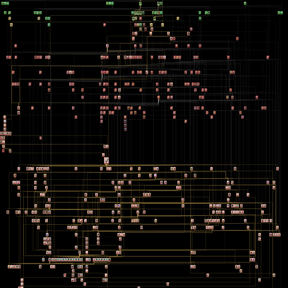
Capture the entire Factorio technology tree in a single high-quality PNG screenshot with one button press.
Features
- One-button capture — Press
9to instantly screenshot the full tech tree - High quality output — Configurable PNG quality (1-100%)
- Smart filtering — Option to skip disabled technologies
- Highlight specific techs — Focus on any technology by internal name (e.g.,
rocket-silo,space-science-pack) - Organized storage — Customizable subfolders and filenames with optional timestamps
- Per-player settings — Each player configures their own preferences
- Multi-language support — English, Russian, German, French, Italian
- Sound & colors — Camera click sound with colored success messages
Installation
- Download from the Factorio Mod Portal
- Or install via the in-game mod manager — search for "Big Technology Tree Screenshot"
Usage
- Launch Factorio and load any save
- Press
9(default key, configurable) - Find your screenshot in
script-output/tech-maps/
Configuration
Access via Settings → Mod settings → Per player:
| Setting | Default | Description |
|---|---|---|
| Filename prefix | big-tech-tree |
Base name for screenshot files |
| Save subfolder | tech-maps |
Organize shots in subdirectories |
| Add timestamp | true |
Append game tick to filename |
| Skip disabled | false |
Hide unobtainable technologies |
| Image quality | 95 |
PNG compression level |
| Highlight tech | (empty) | Focus camera on specific technology |
Compatibility
Compatible with all mods.
License
MIT License — Created by SteamMarat089
Links
Press 9. Capture everything.