Search the Mod Portal by entering a search term.
To search for specific phrases, surround them with double quotes (").
The mod portal will match your query against the mod title, internal name, summary, and username of the mod owner.
To further refine your search, use the sidebar on the left. Enable the checkboxes to limit the search results to selected categories and tags or use the ban button to exclude them.
You can reset your filters by clicking the active tab on the top.
There's a lot of caching on this page. It can take several hours for new mods and updates to show up in search results.

Multiplex many circuit network connections onto ribbon cables which can carry many signals over long distances.
Providing the player with new tools or adjusting the game interface, without fundamentally changing gameplay.

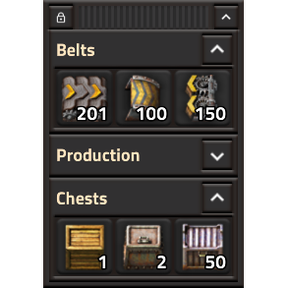
Allows fast insert and stack transfer of items into chests with limited inventory size, without having to manually click on each slot.
Providing the player with new tools or adjusting the game interface, without fundamentally changing gameplay.

Shortcut to order deconstruction of mining drill without resource to mine
Providing the player with new tools or adjusting the game interface, without fundamentally changing gameplay.

Provides a shortcut to order a deconstruct of all dead trees in the area.
Providing the player with new tools or adjusting the game interface, without fundamentally changing gameplay.

Make changes to any number of recipes, export/copy the exchange string, and paste it into the startup setting to see them take effect. (Ctrl + \)
Providing the player with new tools or adjusting the game interface, without fundamentally changing gameplay.
Providing the player with new tools or adjusting the game interface, without fundamentally changing gameplay.

Providing the player with new tools or adjusting the game interface, without fundamentally changing gameplay.

Providing the player with new tools or adjusting the game interface, without fundamentally changing gameplay.

Upgrade all vanilla trains to Rubia's armored trains. This mod requires 1000 of each armored train piece to be made before loading into the save, and is one-time use per save file. Please see restrictions on the mod portal, as improper use will cause crashes.
Providing the player with new tools or adjusting the game interface, without fundamentally changing gameplay.

Providing the player with new tools or adjusting the game interface, without fundamentally changing gameplay.

Supports many of the scripted mechanics in PyAE, such as dig site and automated smart farm.
Providing the player with new tools or adjusting the game interface, without fundamentally changing gameplay.

A simple GUI for controlling game speed (slower/faster). Includes a configurable safety feature that automatically resets the game speed to normal (1x) when critical alerts—such as attacks or entity destruction—are detected, ensuring you don't miss important events.
Providing the player with new tools or adjusting the game interface, without fundamentally changing gameplay.
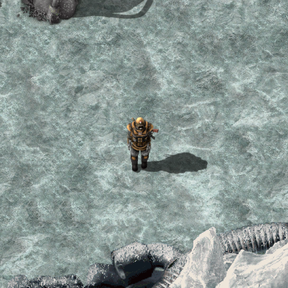
Start the game on Fulgora's moon Cerys with a post-Nauvis loadout. Includes an optional speedrun mode for launching the first rocket.
Providing the player with new tools or adjusting the game interface, without fundamentally changing gameplay.

Automatically deploys combat robot capsules when in combat. No special equipment required.
Providing the player with new tools or adjusting the game interface, without fundamentally changing gameplay.

More Colors for Vehicles, Players, Trains, Train Stops, Tanks, Cargo Wagons, Fluid Wagons, Spidertrons - RGB color picker with saturation control - Copy/Paste colors (Shift + Right Click → Shift + Left Click) *Vehicle color is independent of player color*
Providing the player with new tools or adjusting the game interface, without fundamentally changing gameplay.
Providing the player with new tools or adjusting the game interface, without fundamentally changing gameplay.
Providing the player with new tools or adjusting the game interface, without fundamentally changing gameplay.
Cycle Quality (Alt + Scroll) works on blueprints and planners via a temporary clipboard.
Providing the player with new tools or adjusting the game interface, without fundamentally changing gameplay.
Providing the player with new tools or adjusting the game interface, without fundamentally changing gameplay.
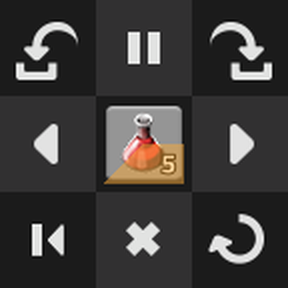
A variety of tools to enhance your crafting queue. Quick craft to front, toggle queueing to front, pause crafting, requeue crafting, move queued crafts to the front/back, and cancel all crafts.
Providing the player with new tools or adjusting the game interface, without fundamentally changing gameplay.