
Description
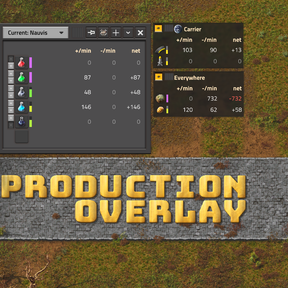
Production Overlay puts small, draggable windows on your main screen with the production and consumption of any items or fluids you choose over the last minute, plus stock bars for logistic networks and space platform hubs.
Features
- Per-minute production, consumption and balance for any item or fluid. The balance turns red when you consume more than you make.
- Stock bars: set a target amount for an item and a small bar shows how full your storage is (red when low, green on target, purple when over 110% of the target).
- Counts logistic network storage and Space Age platform hubs. You can use all networks or only the one you're standing in (or looking at).
- Multiple independent windows, each with its own item list, surface (current, everywhere, or a specific planet or platform) and network mode.
- Pinned mode: a compact, semi-transparent, click-through overlay that doesn't get in your way.
- Quality support: tracks the exact quality you pick. Works without Space Age and with third-party quality mods.
- Read-only and multiplayer-safe: it never changes your game, only its own UI.
How to use
1. Click the button on the shortcut bar, or press Ctrl+Alt+P, to show or hide the overlay.
2. Click the empty slot at the bottom of a window and pick an item or fluid. For items, enter a target stock (or 0 for no bar).
3. Left-click an icon to replace it, right-click to remove it, and use the arrows to reorder rows.
4. Click the stock bar next to an icon to change that item's target stock.
5. Use the "+" button for another window, and the dropdown to choose the surface.
6. Click the pushpin, or press Ctrl+Alt+O to pin every window, for the compact click-through view. Click the pin again to unpin. You can drag a pinned window anywhere you want.
You can rebind the hotkeys in the controls settings and change the update interval in the map settings.
Languages: English, Russian.