
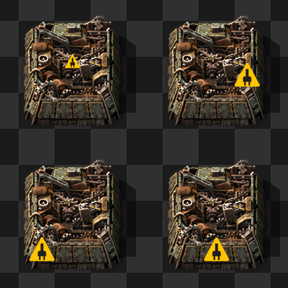
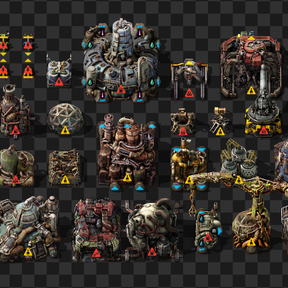
Customize the size and position of alert icons on buildings in Factorio.
Features
- Adjust the global scale of alert icons.
- Choose horizontal and vertical positions for alert icons.
- Set padding between an icon and the edge of an entity's selection box.
Settings
Configure these startup settings under Settings > Mod settings > Startup. Changes to startup settings take effect after restarting Factorio.
| Setting | Values | Default | Description |
|---|---|---|---|
| Alert Icon Scale | 0.0–1.0 | 0.35 | Scale of alert icons. |
| Alert Icon Padding | 0.0–0.3 | 0.1 | Padding as a fraction of the entity's selection box. |
| Alert Icon Horizontal Position | Left, Center, Right | Center | Horizontal alignment of the alert icon. |
| Alert Icon Vertical Position | Top, Center, Bottom | Center | Vertical alignment of the alert icon. |
When an entities selection box is invalid its alert icon position is left unchanged and a warning is written to the Factorio log.