
Search the Mod Portal by entering a search term.
To search for specific phrases, surround them with double quotes (").
The mod portal will match your query against the mod title, internal name, summary, and username of the mod owner.
To further refine your search, use the sidebar on the left. Enable the checkboxes to limit the search results to selected categories and tags or use the ban button to exclude them.
You can reset your filters by clicking the active tab on the top.
There's a lot of caching on this page. It can take several hours for new mods and updates to show up in search results.
Adds a shortcut that can calculate the required amount of krastorio air purifiers for a selection.
Providing the player with new tools or adjusting the game interface, without fundamentally changing gameplay.
Adds dynamic lighting to the player that is adjustable with keyboard shortuts.
Small changes concerning balance, gameplay, or graphics.

This mod helps in troubleshooting your circuit networks. Adds shortcut (Alt-C by default) to find possible circuit flaws in selected area. Finds unmatched inputs, unused outputs, missed wire connections.
Providing the player with new tools or adjusting the game interface, without fundamentally changing gameplay.

Providing the player with new tools or adjusting the game interface, without fundamentally changing gameplay.

Toggle "ghost mode", making all items you place a ghost item regardless of what's in your inventory. Bascially, it holds down Shift for you. With ghost mode enabled, using the pipette tool (Q) to pick an item will also always pick a ghost item. Ghost mode can be toggled via the default key binding Shift + G or the shortcut bar."
Providing the player with new tools or adjusting the game interface, without fundamentally changing gameplay.

Adds a planner that can make distribution request. For a given recipe, each ingredient can be requested in a different request box. This can be useful if you are using a mod with many ingredients required by the recipe. The Distribution Request Planner can be found in Shortcuts.
Providing the player with new tools or adjusting the game interface, without fundamentally changing gameplay.
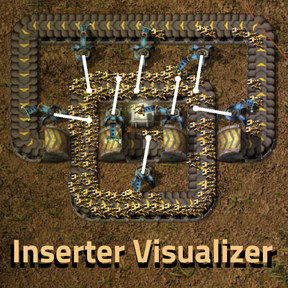
Easily visualize exactly where inserters will place items: - The smart-hotkey "i" visualizes drop positions of all inserters, just the selected inserter, or inserters placing onto connected transport belts. - Live selection highlighting (hover mode) can be toggled with a shortcut button or the "ctrl + i" hotkey.
Providing the player with new tools or adjusting the game interface, without fundamentally changing gameplay.

Factorio mod that allows to adjust inventory size directly in-game. Featuring a interface and shortcut button, it integrates seamlessly into Factorio for quick and flexible inventory management.
Providing the player with new tools or adjusting the game interface, without fundamentally changing gameplay.

Provides the ability to toggle in and out of Map Editor, via hotkey and Shortcut Bar icon. v2.0 Currently broken, I don't plan on fixing it anytime soon. Instead, you should use Editor extensions, as they will provide the same as what this offers and more.
Providing the player with new tools or adjusting the game interface, without fundamentally changing gameplay.

This mod will automatically string red and green wire from long distance poles to other long distance poles that already have circuit wire going to them. In 0.17 it uses a shortcut toggle (like the roboport toggle) to turn it on and off.
Providing the player with new tools or adjusting the game interface, without fundamentally changing gameplay.

Generates ruin files for 'The Ruins Mod' from setups selected in-game. The ruin selection tool can be obtained from the shortcut bar.
Providing the player with new tools or adjusting the game interface, without fundamentally changing gameplay.

Removes the space platform tiles from under entities deconstructed with this shortcut item.
Providing the player with new tools or adjusting the game interface, without fundamentally changing gameplay.

Tree Feller mod. Requires Shortcut for 1.1. After using tree feller, woods are dropped on ground. It also works on trees or rocks added by other mods.
Providing the player with new tools or adjusting the game interface, without fundamentally changing gameplay.
Places the fastest kind of tiles automatically below you when you walk around. Toggleable with shortcut. Comes with adjustable radius and kind of tile.
Providing the player with new tools or adjusting the game interface, without fundamentally changing gameplay.
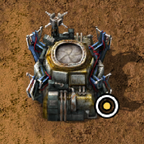
Allow to disable logistics and connection area for all structures which have drones area with shortcut
Mods introducing new content into the game.

The mod lets you control the behaviour of trains upon arriving at temporary stations. The train either switches to manual mode or waits with custom conditions. You can also define a Train as your Personal Train and use the shortcut to call that train to your position.
Mods introducing new content into the game.
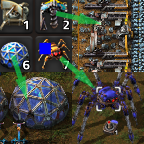
Adds configurable shortcuts and hotkeys to center your view on a specific entity or location (and select a remote when it's a spidertron), similar to control groups in an RTS
Providing the player with new tools or adjusting the game interface, without fundamentally changing gameplay.
Adds a quickbar shortcut for toggling the personal logistics so that the status can be seen without opening the inventory.
Mods introducing new content into the game.

Allow bigger / larger shortcut icons. 1x, 1.5x, 2x size setting. All shortcut icons (yes mods) supported. Scale three-dot button, too.
Providing the player with new tools or adjusting the game interface, without fundamentally changing gameplay.

Allows you to emergency burn anywhere using the shortcut, pretty much a teleport that damages your capsule.
Small changes concerning balance, gameplay, or graphics.