Search the Mod Portal by entering a search term.
To search for specific phrases, surround them with double quotes (").
The mod portal will match your query against the mod title, internal name, summary, and username of the mod owner.
To further refine your search, use the sidebar on the left. Enable the checkboxes to limit the search results to selected categories and tags or use the ban button to exclude them.
You can reset your filters by clicking the active tab on the top.
There's a lot of caching on this page. It can take several hours for new mods and updates to show up in search results.

Providing the player with new tools or adjusting the game interface, without fundamentally changing gameplay.
Betterpoles - Better Poles - Use few poles in your factory. All poles has Max Distance and Max Supply Area
Providing the player with new tools or adjusting the game interface, without fundamentally changing gameplay.

This mod adds a quicksave-key (F6 by default) which saves the game to '_autosave-quick<nr>'. By default the number rotates between 1 and 3 similar to the built-in autosave-feature. This can be changed in the Mod settings. It is also possible to set a name for the save there. This is most useful, when the option "Use different mod settings per save" is activated in Other settings.
Providing the player with new tools or adjusting the game interface, without fundamentally changing gameplay.

Providing the player with new tools or adjusting the game interface, without fundamentally changing gameplay.
Providing the player with new tools or adjusting the game interface, without fundamentally changing gameplay.

Providing the player with new tools or adjusting the game interface, without fundamentally changing gameplay.
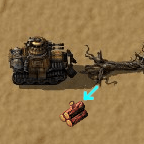
Harvest wood on the way of vehicles driving over trees. Can also harvest stone and coal when driving over rocks. (Locale: English, Deutsch, 正體中文, 简体中文, Português Brasileiro)
Providing the player with new tools or adjusting the game interface, without fundamentally changing gameplay.

Allows each player on a map to decide whether they want components returned by mining (requires components overhaul / mining results to be enabled).
Providing the player with new tools or adjusting the game interface, without fundamentally changing gameplay.
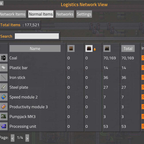
Providing the player with new tools or adjusting the game interface, without fundamentally changing gameplay.

Allows drawing properly-directed belts like tiles. Draw belts with a single drag! There is a tutorial in scenarios or watch a video about the belt brush. Maintainers: Dimava and ZwerOxotnik
Providing the player with new tools or adjusting the game interface, without fundamentally changing gameplay.
Tired of accidentally replacing underground-belts and splitters with transport-belts? Then this small mod is for you. When activated they can't fast-replace each other anymore. For a safer bus building. For Vanilla and for Bob's basic, green and purple belt stuff.
Providing the player with new tools or adjusting the game interface, without fundamentally changing gameplay.
Using a selection tool allow Admin's to delete chunks. By default if player entities found in a chunk the chunk will not be deleted. This can be forced by holding the SHIFT key while selecting an area. In all cases you will not be able to delete a chunk if a player is present.
Providing the player with new tools or adjusting the game interface, without fundamentally changing gameplay.

Removes the collision box from the player so they can move around freely, while still retaining the armor slot and vulnerability to trains and biters that sandbox lacks. Optionally, also removes collision masks from base cars and tanks.
Providing the player with new tools or adjusting the game interface, without fundamentally changing gameplay.
Providing the player with new tools or adjusting the game interface, without fundamentally changing gameplay.

Ever wondered where an item is being produced, or which chest it's stored in? Wonder no more. Pressing a hotkey (default ctrl+w) brings up a UI to help you find machines producing a certain recipe, or containers storing an item. Recently updated for 1.1.
Providing the player with new tools or adjusting the game interface, without fundamentally changing gameplay.

When want to remove, or mine, a tile, it was faster. Now compatible with Dectorio and BioIndustries. Double speed when cutting trees too.
Providing the player with new tools or adjusting the game interface, without fundamentally changing gameplay.

Providing the player with new tools or adjusting the game interface, without fundamentally changing gameplay.

Use the new Black Wagon that gives you the double of space.
Providing the player with new tools or adjusting the game interface, without fundamentally changing gameplay.

Providing the player with new tools or adjusting the game interface, without fundamentally changing gameplay.

This mod doubles the range of the headlights on the car. Should be compatible with most car mods. Inspired by Car Light Fix 0.0.2 by Grootie
Providing the player with new tools or adjusting the game interface, without fundamentally changing gameplay.