
Search the Mod Portal by entering a search term.
To search for specific phrases, surround them with double quotes (").
The mod portal will match your query against the mod title, internal name, summary, and username of the mod owner.
To further refine your search, use the sidebar on the left. Enable the checkboxes to limit the search results to selected categories and tags or use the ban button to exclude them.
You can reset your filters by clicking the active tab on the top.
There's a lot of caching on this page. It can take several hours for new mods and updates to show up in search results.
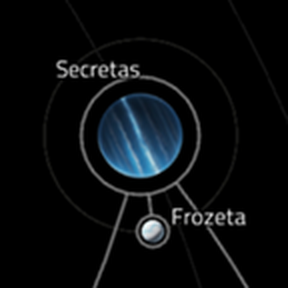
Minor aesthetic compatibility patch for Secretas/Frozeta and PlanetsLib, changing Frozeta to properly display as a moon with an orbit around Secretas, its parent planet.
Small changes concerning balance, gameplay, or graphics.

Mod pack based on Space Exploration and Krastorio 2 with the addition of several additional mods.
Collections of mods with tweaks to make them work together.
Small changes concerning balance, gameplay, or graphics.
Providing the player with new tools or adjusting the game interface, without fundamentally changing gameplay.
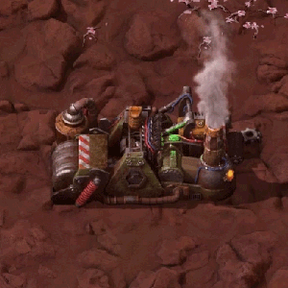
Prevents recycling recipes from outputting Deadlock stack items, so Recyclers recycle instead of stacking.
Small changes concerning balance, gameplay, or graphics.

Providing the player with new tools or adjusting the game interface, without fundamentally changing gameplay.
Small changes concerning balance, gameplay, or graphics.
Mods introducing new content into the game.
Small changes concerning balance, gameplay, or graphics.

This is a list of mods for players who are new to Factorio who want to play a long game and get a good understanding of Factorio, and those people who have been playing Factorio for some time. This modpack includes Space Exploration, Voidcraft(With a tiny bit of tweaking), Renai Transportation, Parallel Research, and other game-changing mods. Currently, there are no mods that change the enemies, although that will probably change soon. READ DESCRIPTION FOR VOIDCRAFT COMPATIBILITY.
Collections of mods with tweaks to make them work together.

Changes Burner Mining Drills to have 4x4 drilling area instead of default 2x2 (right under).
Small changes concerning balance, gameplay, or graphics.
Adds a hotkey that attempts to grab items from the selected entity, or all nearby entities, in order to fulfill the player's logistic requests. Also includes a hotkey to dump the player's trash slots into the selected entity.
Providing the player with new tools or adjusting the game interface, without fundamentally changing gameplay.
Adds burner and electric variants of offshore pumps with different power requirements and recipes
Mods introducing new content into the game.
Providing the player with new tools or adjusting the game interface, without fundamentally changing gameplay.
Mods introducing new content into the game.
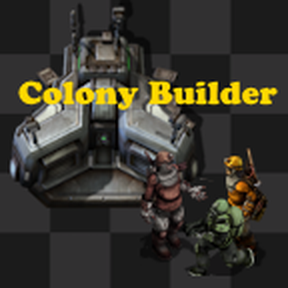
Build your very own colony on Nauvis. Create housing, services and recruit colonists to grow your settlement alongside your factory. Be sure to check the tips & tricks for more information on the systems and mechanics of this mod.
Large total conversion mods.
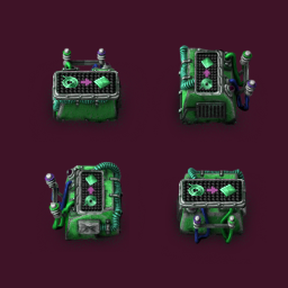
LordOdin's Recipe Combinator is implemented as a simple 1×1 assembling machine — not a complex scripted entity. When wired and configured cleverly, it can function as a recipe combinator, but without any per-tick logic or scripting overhead. This mod adds just one entity, and has zero performance impact compared to tick-based implementations.
Providing the player with new tools or adjusting the game interface, without fundamentally changing gameplay.
Mods introducing new content into the game.
Moves the productivity 3 module technology to Aquilo. Changes module ingredients to require lithium. Based on the mod Stack inserters on Vulcanus by baldbyte
Small changes concerning balance, gameplay, or graphics.
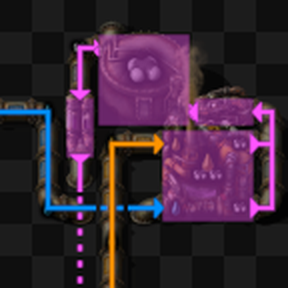
Visualize the layout and contents of pipe networks. Press Y to draw the selected entity's fluid systems. Press Shift + Y to draw all visible fluid systems. Press Alt + Y to automatically visualize systems on mouse-over. Press Control + Y to toggle between color-by-fluid and color-by-system.
Providing the player with new tools or adjusting the game interface, without fundamentally changing gameplay.
